26

Re: Park, home, and Y axis skip problems after E3D install

I would say, simply don't use Park.  I don't really see the purpose of it, and in general avoid hitting the endstops  when you aren't actually homing.  Or if you want to use park, set the park position to be something like 10mm short of each endstop.  It could be that all the confusion is related to RH running it into an endstop that isn't triggered due to the manual move, and then getting the wrong idea about what the current position is.  Also get in the habit of hitting home before the manual controls, especially if there has been a restart from powering up or reconnecting, or the motors have been turned off at the end of a print. 

Also make sure that any setting for endstop position or bed size says 200 for Y and 209 for X, to match the firmware.  Park would be the exception since you don't want to park on the endstops.  Also the start gcode shouldn't have any G1 movement commands before the G28 to home all.  Solidoodle's official start gcode used to have long manual moves to hit the endstops instead of G28, which wouldn't work anymore.   Make sure nothing like that is going on in your start code.

27 (edited by Hunter Green 2013-09-27 23:12:04)

Re: Park, home, and Y axis skip problems after E3D install

Okay, I've changed my Park position, but I don't ever use Park except when you guys tell me to do it for testing, in this thread.

The only changes I remember making in the "custom G-code" part of Slic3r settings since getting Solidoodle's defaults are the temperatures.  This is what I have on one of the settings files -- the others are all similar apart from different temperatures:

G21; set mm units
G28 ;home all axis
G90; set absolute coordinates
G92 E0; reset extruder distance
M104 S230; set extruder temp and start heating
G1 Z5 F300 ;move platform down 5mm
G1 X195 Y195 F3000 ; move to back right corner
M109 S230; wait for extruder temp to be reached
G1 Z[first_layer_height] F200 ;move platform close to nozzle
;G1 E7; extrude anchor
G1 F3000; center print head
G92 E0; reset extrusion distance

(Incidentally, that "[first_layer_height]" thing makes me think that Slic3r is clever enough to substitute one of its own settings into the custom g-code.  So is there a similar code for, say, extruder first layer temperature?  Because if so, I could eliminate most of these printer settings files since that's all that differs, and I don't see any reason for the M104 and M109 commands not to use the same kind of variable-insertion trick.  Assuming that's what that means.

Edit: yes to my above question; see http://wiki.solidoodle.com/setting-and- … your-gcode for the exact code.  Whyever isn't this the default?)

28

Re: Park, home, and Y axis skip problems after E3D install

Hunter Green wrote:

Are the potentiometers too stiff to be turned by a plastic-tipped screwdriver?

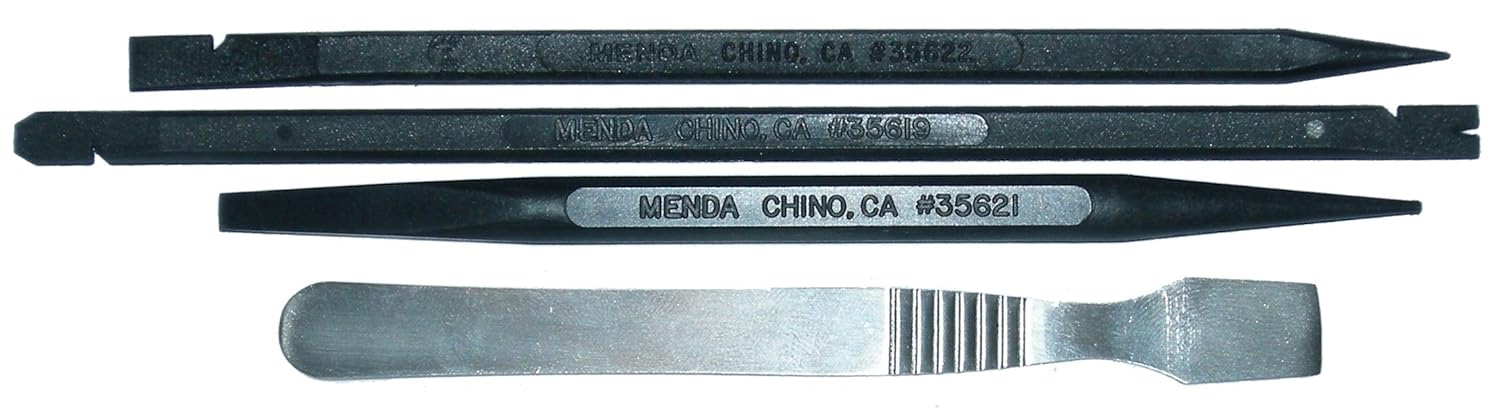
What I'm talking about here, by the way, is something like a spudger:
http://ecx.images-amazon.com/images/I/71o81zn4TzL._SL1500_.jpg

Some of us might even remember when they made plastic screwdrivers for adjusting the pots inside TVs, back in the day, but spudgers are what you can get nowadays.

29

Re: Park, home, and Y axis skip problems after E3D install

Plastic screwdriver might work (though I haven't tried).  Ceramic is recommend (not that I've tried that either).

You don't have to measure as you adjust, it's just a lot more tedious to adjust, then measure, and repeat.

30

Re: Park, home, and Y axis skip problems after E3D install

Hunter Green wrote:

(Incidentally, that "[first_layer_height]" thing makes me think that Slic3r is clever enough to substitute one of its own settings into the custom g-code.  So is there a similar code for, say, extruder first layer temperature?  Because if so, I could eliminate most of these printer settings files since that's all that differs, and I don't see any reason for the M104 and M109 commands not to use the same kind of variable-insertion trick.  Assuming that's what that means.

Edit: yes to my above question; see http://wiki.solidoodle.com/setting-and- … your-gcode for the exact code.  Whyever isn't this the default?)

This:

http://www.soliforum.com/topic/231/impr … end-gcode/

You can see how old that thread is. Solidoodle adopted it as their own but they are always slow to update so don't have the latest version.

As Ian said I think your collision problem comes from the difference between park and home. I've never used park before, only home. Perhaps a good first step is to untick "go to park position after job/kill'.

Park asks for a set of coordinates and will be susceptible to the printer thinking it's in one spot when it's in another. I'm not sure if it's crucial to your work flow but I would avoid the park button.

Does G28 in your start g-code still grind?

Since you've identified that the endstops are working, that can only leave a physical obstruction that causes the grinding.

31 (edited by Hunter Green 2013-09-28 02:29:37)

Re: Park, home, and Y axis skip problems after E3D install

Okay, I'm ordering a ceramic screwdriver, and in a few days I'll try the stepper test.  Will be long and slow doing it with alternating measuring and adjusting, but hopefully I'll find that it's off, maybe has always been, and adjusting it will clear up the skipping problem.

The home problem is less important and I'll just try figuring that one out by adjusting RH settings.  While I still suspect that the firmware I loaded isn't exactly what was in the device before (no other explanation for the change happening then has arisen), all that matters is I figure out how to make a print job not do that grind at the start, or otherwise fail to go where it needs to go.  I may have to build that up from first principles rather than just finding an undo for whatever changed, but that's for another day.

32

Re: Park, home, and Y axis skip problems after E3D install

I am thinking that your end stop problems may be mechanical... there have been several people with end stop issues where the end stop switches are just a tiny bit short of working... and sometimes work... but not reliably(maybe temp changes???) the solution is to place a few layers of tape on the carriage where the end stop switches hit... this way the switch get activated before the carriage hits the end of travel which by the way has to be several mm.'s before the physical end to allow for deceleration of the stepper motor and axis parts.

I am certain that the high quality switches SD uses in the printers would normally work just fine but you may have gotten some from a bad batch or they are mounted just a bit out of kilter...

33

Re: Park, home, and Y axis skip problems after E3D install

OK, Seriously, this firmware thing is all messed up.

For starters, it would be nice to know which board you actually have. Lawsy mentioned you have a sang. If that is the case, here is a big problem:

Your link to the firmware in your own wiki tutorial http://www.soliwiki.com/E3D_extruder#Do … ource_code points here:
https://github.com/mlaws/solidoodle2-marlin

The official firmware posted by Solidoodle is here:
http://www.solidoodle.com/how-to-2/how- … -firmware/ which both say they are from Lawsy. Lawsy stated that Solidoodle are not updated to the current, but that should be the first link since its on github.

Problem I have is that your first post showed that you had defined MANUAL_HOME_POSITIONS (which I argued should not be on only because the newest printrboard firmware from the manufacturer has it off). Funny thing is, neither of the firmwares that are linked for a Sanguinololu on any wikis, or even lawsys fork on github have this define at all. So where did you get your firmware? It is obvious to me that you are not using what was in the printer when you started.

It may not matter though.

Personally, I would turn that off. The newest Marlin does not have that defined, its handled in the homing. Second, I would comment out the ENDSTOPS_ONLY_FOR_HOMING. That is another reason why  it grinds. Your tests have all shown the firmware sees the homing switches, you simply have the firmware ignoring them.

Your Y axis skipping problem sounds like it predated the E3D, and is most likely one of two things at this point: Bad Vref setting for the stepper driver, or a faulty stepper driver. Most likely the first. Dont worry so much about measuring and adjusting the pot at the same time. Just measure the voltage alone.  The stepper is a SM42HT33-1334A that can go upto 1.33Amps. The Sanguino uses 0.05 Ohm sense resistor, and the Y axis calculates to a refence voltage of 520mVolts. (taken from here: http://www.soliforum.com/topic/459/soli … iciencies/).

Check the voltage, and adjust afterwards. Move a 1/16th of a turn at a time.

Chuck Bittner is a quadriplegic gamer who is petitioning the major console developers to include internal button remapping in all console games. You can help.
Sign Chuck Bittners petition

34

Re: Park, home, and Y axis skip problems after E3D install

A brief history of Solidoodle firmware:

- Solidoodle alter Marlin in the early days to change it to suit Solidoodle specs.

- Some time later I get my printer and want to add a Panelolu but the 'official' Solidoodle firmware is too old to support it. I end up trying to update parts of the code to suit but it's simply too out of date versus the latest Marlin. Solidoodle show zero interest in updating their firmware to suit users who want the most out of their printer.

- I fork the official Marlin on github and implement the Solidoodle configuration changes, as well as some other tidbits to make the Panelolu run nicely.

- I continue to update my github implementing the latest mainstream Marlin updates. Everyone that uses it is happy, Solidoodle show little interest to the people who don't trust a community release and want them to update their official firmware to have newest features. Eventually they change their official how-tos to point to my github.

- I add a pre-prepared version of Arduino 022 to make the whole process of updating firmware much easier.

- Somewhere around this time Solidoodle launch their own github, which starts as a Solidoodle incompatible version of Marlin and then becomes a copy/paste of the my github but not forked (which means they can't implement updates easily in future).
http://www.soliforum.com/topic/1007/sol … al-github/

- Many others from this great community join the collaboration and implement great additions to the firmware. Neil Martin, Rincewind, Tealvince and Adrian added things like hysteresis compensation, banding fixes, Solidoodle 3 compatibility and filament alarms.
- Adrian updates everything to the latest Marlin spec and prepares a version of the newest Arduino IDE for download.

- Solidoodle releases 'their' new motherboard which is quickly revealed to be a derivative of a printrboard from printrbot. No attribution, instructions or source files are posted despite repeated requests from Adrian and others in the community.

- Solidoodle eventually put up a page with the required content but it is not particularly user friendly for users to update their firmware.


I know I sound very anti-Solidoodle but in my opinion they have been sloppy the whole way with their firmware handling (and other software):

-There was the bad batch of bootloaders saga, where they said there was no problem because users didn't need to update firmware.
- They never really acknowledged mine and others contributions, having denied the need to update firmware for months and then taking our work to their github without credit or permission. Forking would have fixed this because the source stays on the github page.
- At one stage they were going to switch back to the older Sprinter firmware for some crazy reason.
- They also would not switch their support from Pronteface to Repetier-Host until the likes of Ian Johnson paved the way on his blog and most of the community were already using it.
- The whole printrboard update was the poorest yet, I wonder how the printrbot people felt about that?

/end rant.

Hazer wrote:

Your link to the firmware in your own wiki tutorial http://www.soliwiki.com/E3D_extruder#Do … ource_code points here:
https://github.com/mlaws/solidoodle2-marlin
The official firmware posted by Solidoodle is here:
http://www.solidoodle.com/how-to-2/how- … -firmware/ which both say they are from Lawsy. Lawsy stated that Solidoodle are not updated to the current, but that should be the first link since its on github.

The first link goes to the current version from my github that Adrian updated 4 months ago. It is a non-official community wiki and as such points to the most recent version.

The second link from the official instructions points to a year old version of my github (Oct 2012), hence not being up to date.

Hazer wrote:

Personally, I would turn that off. The newest Marlin does not have that defined, its handled in the homing. Second, I would comment out the ENDSTOPS_ONLY_FOR_HOMING. That is another reason why  it grinds. Your tests have all shown the firmware sees the homing switches, you simply have the firmware ignoring them.

Although changing these two settings could fix the problem, as you can see in the history I have posted above, the settings have been in place for a long time. All Solidoodles from October 2012 to when they changed to the printrboard shipped with my firmware and hence with this setting in place. My money is still on some sort of physical obstruction or misalignment.

35

Re: Park, home, and Y axis skip problems after E3D install

Jeez..  it's like they have to put more effort in to be difficult.

Speaking of firmwares though, how dated is the firmware on a new printrboard clone?  Should I find your github and update?

36 (edited by Hunter Green 2013-09-29 01:02:20)

Re: Park, home, and Y axis skip problems after E3D install

I just can't figure out why people keep saying it's a mechanical problem with the endstops, when the tests all proved it wasn't.

  • When I'm doing something where the firmware says "don't ignore endstops" (i.e. homing), the endstops always work.  They always stop the movement.

  • When I'm doing something where the firmware says to ignore the endstops, it ignores them.

  • When I'm doing the M119 (or whatever it was) diagnostic, it shows the endstops working perfectly.

The endstops are not the problem.  The firmware is telling the system not to use the endstops during the movements that cause the grinding.

The problem is that RH is getting out of synch between where the print head actually is and where it thinks it is and where it thinks it can reach, so RH tells it -- during the "endstops are ignored now" movement, that is, everything other than homing -- to go somewhere it shouldn't and can't go, and the printer, since it's been told to ignore endstops, dutifully does what it's told or at least tries.

I just don't know why you guys keep coming back to some kind of mechanical problem despite the tests proving over and over that the endstops work, and the situation of the problem being one where the endstops aren't in play anyway.

That's why, a few posts ago, I gave up on talking about the parking problem and said I would just figure that out on my own.  I just can't get you guys back off this idea about the endstops, or the one where you think I sit around clicking Park all the time.  But it's okay.  This is one I can figure out.  It's a software and settings issue.  It's just a matter of putting in the time.

Hazer wrote:

Second, I would comment out the ENDSTOPS_ONLY_FOR_HOMING. That is another reason why  it grinds. Your tests have all shown the firmware sees the homing switches, you simply have the firmware ignoring them.

In addition to what Lawsy said, my concern here is that if I have the endstops overriding the problem, I'm just masking it.  RH will still have, for some reason, times when it is out of synch with the physical location of the printhead, or a wrong idea of where the head can go, or both.  And I don't mean times because of unavoidable issues like me moving the printhead with my hands; I mean times where it should know, but doesn't.  The endstops would prevent the grinding, but what else might that affect?  Might be better to fix the underlying problem.

37

Re: Park, home, and Y axis skip problems after E3D install

At this stage the Marlin on my github is compatible with Solidoodle 2 and 3s running a Sanguinololu or RAMPS (with minimal changes).

Adrian is currently working on a guide for the printrboard being compatible:
http://www.soliforum.com/topic/3098/gui … board-wip/

If history has taught us anything the community will have a workable and well documented solution well before Solidoodle.

38

Re: Park, home, and Y axis skip problems after E3D install

I will make this short:

Agreed,

Agreed,

again Agreed.

I still want to know where Hunter got his firmware. Everywhere pointed to through this thread does not have the setting we are talking about, which makes me think he has been working with the wrong firmware to begin with. From the wiki to Solidoodle main page, I dont even know if your github has been linked.

As for the printrboard, I have one myself. IMHO, if all you need to do is change the temperature limits and sensor type, its actually a fairly easy process and the tutorial from here (http://wiki.solidoodle.com/update-firmware) is well laid out including the links to a proper arduino 022 for the printrboard.

But on the otherhand, if you want to customize it, I can tell you right now forget it. I have been working on it for 7 weeks now trying to get a panelolu to work. It has been a miserable affair. There are many things that are holding it back, but one of the import things to note is that the official printerboard firmware is derived from (almost) the newest Marlin release, and there in lies a big problem. The current Marlin royally screwed up the pin mapping for the printrboard. The completely renamed the fastio.h for this board only, but did not update the SD2pinmap.h which completely wrecks SD support. Funny, they did that on the one board that has a built-in SD card port. Solidoodle official firmware has carried this problem over. Yet even after fixing that, there are still major issues that I will not go over.

Anywho, the one nice thing is, the firmware (as is) performs nicely. I have had no issues with my stock SD3.

But back to Hunters problem. Two of his symptoms has been Y skipping and also grinding during homing routine. If I were betting, I would say he needs both a stepper driver adjustment, and also something binding his Y axis (which gets exaggerated right at the homing switch position). It would be difficult to 'feel' something wrong by moving the axis by hand right at that point, since it is the end of travel.

Chuck Bittner is a quadriplegic gamer who is petitioning the major console developers to include internal button remapping in all console games. You can help.
Sign Chuck Bittners petition

39

Re: Park, home, and Y axis skip problems after E3D install

Hazer wrote:

Your Y axis skipping problem sounds like it predated the E3D, and is most likely one of two things at this point: Bad Vref setting for the stepper driver, or a faulty stepper driver. Most likely the first. Dont worry so much about measuring and adjusting the pot at the same time. Just measure the voltage alone.  The stepper is a SM42HT33-1334A that can go upto 1.33Amps. The Sanguino uses 0.05 Ohm sense resistor, and the Y axis calculates to a refence voltage of 520mVolts. (taken from here: http://www.soliforum.com/topic/459/soli … iciencies/).

Check the voltage, and adjust afterwards. Move a 1/16th of a turn at a time.

Yep, that's my plan.  The ceramic screwdriver is going to arrive on Tuesday, so I'll probably be doing that Tuesday afternoon or evening.  (I know I could try to do it beforehand using the alternate method, but I might as well wait for the screwdriver.  Honestly I am not going to have time to work on this before then anyway; I have so many non-3D-printer-related things to be spending my time on the next few days anyway.)  I think your idea above is very probably right, and I look forward to it working, and to me failing to short out my circuit board with clumsy hands.  smile

40

Re: Park, home, and Y axis skip problems after E3D install

Hazer wrote:

I still want to know where Hunter got his firmware.

Again, the instructions I was pointed to in the big E3D thread are here:
www.soliwiki.com/Updating_Solidoodle_Firmware
These in turn are credited to Ian and lawsy.

My E3D instructions simply quote and elaborate those instructions, as is noted in the head of the section.

If lawsy says that the firmware I used is likely the one that was on my SD3 before I started, I have no reason to doubt him.  On the other hand, it seems that something has to have changed and I don't know where else it could be.  But nothing in this thread has made me feel sure that some specific firmware other than the one I used is more likely to be the one I had on the printer last month, so I will figure out the right RH settings to make sure the printhead is where it should be, and that'll be that.

41

Re: Park, home, and Y axis skip problems after E3D install

Hunter Green wrote:

I just can't figure out why people keep saying it's a mechanical problem with the endstops, when the tests all proved it wasn't.

I was going by your post about the homing command causing grinding..... and yes while they work when you test them by manually holding a limit switch active the axis does not move but that does not ensure that they work while in operation printing as others have learned about the SD printer.

42

Re: Park, home, and Y axis skip problems after E3D install

Got it. I see it now. Dont ask me how, but I have two mlaws-Marlin1 downloads in my downloads folder. I checked the first one and it did not have the define in it. I just checked the link and opened that one to find it. I have no idea where the hell I got this first one.

My bad, sorry guys.

Chuck Bittner is a quadriplegic gamer who is petitioning the major console developers to include internal button remapping in all console games. You can help.
Sign Chuck Bittners petition

43

Re: Park, home, and Y axis skip problems after E3D install

Hunter Green wrote:

despite the tests proving over and over that the endstops work

Didn't the tests involve you manually pressing the switches with either your finger or a pen?

I had a similar problem with a Makerbot Replicator, everything worked when I pressed the switches with my fngers to stop the movement. Every time it homed at the start of a job, it would it and grind. The switches were working but the carriage wasn't quite making contact because they were 1/2mm from touching.

Please get too upset, people here are putting in a good deal of time trying to help.

44

Re: Park, home, and Y axis skip problems after E3D install

Hazer wrote:

Got it. I see it now. Dont ask me how, but I have two mlaws-Marlin1 downloads in my downloads folder. I checked the first one and it did not have the define in it. I just checked the link and opened that one to find it. I have no idea where the hell I got this first one.

My bad, sorry guys.

Solidoodle at various times would copy and paste code so there are some weird variations floating around.

45

Re: Park, home, and Y axis skip problems after E3D install

From all that I've read here, I think that if I ever have a board issue, I'm going to just get a RAMPS kit..

46

Re: Park, home, and Y axis skip problems after E3D install

know maybe its on a wron place but i install the e3d in a solidoodle 2 with new printrboard  and try to update modified firmware when i try to upload get this error

Binary sketch size: 61552 bytes (of a 130048 byte maximum)
Connecting to programmer: .
Found programmer: Id = "B—4"; type =
Software Version =  .; Hardware Version =  .
avrdude: error: buffered memory access not supported. Maybe it isn't
a butterfly/AVR109 but a AVR910 device?

what can i do wrong...iam not so familiar with coding...

47

Re: Park, home, and Y axis skip problems after E3D install

The new printrboard does not use avrdude commands. It has an HID bootloader, with a different command.

Try following this:

http://wiki.solidoodle.com/update-firmware

Chuck Bittner is a quadriplegic gamer who is petitioning the major console developers to include internal button remapping in all console games. You can help.
Sign Chuck Bittners petition

48

Re: Park, home, and Y axis skip problems after E3D install

lawsy wrote:
Hunter Green wrote:

despite the tests proving over and over that the endstops work

Didn't the tests involve you manually pressing the switches with either your finger or a pen?

That, and also doing it while homing.  Haven't seen a situation yet where they aren't doing exactly what they're being told to do.

And I'm not upset; as I said, I moved on.  This is one I apparently have to solve myself, and I intend to, and I think I can.

The real issue is the Y axis skip, and Hazer has given me a direction for hopefully solving that one which seems like it might work.

49

Re: Park, home, and Y axis skip problems after E3D install

Hazer wrote:

The new printrboard does not use avrdude commands. It has an HID bootloader, with a different command.

Try following this:

http://wiki.solidoodle.com/update-firmware

thanks i thougt its in off just to upload to the board with arduino....then i follow that step by step

50 (edited by Hunter Green 2013-10-01 20:56:31)

Re: Park, home, and Y axis skip problems after E3D install

Did the stepper motor adjustment:

My Z axis read 0.490 when I started, got it to 0.500.
My Y axis read 0.492 when I started, got it to 0.519 (that's as close as I could get, in about 50 attempts).
My X axis read 0.438 when I started, got it to 0.442 (again, close as I could get).