Topic: da Vinci 1.0 Pro SD card error
Was printing yesterday and got a "SD card error" on the front panel with the only option to cancel. No infamous 0040 code with it. Restarted the download to it and went to bed. This morning woke up to the infamous 0040 code and the internal light flashing on and off.
Opened 'er up and pulled the SD and made an image of it just in case. Then blew the image onto to a new Sandisk 8GB card, made the fat file system use all the space then put the files on it and loaded it up. Did a test print of one of the demo file and all is good. Not that it needs extra space but no store stocks locally the 4GB cards any more.
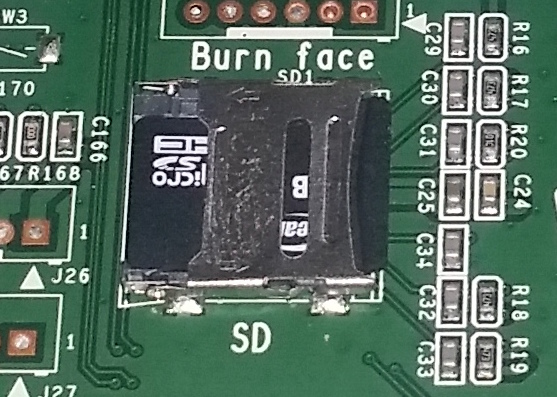
The SD socket has a flip latch on it that slides locking in place. So I doubt this was the old card came lose issue. If the top isn't latched it springs up so I believe the card was seated properly.
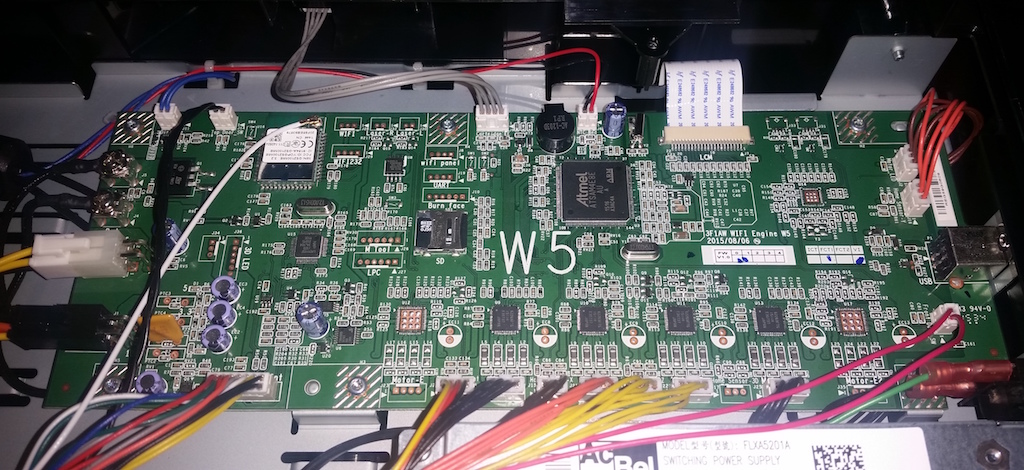
Snapped this pic of the motherboard.