Topic: Print Speeds
Print Speeds
Been using Simplify for several months and thought I start testing print results for printing at different speeds…
The published DaVinci 1.0 printer specs show 150* mm/s ( = 9000 mm/m) [*see my comment in follow-up post ]
The default print speed in Simplify for DaVinci processes is 1800 mm/m.
Review of gcode from xyzware shows a max (default) speed of 7800 mm/m
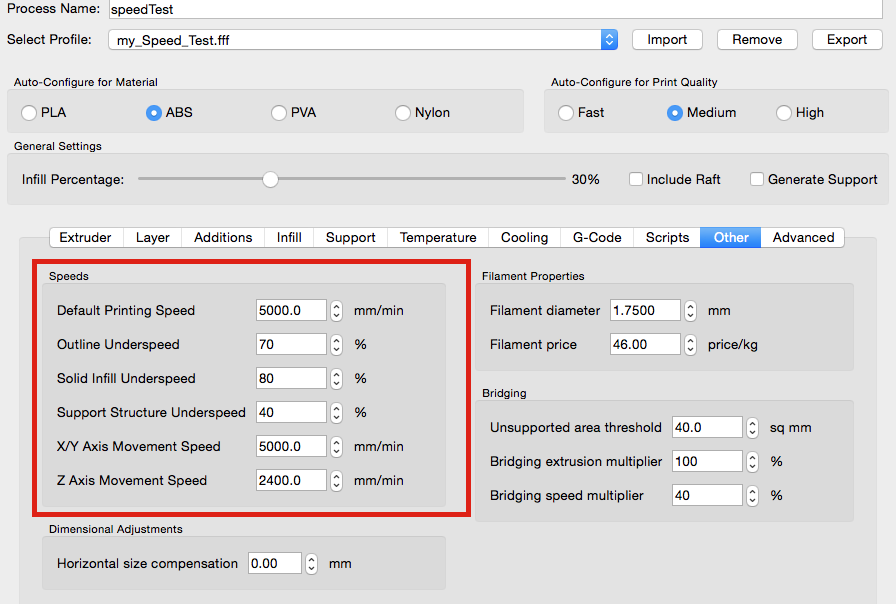
So, I changed the Default print speed and X/Y move speed in Simplify to 5000 mm/m for testing. I left the underspeed percentages at default (70, 80, 40) and Z speed at 2400. First layer speed = 50%
I printed one of my standard test brackets and a thin journal bearing (a circular part to check hysteresis) using Shaxon and found:
It prints in about 1/2 the time
It prints without problems
Quality is good and compares well with prints at the 1800 mm/m speed (tested with different layers, shells, layer height and infill density). All prints are good. Photo attached of print at h=0.2, layers=3 shell=1, 20% infill. (bearing at h=0.1). No cleanup of part - it's hot off the press, so to speak.
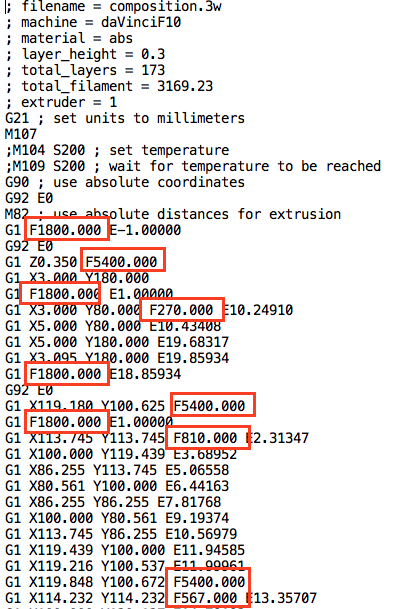
Resulting Simplify gcode shows the correct new default speed and various other speeds as calculated by Simplify or Firmware (?) but, none of them are 70, 80, 40 or 50% of the defaults.
Best speeds to use would naturally depend on the part (and perhaps filament brand/color, luck) but, as a general default going from 1800 mm/m to 5000 mm/m improved speed without loss of quality.
Any comments - in particular, Default speed and the lower software/firmware generated speeds? Thanks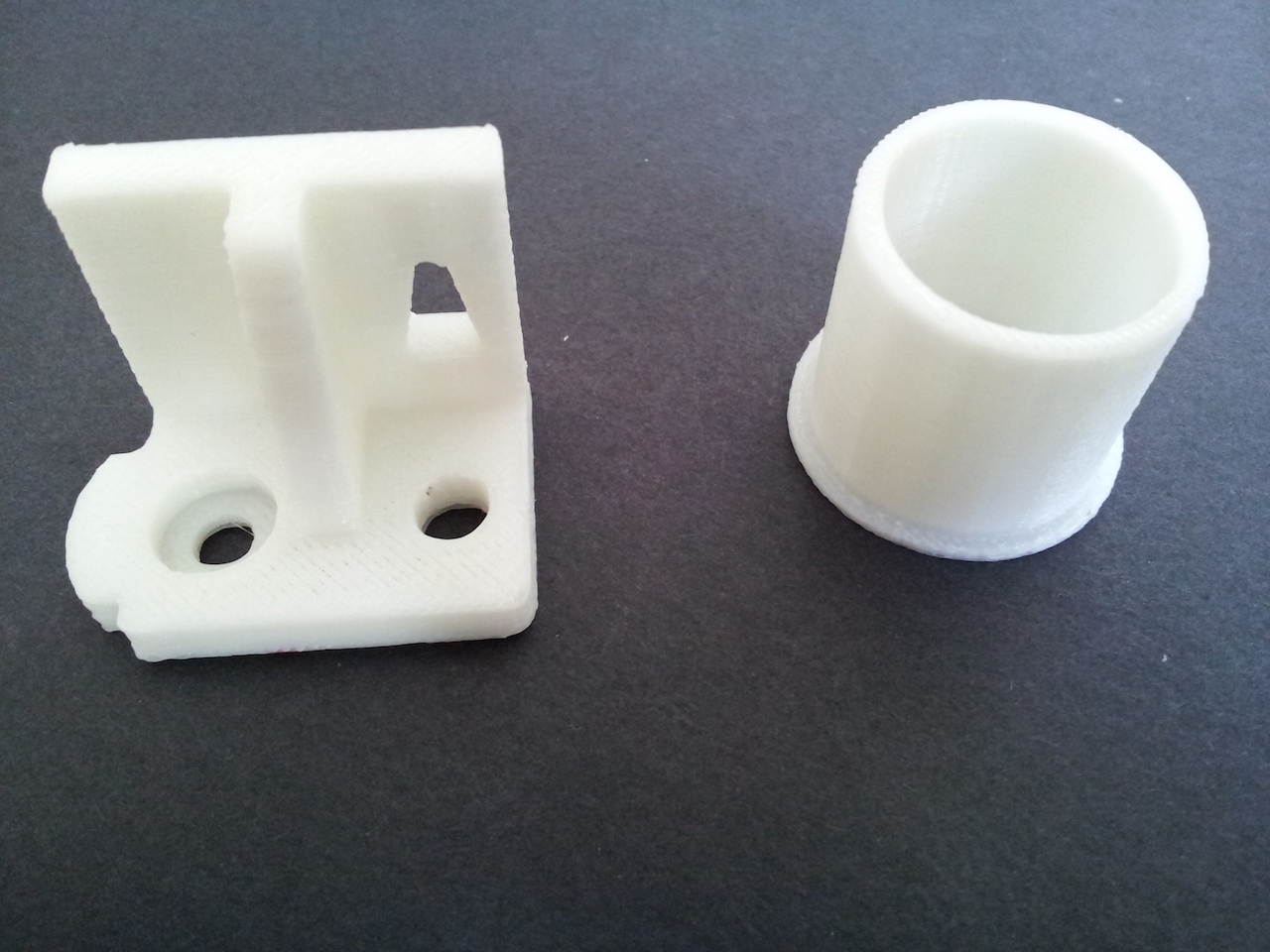
Prusa i3 (two built from kits), 1 hacked DaVinci
Solidworks for models, Netfabb to repair, Repetier/Slic3r and Simplify3D