1

Topic: Broke my Solidoodle - How badly?

I decided to check my stepper voltages today.  In doing so, I believe I shorted something and now nothing will move on any axis.  I can connect from Repetier-Host to the printer and heat up the bed and extruder and read temps from them.  However, I nothing moves in X, Y, or Z.

Measured with my multimeter, all voltages were quite close to what Solidoodle recommends on their troubleshooting page except for X which was significantly lower.  Stupidly, I did not write this value down and then adjusted it to the recommended voltage.  Now I cannot put it back how it was.  My feeling is that this is not the source of my problem however.  One of my probes slipped while measuring voltages and there was a visible and audible spark though no puff of smoke at least.  Since then nothing will move.

Does anyone have any advice on determining the extent of the damage?  Thanks for any help
2

Re: Broke my Solidoodle - How badly?

TV tech for 20 years .. I know the multimeter probe slip ohoh well..

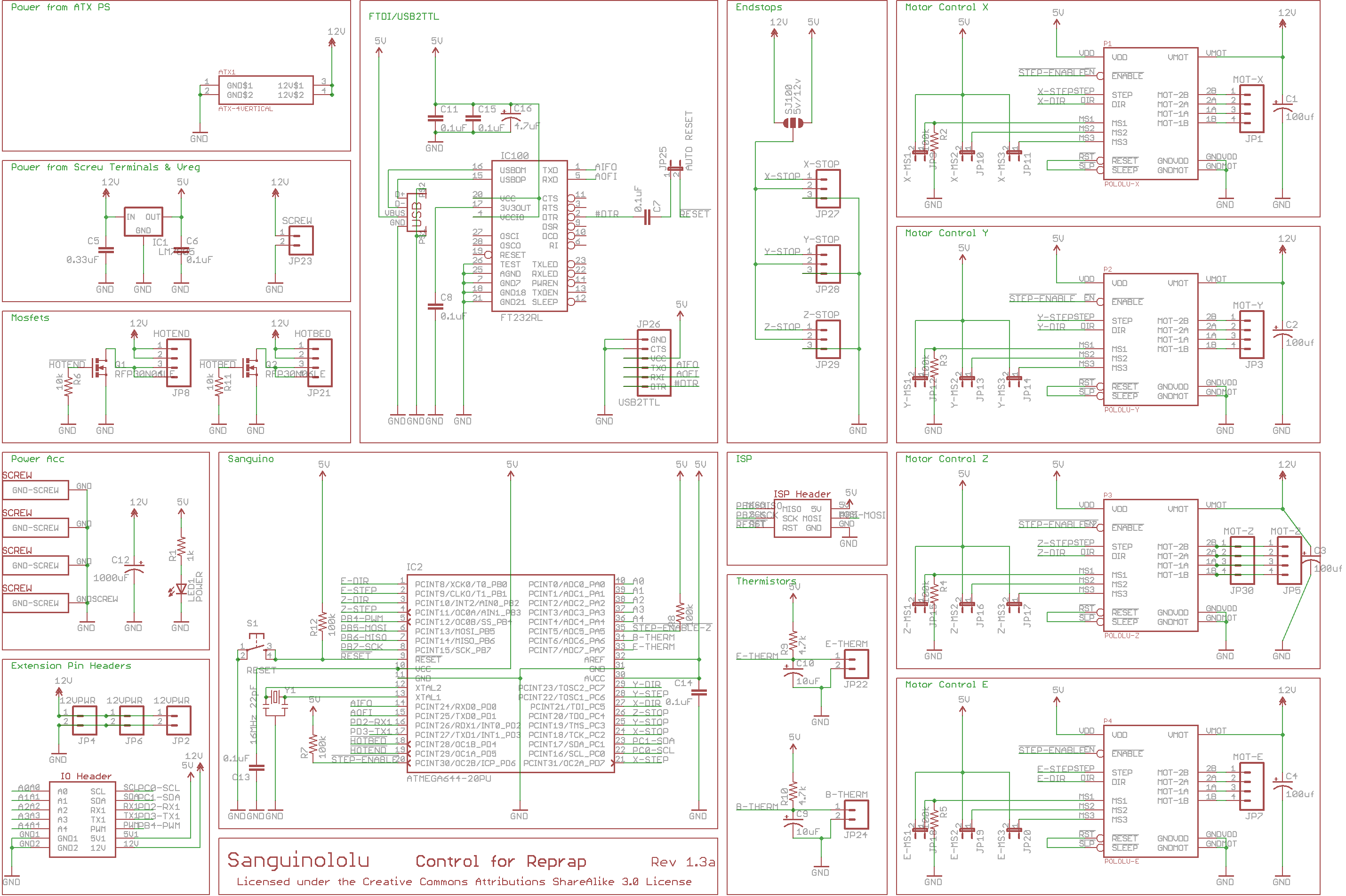
does not look simple, the schematic at http://reprap.org/mediawiki/images/thum … ematic.jpg shows no fusing and the hotend and bed are run off the same supply.

not looked at the pcb design yet, any chance it took out a track ?
have a look at the board top .. http://reprap.org/mediawiki/images/d/d1 … lu-top.jpg and have a look for the 12v at least to the motor drivers.

(disclaimer: I have not checked what versions anything is .. perhaps those diagrams are all wrong )

3

Re: Broke my Solidoodle - How badly?

Stoney wrote:

TV tech for 20 years .. I know the multimeter probe slip ohoh well..

does not look simple, the schematic at http://reprap.org/mediawiki/images/thum … ematic.jpg shows no fusing and the hotend and bed are run off the same supply.

not looked at the pcb design yet, any chance it took out a track ?
have a look at the board top .. http://reprap.org/mediawiki/images/d/d1 … lu-top.jpg and have a look for the 12v at least to the motor drivers.

(disclaimer: I have not checked what versions anything is .. perhaps those diagrams are all wrong )


We use the Sanguinololu 1.3a. These are for the Sanguinololu 1.2.

Former Solidoodle employee, no longer associated with the company.

4

Re: Broke my Solidoodle - How badly?

@solidoodlesupport

The board still communicates with my PC and controls the heating of the extruder and bed.  Is it possible that I've only fried a stepper controller?  Can you recommend a way to determine the extent of the damage?

5

Re: Broke my Solidoodle - How badly?

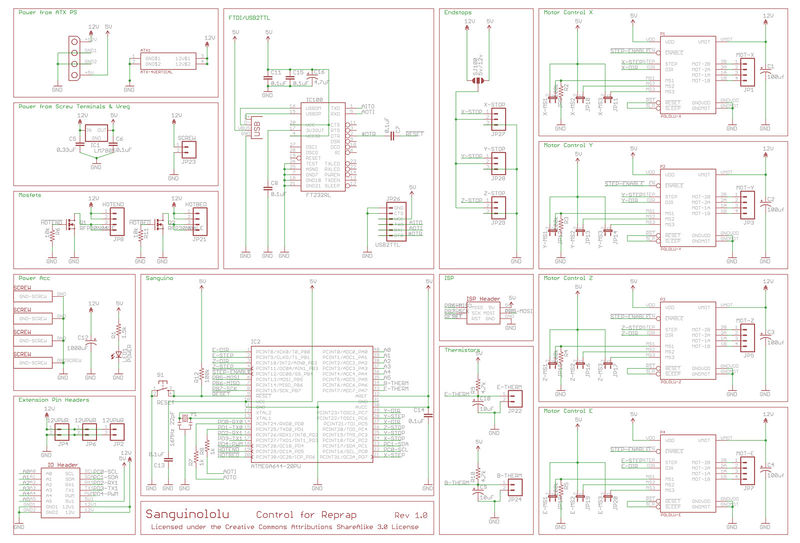
Here's the schematic for 1.3a:

http://reprap.org/mediawiki/images/f/f5 … u_1.3a.png

Do you have a multimeter or oscilloscope? Can you probe pins 1, 3, 29, and 27 on the uC while toggling direction on the extruder, Z, X, and Y respectively? This will tell you if the damage is limited to the drivers or includes the microcontroller.

Then you could check the direction pins on the driver itself. That would eliminate the PCB, and tell you that all you need are new A4988s.

http://gadgets3d.com/index.php?route=pr … duct_id=72

6 (edited by 3D_UA 2013-02-24 22:08:48)

Re: Broke my Solidoodle - How badly?

I already wrote about this in a separate topic, I will repeat here, with some additions.

During the printing stopped extrusion of plastic.

First, I connected extruder motor to the output of the Z-axis driver, adjusted voltage to 0.192 volts. Extruder motor running OK, then the problem is not in the extruder motor or wiring. I then change Z-axis motor driver board and the extruder motor driver board, reconnected all connections to their seats, and set the correct voltages - Z-axis motor is operating normally and the engine extruder still not working, just buzzing... That is, the problem is not in the driver board.

Then I put the point marker on the extruder motor - and noticed! I noticed that it is spinning, but very, very slowly, for example to run a command to extrude 2 mm. plastic, it took 9 seconds, while normally the operation takes much less than a second. Since the engine without supplying power to it rotates freely and replace the motor driver board to nothing lead, then the matter of the central board, right?

I have already agreed to solidoodle support about to send them a broken, but with the round-trip it will take more than a month, and I do not want to leave for a long time with this printer.

Reflash've tried it, it did not change anything.

Am able to solder, use measuring instruments, too. The tools i have.
Please tell me if you can, where i need to see.

7

Re: Broke my Solidoodle - How badly?

Did you actually change the extrusion speed in Repetier or Pronterface by mistake so it is something like 10mm/min instead of 300?

8 (edited by 3D_UA 2013-02-25 18:42:05)

Re: Broke my Solidoodle - How badly?

IanJohnson wrote:

Did you actually change the extrusion speed in Repetier or Pronterface by mistake so it is something like 10mm/min instead of 300?

Thank you very much.
I'm stupid idiot.
All the years of engineering experience down the drain!

There were not 10 mm/min, but 3 mm/min!