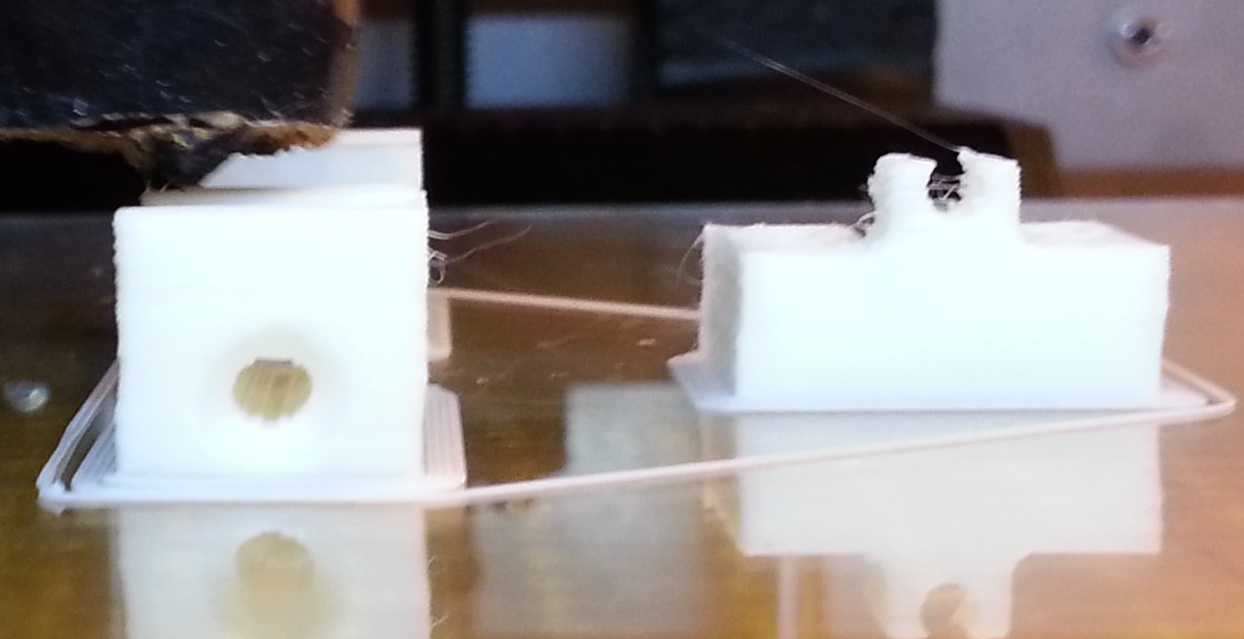
Topic: X and Y shifting on SD3 - Belt? Voltages?
DESCRIPTION:
Hello, I am on my second day with a running SD3, and I am experiencing dramatic shifts in the Y layer. After attempting to adjust the voltages, the latest print also has X shift.
The problem arises after approximately 10 layers of printing. A test print of a 0.5mm-walled rectangular tower came out fine.
The problem is identical with both white and black filament.
PRELUDE:
Upon receiving the printer, I had to glue the X-carriage part that the rod runs through, since it was ripped apart at the layers. Seems to work fine.
ATTEMPTED SOLUTIONS:
Followed the video regarding belt adjustment: (Can't link to the wiki at solidoodles homepage)
I have tried to calibrate the Y-voltage as per: (Can't link to the troubleshooting page at solidoodles homepage)
As I explained to Solidoodle's support team:
They are off:
X: .458 (should be .443)
Y: .543 (should be .520)
Z: .517 (should .500)
E: .197 (should be .192)The closest I could come on the Y voltage was .512 which is still closer to .520 than the original 0.543 (that pot is astonishingly sensitive).
Oddly enough, the next print had a few correct layers more, but then started to shift in X also. It still shifts in the same direction: Y closer to home, and now also X closer to home.
Addition: Sometimes it seem to shift back again a little bit too.
Solidoodle support tells me that in very many cases the problem relates to improper belt adjustment. I am experimenting with figuring out the tightness of the belt. If anybody have good hints or links to tutorials besides those mentioned before, I would be happy to hear them.
Rene Jensen