1

Topic: How do you replace bed thermistor on SD3? Source for thermistor?

The title sez it all. I looked in the Wiki, no luck so far.

Robox printer, HICTOP (Prusa i3 variant) Model 3DP17 printer, ELEK 2.5W laser engraver, AutoDesk 123D Design, Windows 10

2

Re: How do you replace bed thermistor on SD3? Source for thermistor?

The bed heater is stuck to the bottom of the aluminum plate with an adhesive.  You will have to gently peel the silicone heat pad away and hope to preserve the "Sticky" on the pad.  The Thermistor sits in a small hole drilled into the aluminum on the bottom.  It is basically held in place by the heat pad.  Am I the only one that finds it a bit strange that you are finding an open circuit all of a sudden?  On the new hot end I can see how that may happen, but on the bed heater at the same time seems rather coincidental to me.  Are you certain you tested the resistance properly to verify the results?

Printit Industries Model 8.10 fully enclosed CoreXY, Chamber heat
3-SD3's & a Workbench all fully enclosed, RH-Slic3r Win7pro, E3D V6, Volcano & Cyclops Hot End
SSR/500W AC Heated Glass Bed, Linear bearings on SS rods. Direct Drive Y-axis, BulldogXL
Thanks to all for your contributions

3

Re: How do you replace bed thermistor on SD3? Source for thermistor?

I've checked it several times.  Removed the BT plug, checked resistance, got nothing.

In the pic, multimeter set on 200 Ohm range. Two short wires stripped and inserted into the BT plug. Multimeter displaying I which is infinity, no resistance.

THe Bed thermistor and heater stopped responding after I loaded the firmware with the Extruder pin changed from 21 to 40 in the Pins.H file. Maybe that zapped the thermistor?

Robox printer, HICTOP (Prusa i3 variant) Model 3DP17 printer, ELEK 2.5W laser engraver, AutoDesk 123D Design, Windows 10

4

Re: How do you replace bed thermistor on SD3? Source for thermistor?

Heartlander wrote:

I've checked it several times.  Removed the BT plug, checked resistance, got nothing.

In the pic, multimeter set on 200 Ohm range. Two short wires stripped and inserted into the BT plug. Multimeter displaying I which is infinity, no resistance.

THe Bed thermistor and heater stopped responding after I loaded the firmware with the Extruder pin changed from 21 to 40 in the Pins.H file. Maybe that zapped the thermistor?


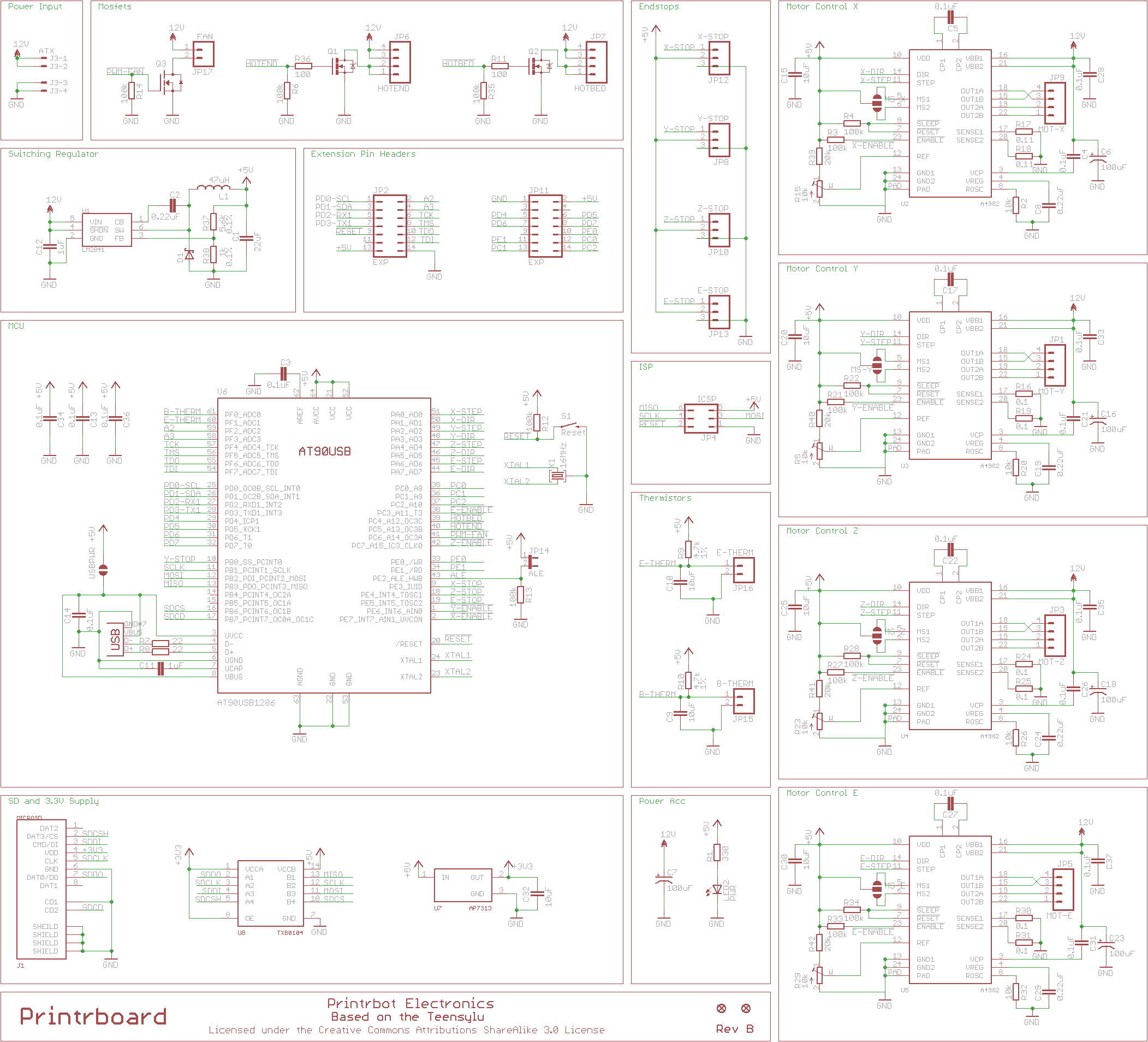
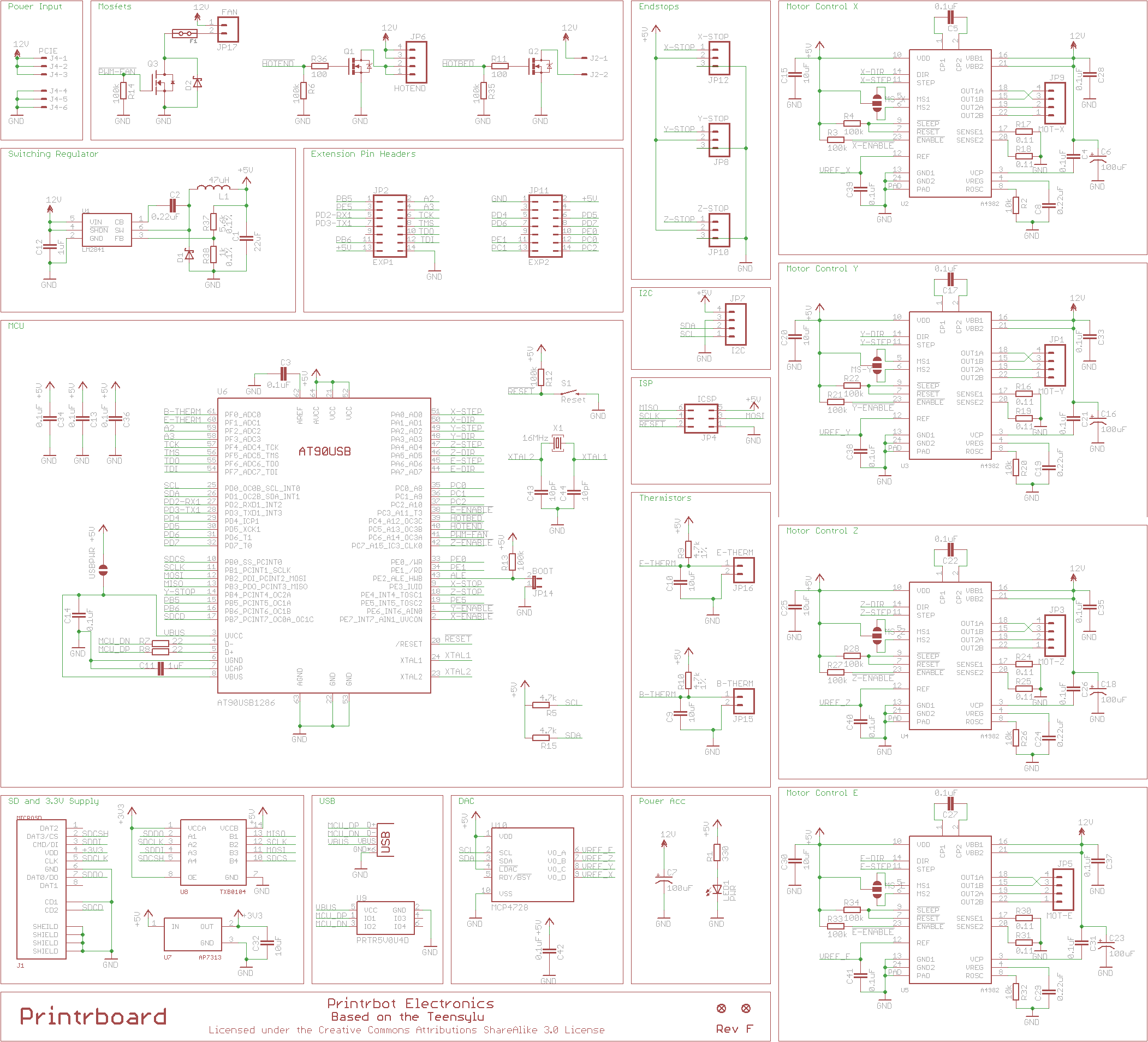
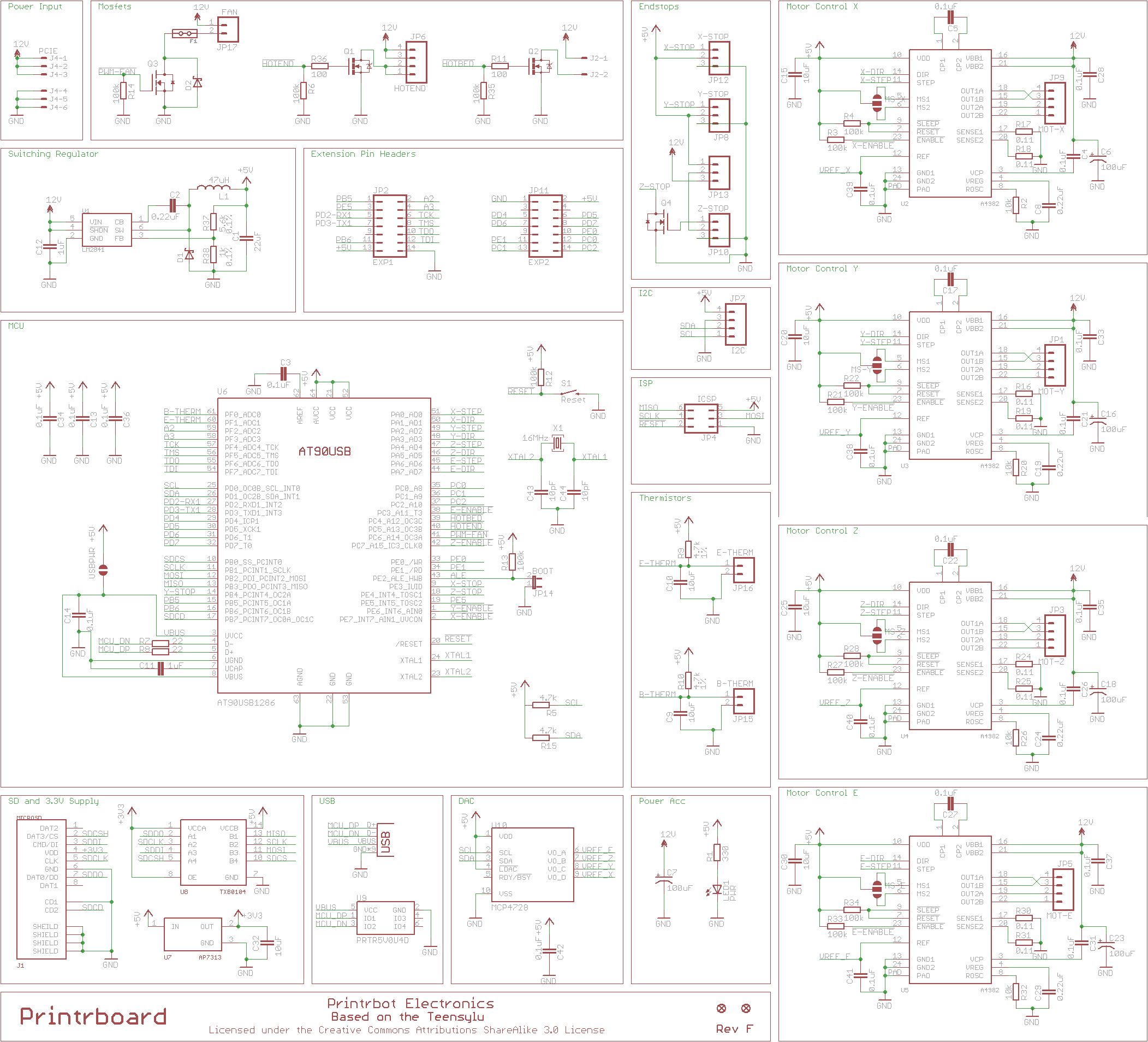
According to the schematics on all revs from b to f the pins are the same. Pin 21 is VCC so your firmware was wrong from the beginning if your hotend was set for 21. For the hotend it is pin 40 on all versions. That is the pin that should enable the hotend..

As for the sensors for the hot end and bed according to the schematics it should be 61 is the extruder thermistor and 60 is the bed thermistor.

http://reprap.org/mediawiki/images/d/d5 … tic150.png

http://reprap.org/mediawiki/images/2/26 … tic150.png

http://reprap.org/mediawiki/images/5/5d … ematic.png

Printing since 2009 and still love it!
Anycubic 4MAX best $225 ever invested.
Voxelabs Proxima SLA. 6 inch 2k Mono LCD.
Anycubic Predator, massive Delta machine. 450 x 370 print envelope.

5

Re: How do you replace bed thermistor on SD3? Source for thermistor?

carl_m1968 wrote:
Heartlander wrote:

I've checked it several times.  Removed the BT plug, checked resistance, got nothing.

In the pic, multimeter set on 200 Ohm range. Two short wires stripped and inserted into the BT plug. Multimeter displaying I which is infinity, no resistance.

THe Bed thermistor and heater stopped responding after I loaded the firmware with the Extruder pin changed from 21 to 40 in the Pins.H file. Maybe that zapped the thermistor?


According to the schematics on all revs from b to f the pins are the same. Pin 21 is VCC so your firmware was wrong from the beginning if your hotend was set for 21. For the hotend it is pin 40 on all versions. That is the pin that should enable the hotend..

As for the sensors for the hot end and bed according to the schematics it should be 61 is the extruder thermistor and 60 is the bed thermistor.

http://reprap.org/mediawiki/images/d/d5 … tic150.png

http://reprap.org/mediawiki/images/2/26 … tic150.png

http://reprap.org/mediawiki/images/5/5d … ematic.png

I would not disagree with any of this.
What's strange is I have an SD3  shipped in the same month and with the exact same board running that version of firmware.  I never made any pin assignment changes.  I also know several users running SD4's with that same board running that exact version firmware.  Again, none of them made changes to the pin assignments.
We can keep trying to blame the firmware but can't change the fact that this one board is the exception not the rule.
Let us not forget that SD was pretty good at copying things with just enough changes to make them their own.  Yet still being able to claim open source.  So the schematics above most likely aren't exactly the same as the
"Solodoodle MotherBoard" which was just a copy of the printerboard. 
Again, I don't have the answer and would really like to resolve this for future users.  For over 2 years we have been successfully using the instructions in the WIKI to flash this particular board.

Printit Industries Model 8.10 fully enclosed CoreXY, Chamber heat
3-SD3's & a Workbench all fully enclosed, RH-Slic3r Win7pro, E3D V6, Volcano & Cyclops Hot End
SSR/500W AC Heated Glass Bed, Linear bearings on SS rods. Direct Drive Y-axis, BulldogXL
Thanks to all for your contributions

6 (edited by grob 2015-12-22 01:50:39)

Re: How do you replace bed thermistor on SD3? Source for thermistor?

Heartlander wrote:

In the pic, multimeter set on 200 Ohm range. Two short wires stripped and inserted into the BT plug. Multimeter displaying I which is infinity, no resistance.

200 Ohm range is not right - you need to measure resistance in the order of 100kOhm (maybe a "200k" range?). If you are indeed measuring with the 200 Ohm range, then a working thermistor will report out-of-range as described...

My guess is something has been changed in the firmware accidentally, if this is the most conspicuous change between working and not working. Note pins.h is quite convoluted, has lots of #ifdefs that make it a bit messy to know whether you've changed the right thing... Pretty unlikely you've killed anything though. smile

SD3. Mk2b + glass, heated enclosure, GT2 belts, direct drive y shaft, linear bearings, bowden-feed E3D v5 w/ 0.9° stepper
Smoothieboard via Octoprint on RPi

7

Re: How do you replace bed thermistor on SD3? Source for thermistor?

grob wrote:
Heartlander wrote:

In the pic, multimeter set on 200 Ohm range. Two short wires stripped and inserted into the BT plug. Multimeter displaying I which is infinity, no resistance.

200 Ohm range is not right - you need to measure resistance in the order of 100kOhm (maybe a "200k" range?). If you are indeed measuring with the 200 Ohm range, then a working thermistor will report out-of-range as described...

My guess is something has been changed in the firmware accidentally, if this is the most conspicuous change between working and not working. Note pins.h is quite convoluted, has lots of #ifdefs that make it a bit messy to know whether you've changed the right thing... Pretty unlikely you've killed anything though. smile


He figured out the heating problem.. He made a post about it. He was not aware that in RH the buttons that where crossed out where actually off and on buttons that needed to be clicked. He thought they where just indicators. Now he knows they have to be clicked to make the heaters come on...

Printing since 2009 and still love it!
Anycubic 4MAX best $225 ever invested.
Voxelabs Proxima SLA. 6 inch 2k Mono LCD.
Anycubic Predator, massive Delta machine. 450 x 370 print envelope.

8

Re: How do you replace bed thermistor on SD3? Source for thermistor?

grob wrote:
Heartlander wrote:

In the pic, multimeter set on 200 Ohm range. Two short wires stripped and inserted into the BT plug. Multimeter displaying I which is infinity, no resistance.

200 Ohm range is not right - you need to measure resistance in the order of 100kOhm (maybe a "200k" range?). If you are indeed measuring with the 200 Ohm range, then a working thermistor will report out-of-range as described...

Was just scrolling down to post this.