1 (edited by BlankMan 2015-11-30 02:25:08)

Topic: 6 Issues/Problems discovered with new da Vinci 1.0 Pro (up to 9 now)

I have sent individual emails for each of the 6 problem to XYZprinting to an email address they provided me after calling them. Seems they were having, as they put it, "Technical Difficulties" with the Support Web Form this morning. I landed up calling them this morning because every attempt to "Submit" a Support request failed with errors like "Enter a valid Serial Number" when there was no box to enter a serial number in *and* my registered serial number was displayed on the form right under my name...

OS X Bugs in XYZware for Pro 1.0.2 (1A1982)

Mac OS X is 10.11.

Problem #1 Can't use #1 Custom Material

Exporting: In the General tab every time I try to use the #1 Custom Material slicing fails immediately.
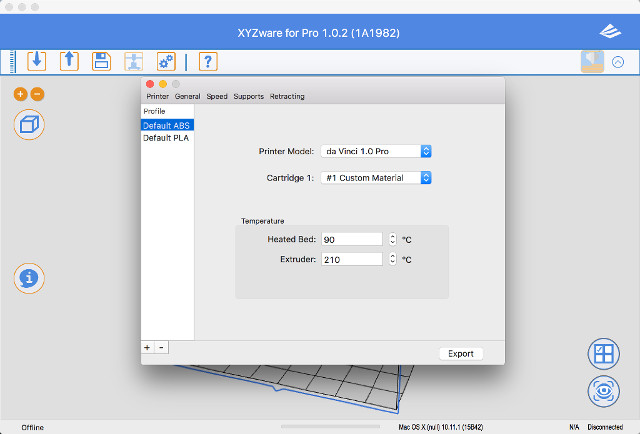
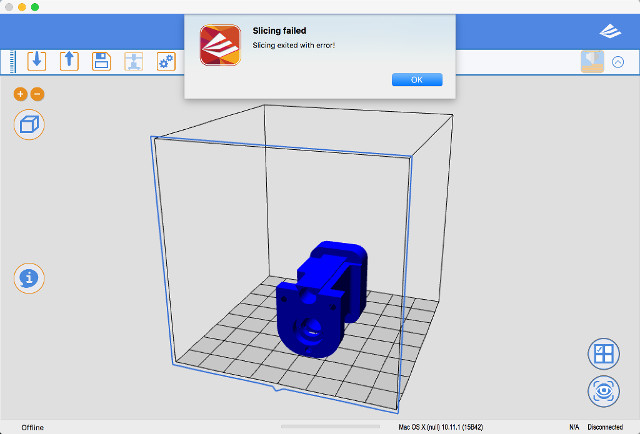
http://www.curtronics.com/Pics/XYZpriinting/XYZCustomMaterialFailCss.jpg
http://www.curtronics.com/Pics/XYZpriinting/XYZCustomMaterialFailMessageCss.jpg

Problem #2 Entered number too large when it's not

When exporting. On any of the tabs, Printer, General, Speeds, Supports, etc. if I type in a number in any of the boxes it I get a popup window that says “The Number Is Too Large” and has “Discard Change” and “OK” buttons. However if I choose that same number in the box that says it is too big using the Up or Down arrows then that same number is OK.
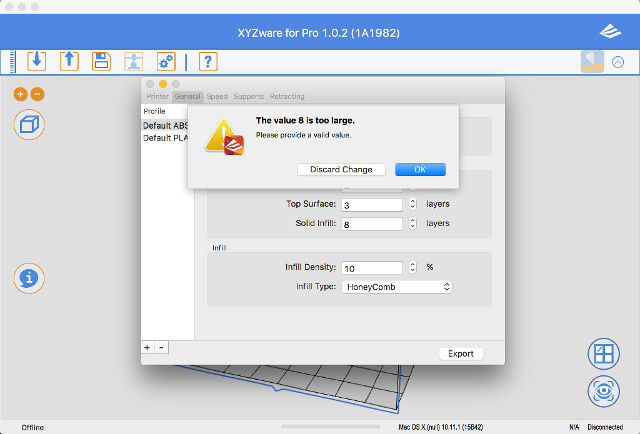
http://www.curtronics.com/Pics/XYZpriinting/NumbertooLarge1Css.jpg

Problem #3 Can't minimize window after maximizing it

XYZware for Pro on OS X once you click on the Green button to maximize the window you cannot then ever minimize it again. In OS X when maximized moving the arrow to the top on the screen should show you the Apps menu items along with the Red, Yellow, and Green buttons. It shows the XYZware’s menu items but there are no Red, Yellow, and Green buttons so without the Green Button you cannot minimize the window.
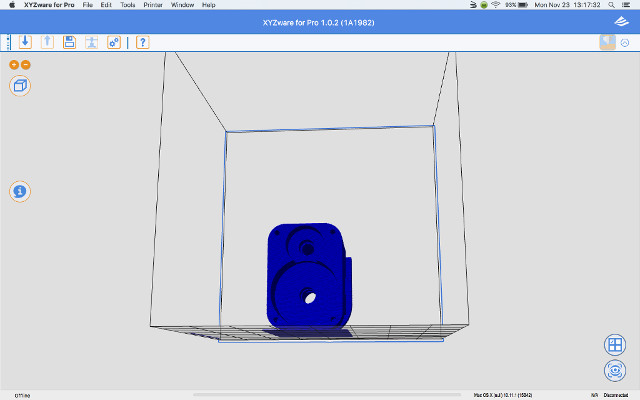
http://www.curtronics.com/Pics/XYZpriinting/CantMinimizeAfterMaximizeSs.jpg

Problem #4 There is no Rectilinear Fill choice

There is no Rectilinear Infill Type to choose.
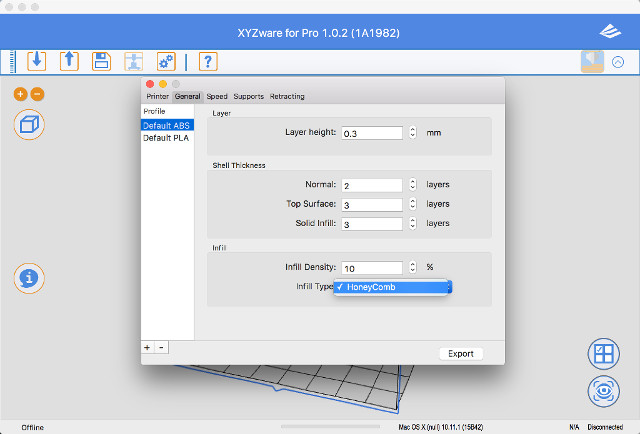
http://www.curtronics.com/Pics/XYZpriinting/NoRectilinearFillCss.jpg

Problem #5 XYZware does not remember Inches Setting

XYZware for Pro does not remember Setting from mm to inches. Every time I start XYZware for Pro I have to go into Settings and set it to Inches.
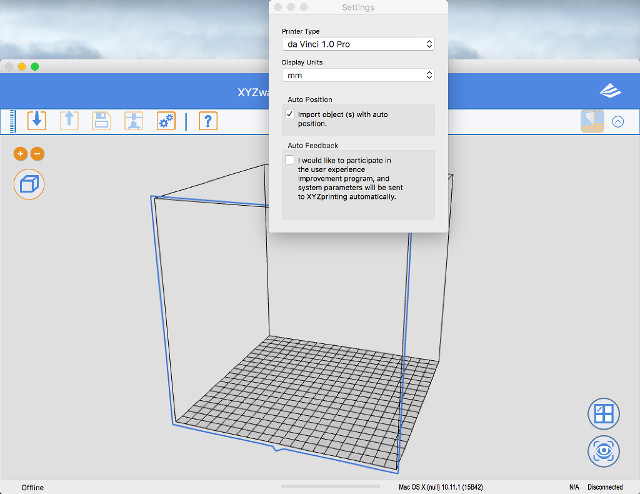
http://www.curtronics.com/Pics/XYZpriinting/DoesntRememberInchesSettingCss.jpg

Problem #6 Can't set the Bed temperature past 90°C

Manual states the Bed temperature can be set between 0°C to 110°C.

XYZware will not let me set the Bed temperature higher then 90°C.

Even their YouTube video "da Vinci 1.0 Pro. - First-time Printing” https://www.youtube.com/watch?v=aSaLySWq43I shows the Bed Temperature can be set from 0°C to 110°C.
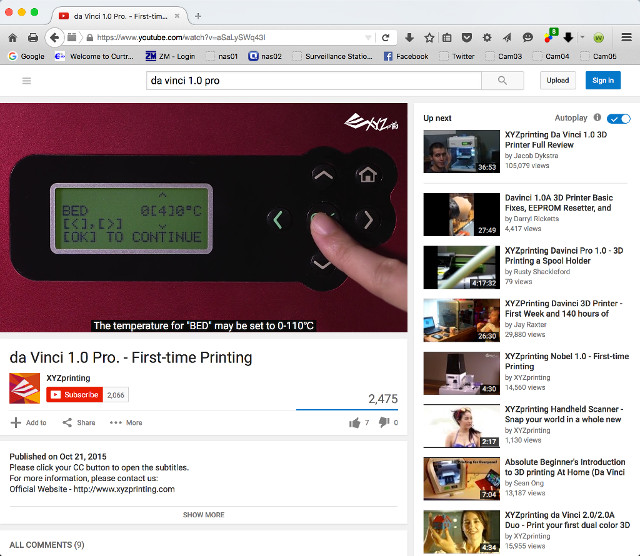
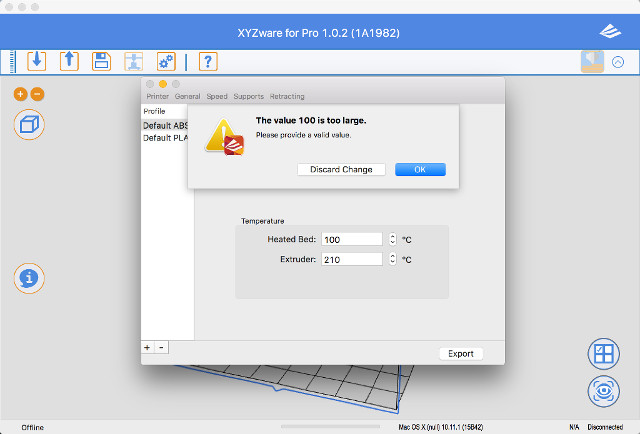
http://www.curtronics.com/Pics/XYZpriinting/BedTemp0-110Css.jpg
http://www.curtronics.com/Pics/XYZpriinting/100CtooLargeCss.jpg
http://www.curtronics.com/Pics/XYZpriinting/109CtooLargeCss.jpg

2

Re: 6 Issues/Problems discovered with new da Vinci 1.0 Pro (up to 9 now)

So far it sounds like the problems you are having are not with the Pro itself but with the Mac version of the software.  I'm not trying to downplay your pain, I just wanted to make that distinction.  Do you by chance have a Windows PC that you can try this on?  So far I have not had any problems with the software running on Windows.

3

Re: 6 Issues/Problems discovered with new da Vinci 1.0 Pro (up to 9 now)

BlankMan wrote:

I have sent individual emails for each of the 6 problem to XYZprinting to an email address they provided me after calling them. Seems they were having, as they put it, "Technical Difficulties" with the Support Web Form this morning. I landed up calling them this morning because every attempt to "Submit" a Support request failed with errors like "Enter a valid Serial Number" when there was no box to enter a serial number in *and* my registered serial number was displayed on the form right under my name...

OS X Bugs in XYZware for Pro 1.0.2 (1A1982)

Mac OS X is 10.11.

Problem #1 Can't use #1 Custom Material

Exporting: In the General tab every time I try to use the #1 Custom Material slicing fails immediately.

http://www.curtronics.com/Pics/XYZpriinting/XYZCustomMaterialFailCss.jpg
http://www.curtronics.com/Pics/XYZpriinting/XYZCustomMaterialFailMessageCss.jpg

Problem #2 Entered number too large when it's not

When exporting. On any of the tabs, Printer, General, Speeds, Supports, etc. if I type in a number in any of the boxes it I get a popup window that says “The Number Is Too Large” and has “Discard Change” and “OK” buttons. However if I choose that same number in the box that says it is too big using the Up or Down arrows then that same number is OK.

http://www.curtronics.com/Pics/XYZpriinting/NumbertooLarge1Css.jpg

Problem #3 Can't minimize window after maximizing it

XYZware for Pro on OS X once you click on the Green button to maximize the window you cannot then ever minimize it again. In OS X when maximized moving the arrow to the top on the screen should show you the Apps menu items along with the Red, Yellow, and Green buttons. It shows the XYZware’s menu items but there are no Red, Yellow, and Green buttons so without the Green Button you cannot minimize the window.

http://www.curtronics.com/Pics/XYZpriinting/CantMinimizeAfterMaximizeSs.jpg

Problem #4 There is no Rectilinear Fill choice

There is no Rectilinear Infill Type to choose.

http://www.curtronics.com/Pics/XYZpriinting/NoRectilinearFillCss.jpg

Problem #5 XYZware does not remember Inches Setting

XYZware for Pro does not remember Setting from mm to inches. Every time I start XYZware for Pro I have to go into Settings and set it to Inches.

http://www.curtronics.com/Pics/XYZpriinting/DoesntRememberInchesSettingCss.jpg

Problem #6 Can't set the Bed temperature past 90°C

Manual states the Bed temperature can be set between 0°C to 110°C.

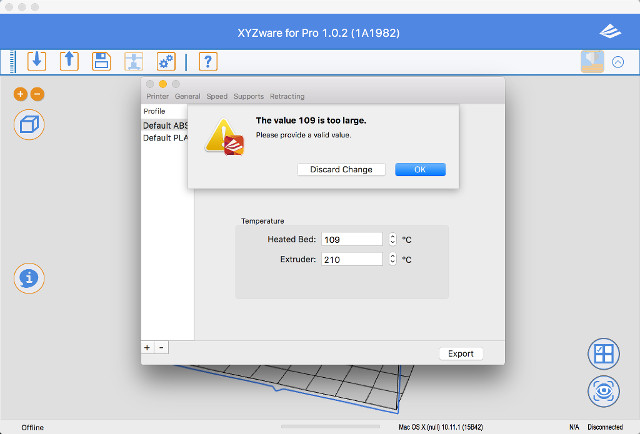
XYZware will not let me set the Bed temperature higher then 90°C.

Even their YouTube video "da Vinci 1.0 Pro. - First-time Printing” https://www.youtube.com/watch?v=aSaLySWq43I shows the Bed Temperature can be set from 0°C to 110°C.
http://www.curtronics.com/Pics/XYZpriinting/BedTemp0-110Css.jpg
http://www.curtronics.com/Pics/XYZpriinting/100CtooLargeCss.jpg
http://www.curtronics.com/Pics/XYZpriinting/109CtooLargeCss.jpg


I would suggest picking up a cheap laptop on ebay. You can get one that will  work fine from $75 to $150 bucks. The Mac version of XYZ software has been buggy for all version since day one.

Printing since 2009 and still love it!
Anycubic 4MAX best $225 ever invested.
Voxelabs Proxima SLA. 6 inch 2k Mono LCD.
Anycubic Predator, massive Delta machine. 450 x 370 print envelope.

4

Re: 6 Issues/Problems discovered with new da Vinci 1.0 Pro (up to 9 now)

twwaters wrote:

So far it sounds like the problems you are having are not with the Pro itself but with the Mac version of the software.  I'm not trying to downplay your pain, I just wanted to make that distinction.  Do you by chance have a Windows PC that you can try this on?  So far I have not had any problems with the software running on Windows.

Yeah I know. I don't use Windoze.

Can you set the bed temperature to 110°C in Windows?

5

Re: 6 Issues/Problems discovered with new da Vinci 1.0 Pro (up to 9 now)

carl_m1968 wrote:

I would suggest picking up a cheap laptop on ebay. You can get one that will  work fine from $75 to $150 bucks. The Mac version of XYZ software has been buggy for all version since day one.

Not going to happen. I have a windoze desktop. I use UNIX, Linux, OS X, AIX, Solaris, etc. Not a Windoze fan boy by any stretch...

6

Re: 6 Issues/Problems discovered with new da Vinci 1.0 Pro (up to 9 now)

BlankMan wrote:
carl_m1968 wrote:

I would suggest picking up a cheap laptop on ebay. You can get one that will  work fine from $75 to $150 bucks. The Mac version of XYZ software has been buggy for all version since day one.

Not going to happen. I have a windoze desktop. I use UNIX, Linux, OS X, AIX, Solaris, etc. Not a Windoze fan boy by any stretch...


But software devs are winfan boys and if you want to use their reliable software then you have to jump in bed with them...

The Mac version at least for this software was just a pacifier to keep Mac fans from screaming favoritism. However as you see it is very buggy and support is pretty much not there.  It's up to you, but it may be your only option for this printer unless you would prefer to flash it and then run Repetier on it.

Printing since 2009 and still love it!
Anycubic 4MAX best $225 ever invested.
Voxelabs Proxima SLA. 6 inch 2k Mono LCD.
Anycubic Predator, massive Delta machine. 450 x 370 print envelope.

7

Re: 6 Issues/Problems discovered with new da Vinci 1.0 Pro (up to 9 now)

Then have fun trying to get that software to work. Let us know how successful you are with getting them to fix those issues on the MAC side.

BlankMan wrote:
carl_m1968 wrote:

I would suggest picking up a cheap laptop on ebay. You can get one that will  work fine from $75 to $150 bucks. The Mac version of XYZ software has been buggy for all version since day one.

Not going to happen. I have a windoze desktop. I use UNIX, Linux, OS X, AIX, Solaris, etc. Not a Windoze fan boy by any stretch...

8 (edited by reznor9 2015-11-25 09:24:10)

Re: 6 Issues/Problems discovered with new da Vinci 1.0 Pro (up to 9 now)

BlankMan wrote:
twwaters wrote:

So far it sounds like the problems you are having are not with the Pro itself but with the Mac version of the software.  I'm not trying to downplay your pain, I just wanted to make that distinction.  Do you by chance have a Windows PC that you can try this on?  So far I have not had any problems with the software running on Windows.

Yeah I know. I don't use Windoze.

Can you set the bed temperature to 110°C in Windows?

I've tried this on both windows and OS X and you cannot set the heated bed temp past 90C.  You can do so on the device itself, but those settings are only used when utilizing the microsoft 3d builder or something as stated in the manual... i have no idea what that is but whatever. In any case since the machine is obviously capable of reaching that temp it should be an available option in the software settings...hopefully it gets addressed in an update.

9

Re: 6 Issues/Problems discovered with new da Vinci 1.0 Pro (up to 9 now)

Carl, yeah I know, usually an afterthought. Bought a high end QNAP NAS to do Surveillance Station about this time a year ago. Same thing, hardly worked on a Mac. Beat on them for 6 months but progress was slow. Gave up. After 6 months made them give me a full refund including any and all shipping charges including the return shipping. Then bought a Synology NAS to do Surveillance Station. Works great. QNAP’s didn't work as advertised and they knew it.

Thanks for the info reznor9.

evanalmighty:

I'm just a purist I guess with high expectations and very tenacious. If I have something and it’s supposed to do X and it doesn’t I will stay on who ever till it does or return it. If it doesn’t work as advertised I have my State’s Consumer Protection Agency behind me. And I’ve used them. I don't give up before I start or throw in the towel because something is hard.

Most of these aren’t show stoppers with the exception of the bed temperature. I’ve only been using OS X about a year, used Linux before that on my desktops and laptops. Just got tired of the upgrades and sometimes spending days getting everything working again. And am no fan of systemd now. So I bought a Macbook.

Funny thing is, I find myself invited to NDA Beta testing a lot… Maybe so that I can’t publicly say anything anymore but it gets the issues fixed in most cases. I remember one Beta running for 3 years, but the issue was finally fixed…

10

Re: 6 Issues/Problems discovered with new da Vinci 1.0 Pro (up to 9 now)

I have windows 10, my xyz will not remember to start in inches. I have to change it every time... and I can not set my bed higher then 90 too

11

Re: 6 Issues/Problems discovered with new da Vinci 1.0 Pro (up to 9 now)

thebak3 wrote:

I have windows 10, my xyz will not remember to start in inches. I have to change it every time... and I can not set my bed higher then 90 too

Yeah sounds like they didn't finish the software... But we have preorder printers which is probably akin to pre-release since I think the official release is slated for December sometime. Maybe we're Beta testers... :-)

12

Re: 6 Issues/Problems discovered with new da Vinci 1.0 Pro (up to 9 now)

BlankMan wrote:
thebak3 wrote:

I have windows 10, my xyz will not remember to start in inches. I have to change it every time... and I can not set my bed higher then 90 too

Yeah sounds like they didn't finish the software... But we have preorder printers which is probably akin to pre-release since I think the official release is slated for December sometime. Maybe we're Beta testers... :-)

I'm ok with being a tester, I spent a hour on the phone today with tech support I almost packing the printer up but I fixed it... I hope they start releasing updates to fix all the stupid bugs or someone figures out how to inport a g code sliced by someone else

13

Re: 6 Issues/Problems discovered with new da Vinci 1.0 Pro (up to 9 now)

I emailed XYZprinting this one as Problem #8. Problem #7 is XYZware for Pro crashing.

XYZware for Pro has some major problems.

da Vinci 1.0 Pro

OS X Bugs in XYZware for Pro 1.0.2 (1A1982)

Mac OS X is 10.11.

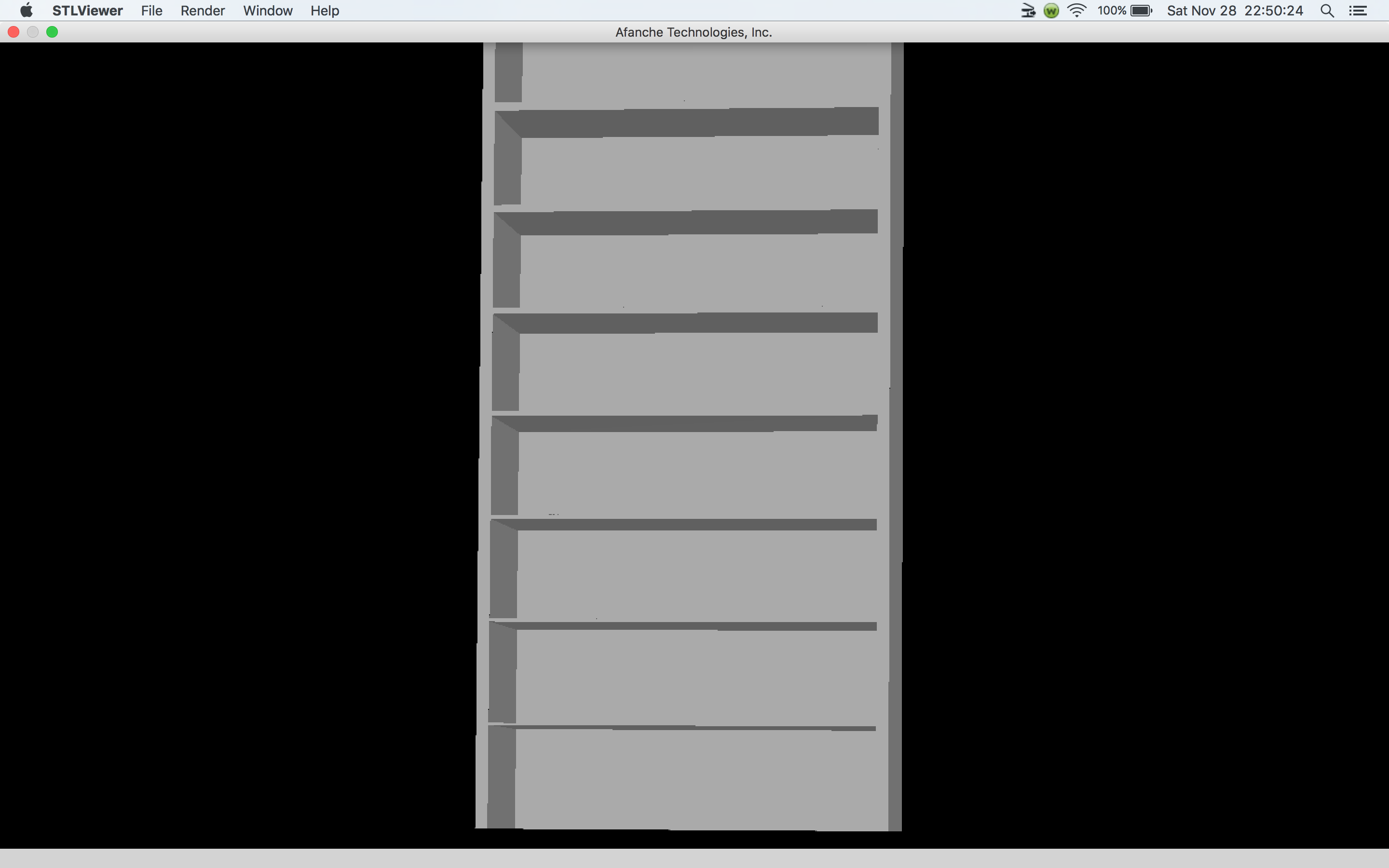
A simple box in a STL viewer.
http://www.curtronics.com/XYZPrinting/images/BoxInSTLviewer.png

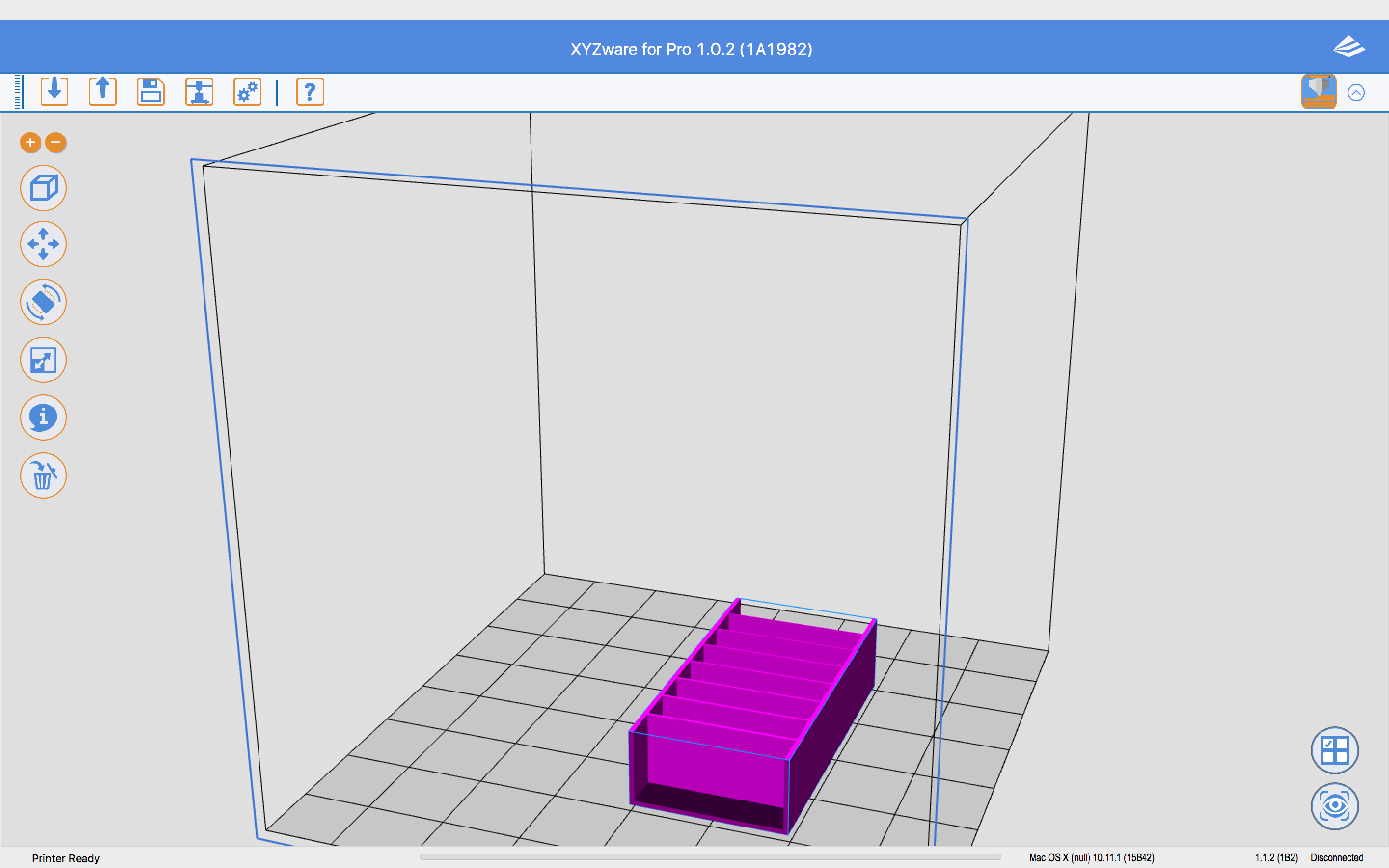
The same box in XYZware for Pro
http://www.curtronics.com/XYZPrinting/images/Box.png

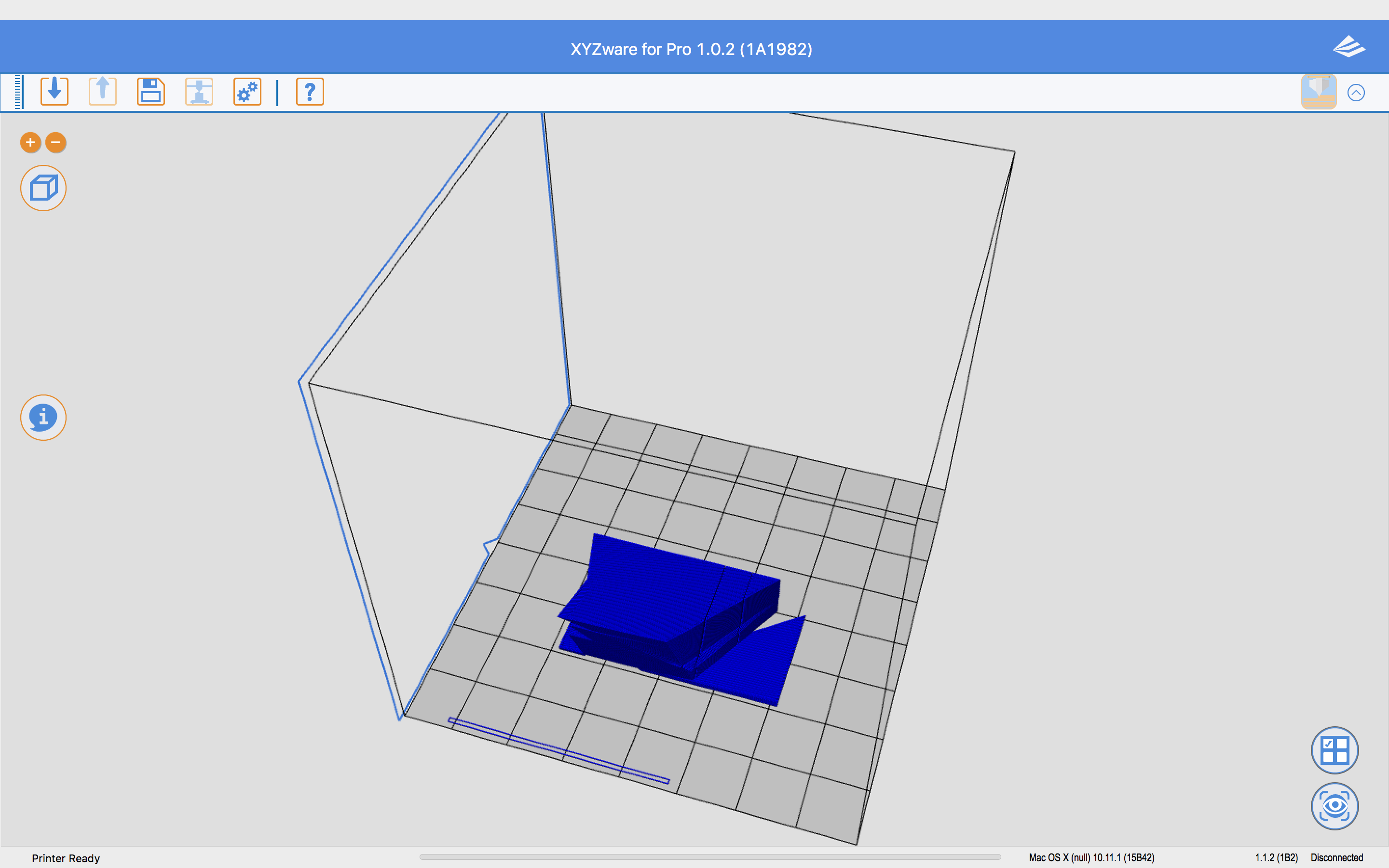
After exporting in XYZware for Pro without Auto Repair checked
http://www.curtronics.com/XYZPrinting/images/BoxTotallyScrewedUpByXYZware.png

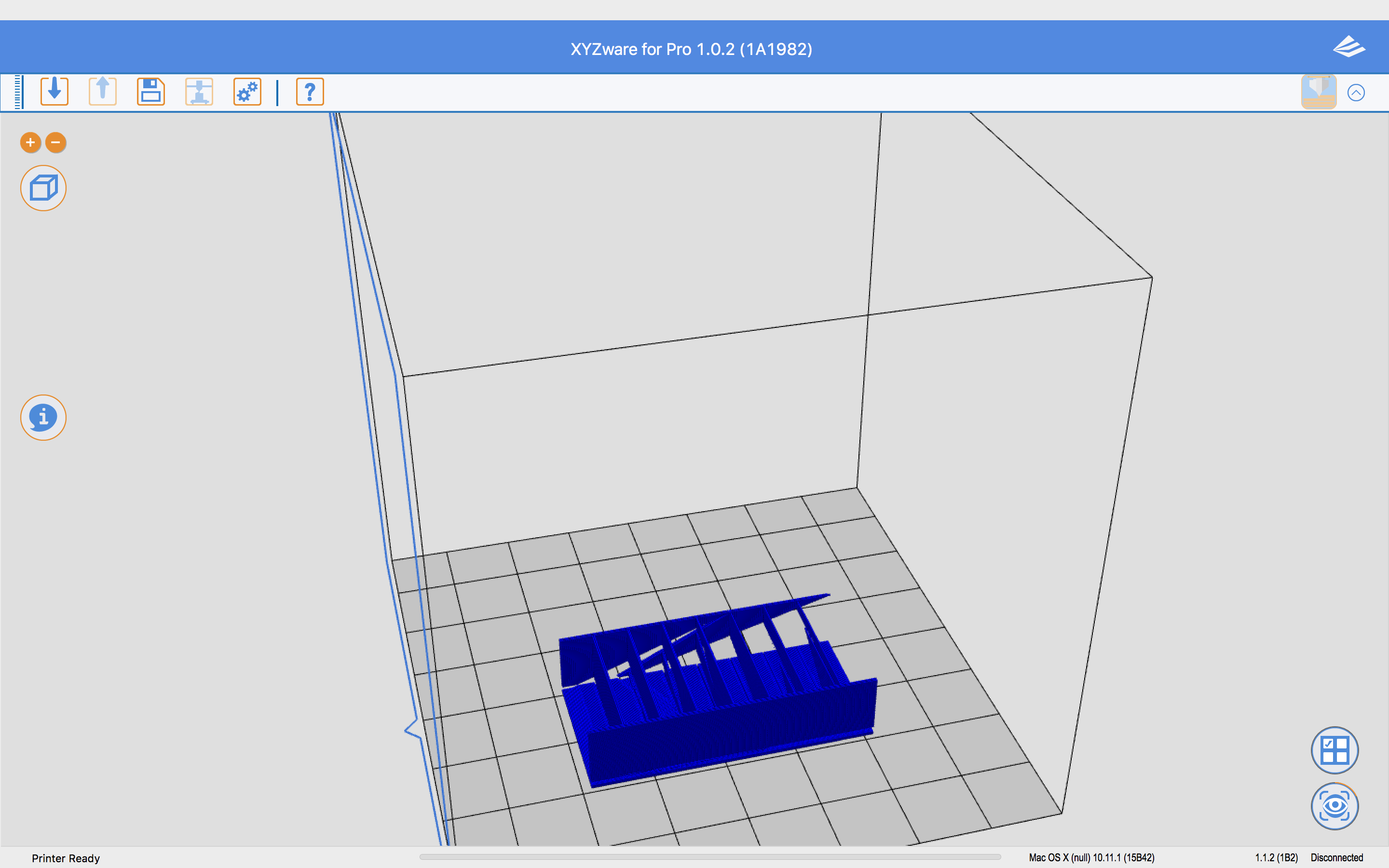
After exporting in XYZware for Pro with Auto Repair checked
http://www.curtronics.com/XYZPrinting/images/BoxTotallyScrewedUpByXYZwareAR.png


And it's the same in Windows.

14

Re: 6 Issues/Problems discovered with new da Vinci 1.0 Pro (up to 9 now)

I have found a way to use another slicer program.  It is the same as for previous versions by exporting gcode, adding a few lines to the beginning, encoding it in base64, then importing it back into xyzware for pro as a .3w file.  The key is changing the line that describes the machine.  Instead of "; machine = daVinciF10", put "; machine = daVinciAW10" for this new printer.  I successfully save a gcode file from Simplyfy3D and got xyzware for pro to send it to the printer.  The printer started to print but did not wait until the extruder or bed was heated so I have to make sure I have the proper gcode lines in the file for that. Refer to http://voltivo.com/forum/davinci-softwa … rty-slicer for more info on the process. Just remember to change the machine line otherwise xyzware for pro will say you have the wrong printer.

15

Re: 6 Issues/Problems discovered with new da Vinci 1.0 Pro (up to 9 now)

twwaters wrote:

I have found a way to use another slicer program.  It is the same as for previous versions by exporting gcode, adding a few lines to the beginning, encoding it in base64, then importing it back into xyzware for pro as a .3w file.  The key is changing the line that describes the machine.  Instead of "; machine = daVinciF10", put "; machine = daVinciAW10" for this new printer.  I successfully save a gcode file from Simplyfy3D and got xyzware for pro to send it to the printer.  The printer started to print but did not wait until the extruder or bed was heated so I have to make sure I have the proper gcode lines in the file for that. Refer to http://voltivo.com/forum/davinci-softwa … rty-slicer for more info on the process. Just remember to change the machine line otherwise xyzware for pro will say you have the wrong printer.

This sounds great! Great job! I was hoping there would be a way.

I'm new to 3D printing and the Pro is my first printer so this is all kind of new to me. I was reading up on slic3r and you mention Simplyfy3D which is another slicer program, excuse me for what might be a stupid question, but would this work using slic3r also? (Of course with the necessary post processing.)

I also read that XYZ originally used the MIME encoding for the 3w files but then went to some AES scheme, but MIME still works, that is good news. I suppose, for backwards compatibility of 3w files so they can still be printed, the AES only poses a problem decoding I guess.

16

Re: 6 Issues/Problems discovered with new da Vinci 1.0 Pro (up to 9 now)

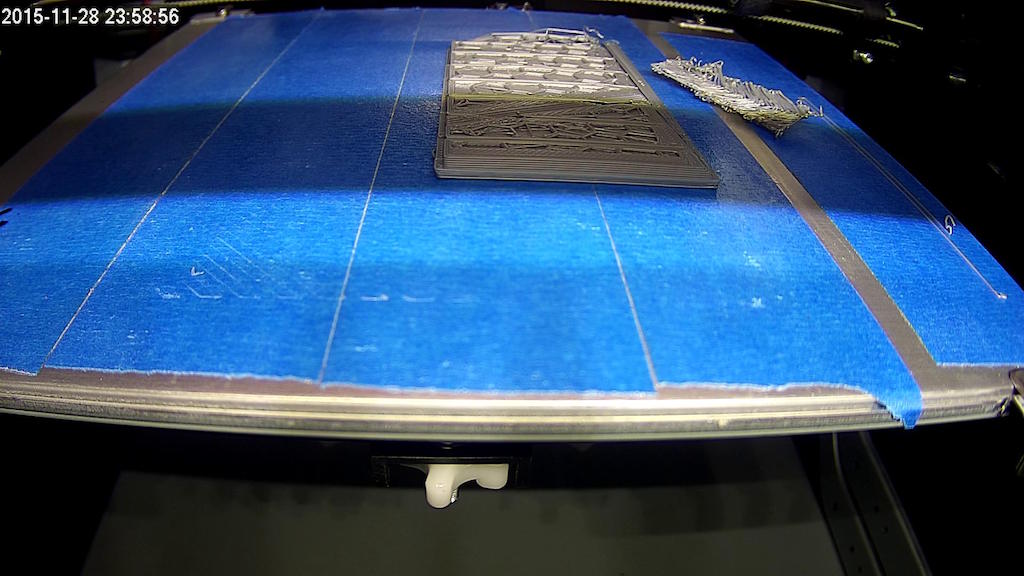
Here's what that Box being printed was looking like until I canceled it. Just wanted picture proof for XYZprinting their XYZware for Pro is really screwing up...

http://www.curtronics.com/XYZPrinting/images/BoxBadPrinting.jpg

17

Re: 6 Issues/Problems discovered with new da Vinci 1.0 Pro (up to 9 now)

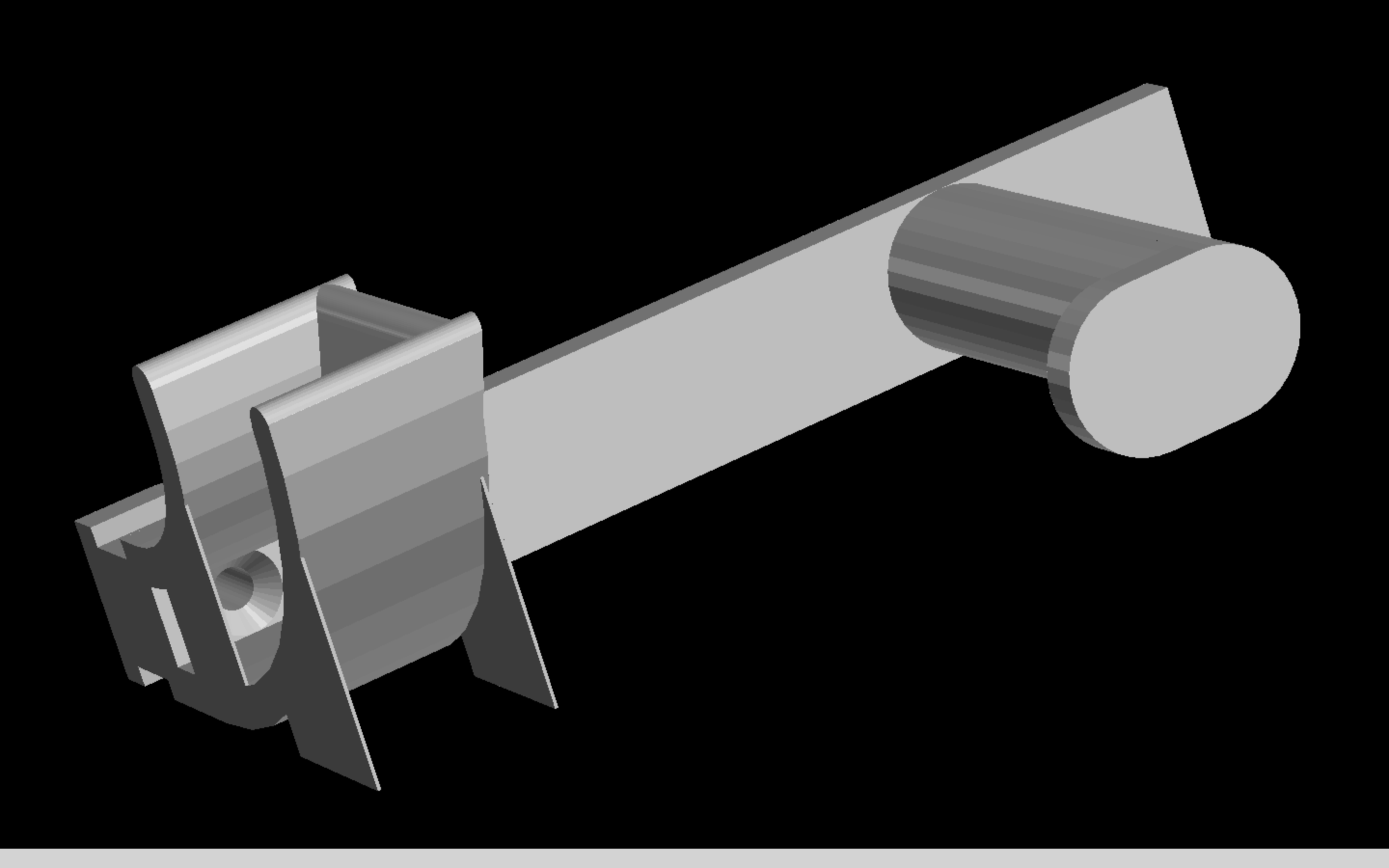
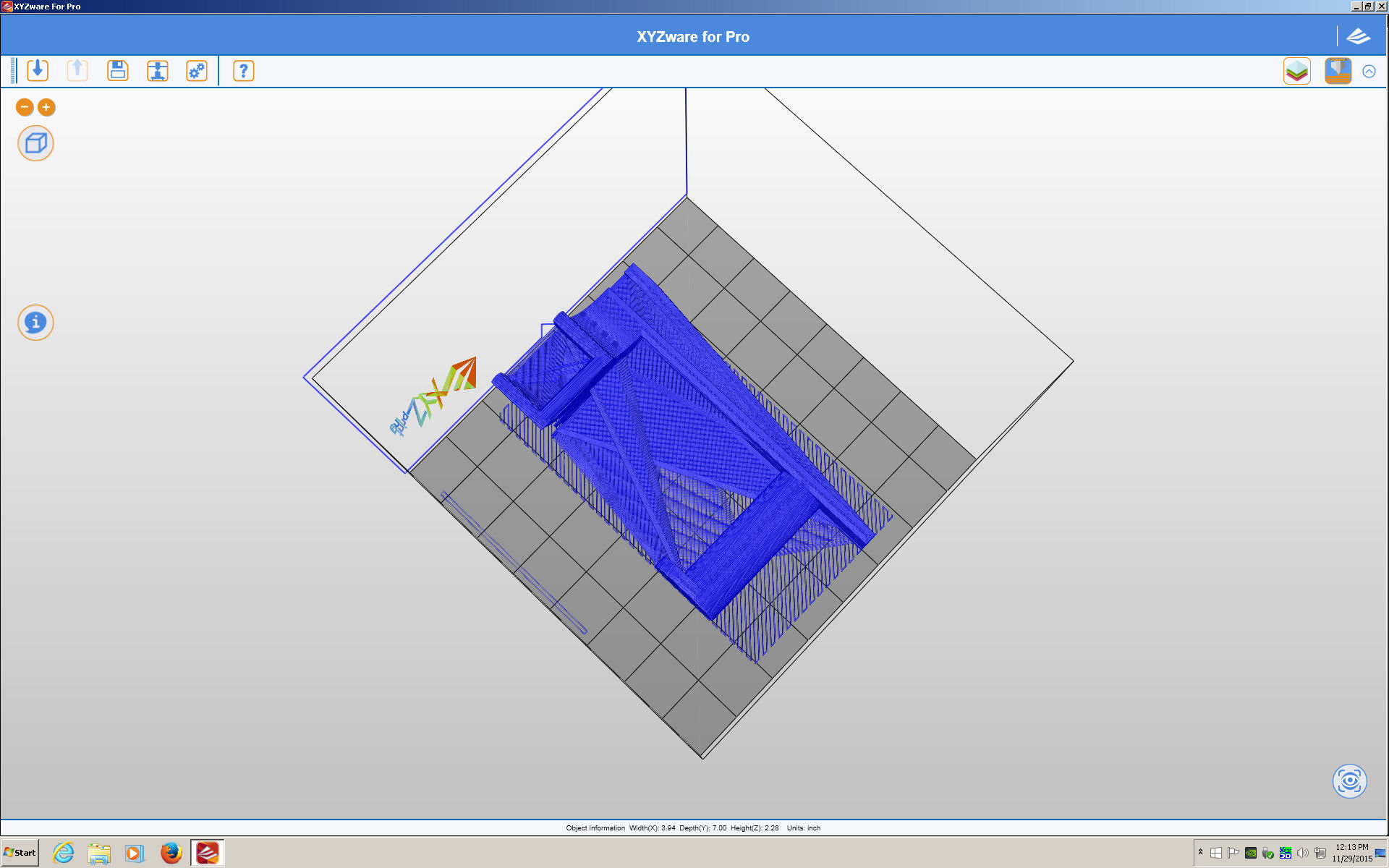
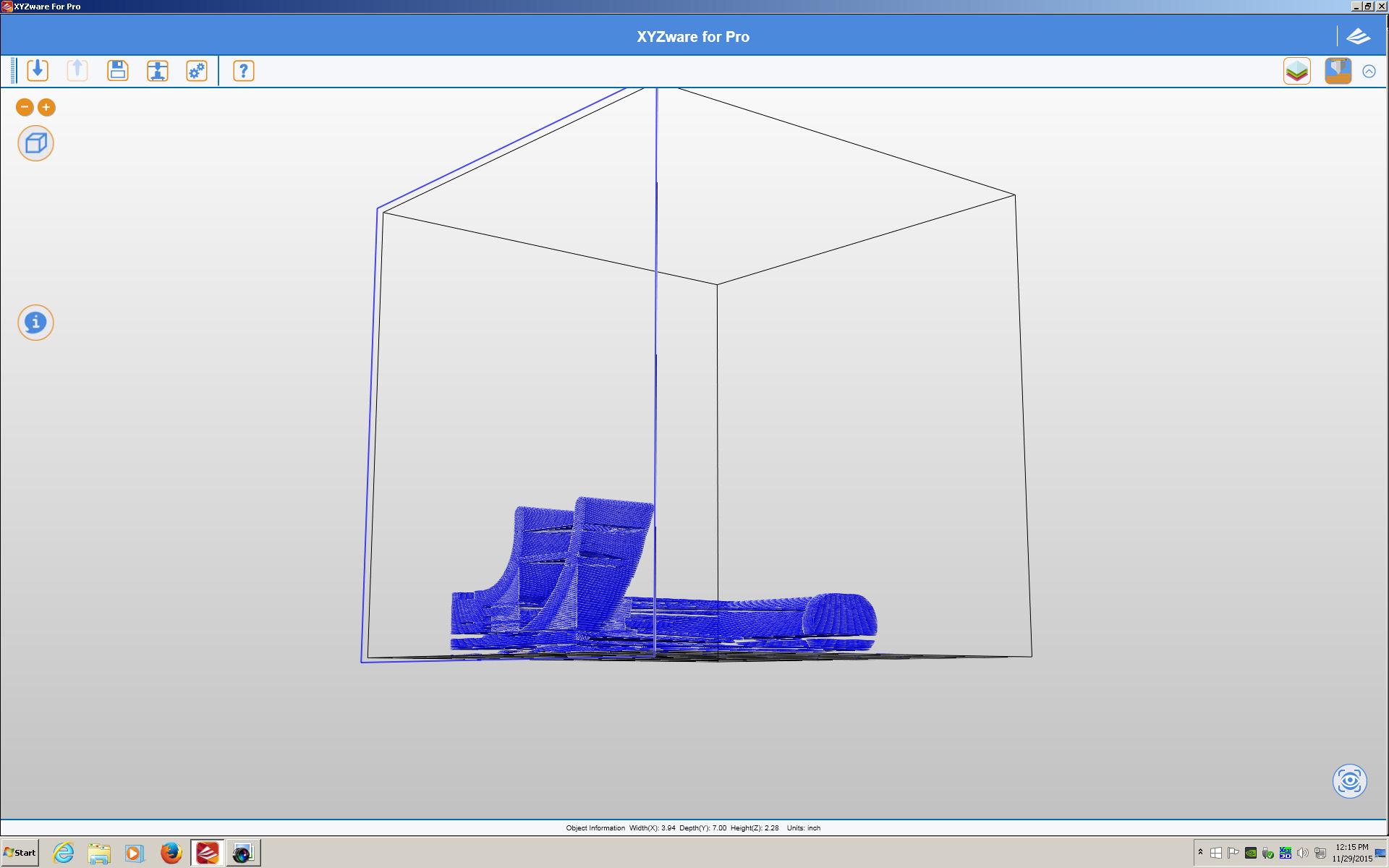
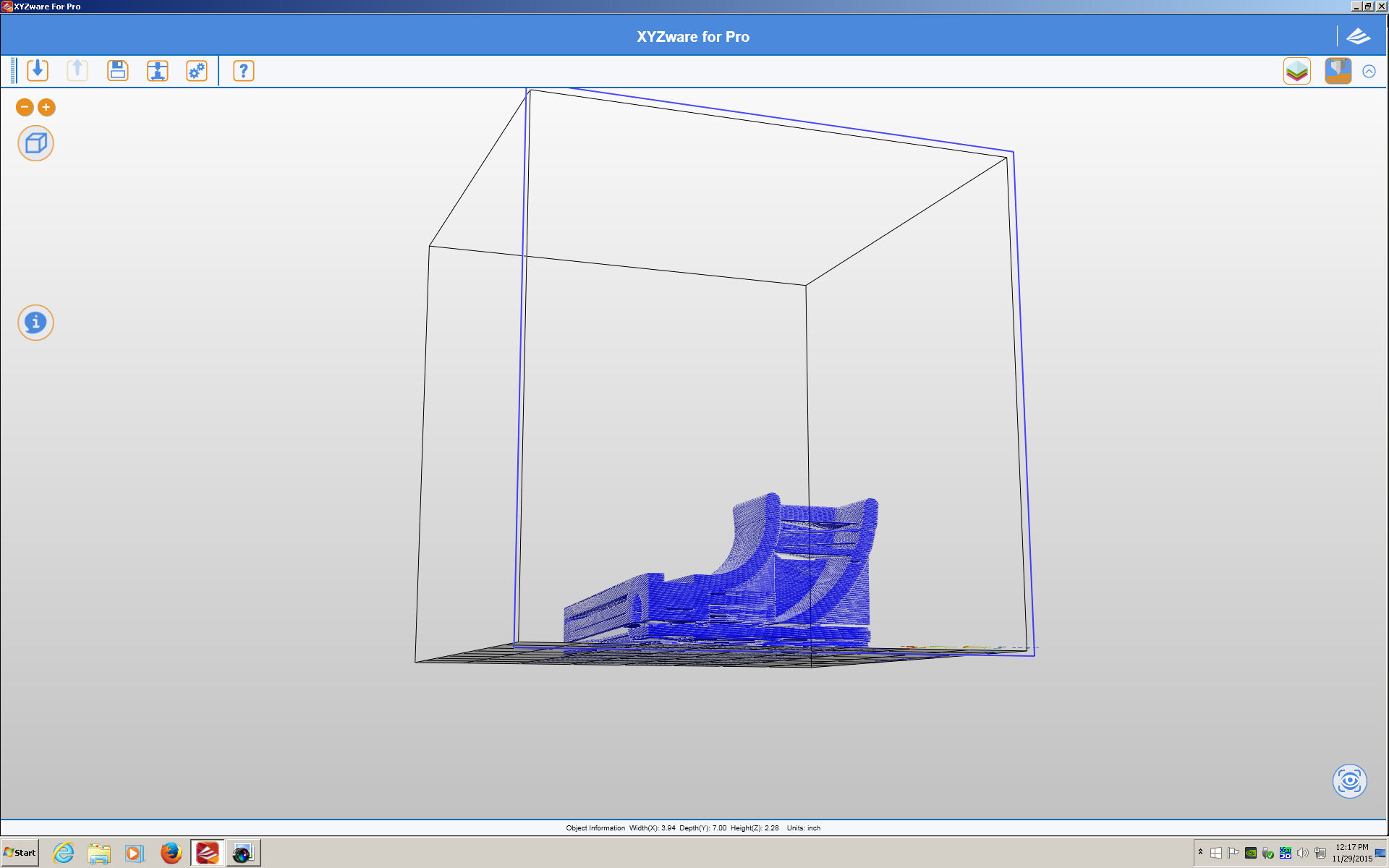
Here's Problem #9 Windows XYZware for Pro *really* can screw up an object.

The item as it looks in an STL viewer

http://www.curtronics.com/XYZPrinting/images/FilamentHolderMacSTLviewer.png

Here's 3 images of how XYZware for Pro in Windows sliced it to be unprintable.

#1
http://www.curtronics.com/XYZPrinting/images/FilamentHolderWinExportBad01.jpg
#2
http://www.curtronics.com/XYZPrinting/images/FilamentHolderWinExportBad02.jpg
#3
http://www.curtronics.com/XYZPrinting/images/FilamentHolderWinExportBad03.jpg

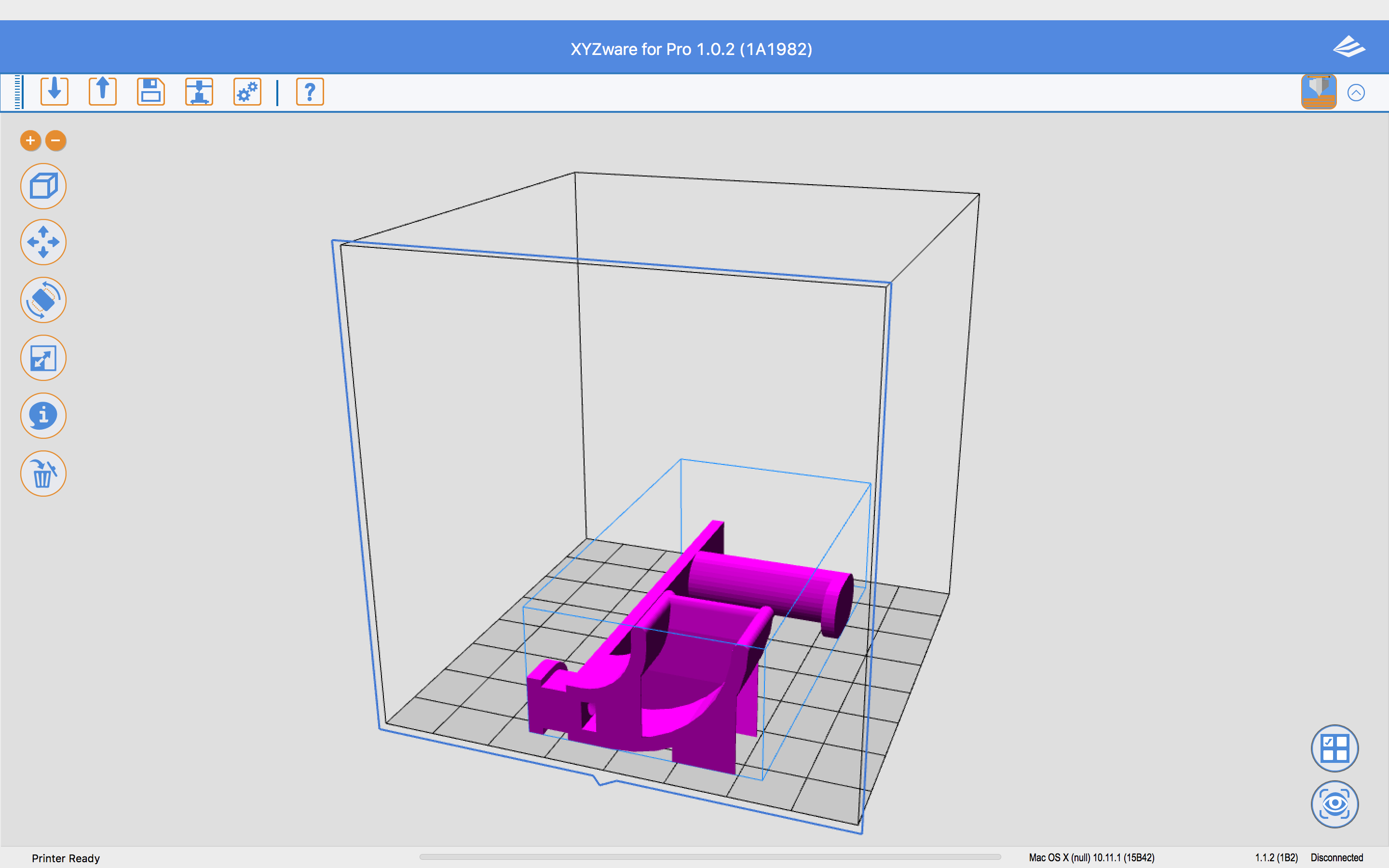
Here's how it looked import into XYZware for Pro on OS X which was the same as how it looked when imported into XYZware for Pro on Windows
http://www.curtronics.com/XYZPrinting/images/FilamentHolderMacImport.png

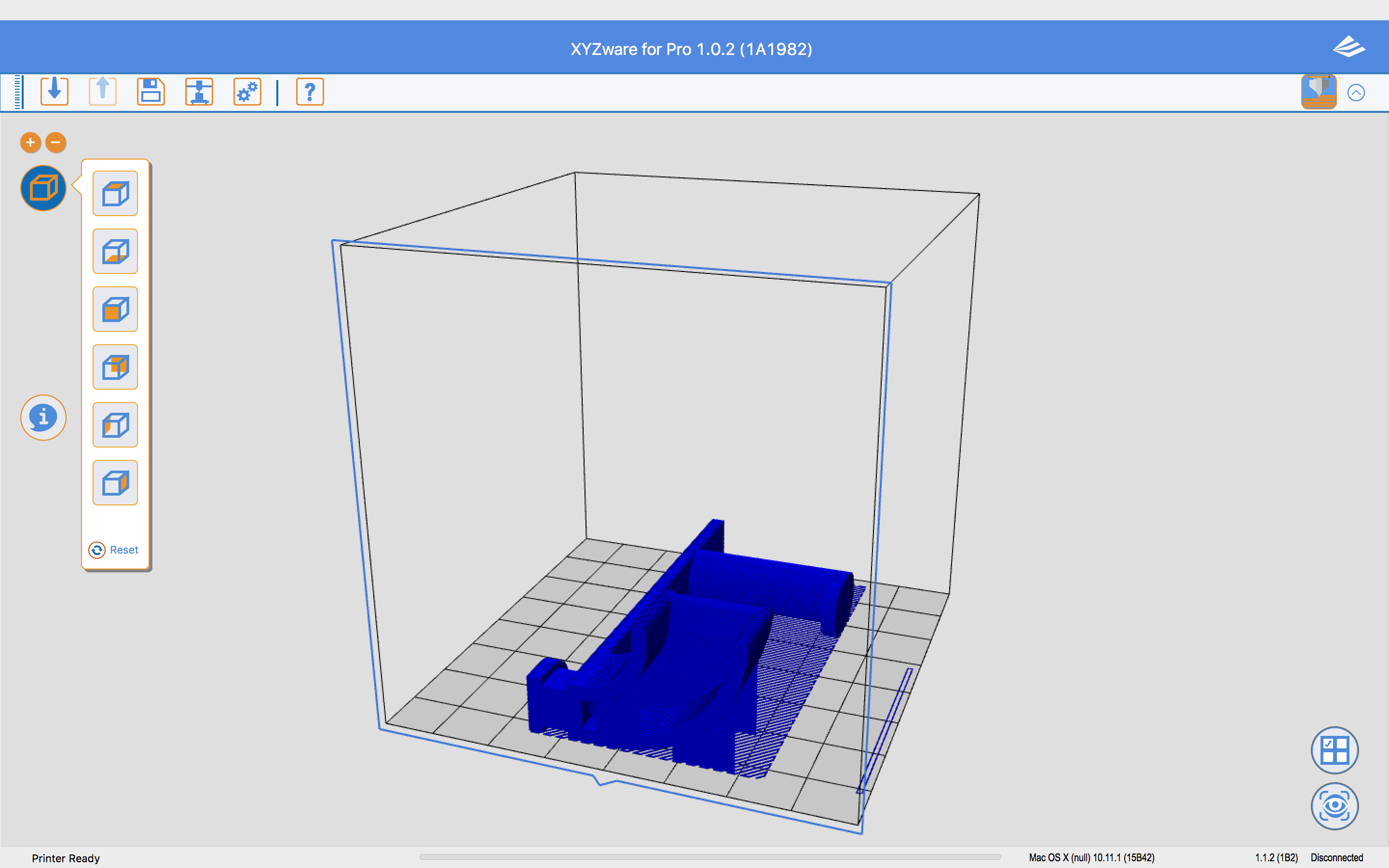
And here's how it looked after exporting on OS X. Totally printable
http://www.curtronics.com/XYZPrinting/images/FilamentHolderMacExport.png

18

Re: 6 Issues/Problems discovered with new da Vinci 1.0 Pro (up to 9 now)

BlankMan wrote:
twwaters wrote:

I have found a way to use another slicer program.  It is the same as for previous versions by exporting gcode, adding a few lines to the beginning, encoding it in base64, then importing it back into xyzware for pro as a .3w file.  The key is changing the line that describes the machine.  Instead of "; machine = daVinciF10", put "; machine = daVinciAW10" for this new printer.  I successfully save a gcode file from Simplyfy3D and got xyzware for pro to send it to the printer.  The printer started to print but did not wait until the extruder or bed was heated so I have to make sure I have the proper gcode lines in the file for that. Refer to http://voltivo.com/forum/davinci-softwa … rty-slicer for more info on the process. Just remember to change the machine line otherwise xyzware for pro will say you have the wrong printer.

This sounds great! Great job! I was hoping there would be a way.

I'm new to 3D printing and the Pro is my first printer so this is all kind of new to me. I was reading up on slic3r and you mention Simplyfy3D which is another slicer program, excuse me for what might be a stupid question, but would this work using slic3r also? (Of course with the necessary post processing.)

I also read that XYZ originally used the MIME encoding for the 3w files but then went to some AES scheme, but MIME still works, that is good news. I suppose, for backwards compatibility of 3w files so they can still be printed, the AES only poses a problem decoding I guess.

It should also work with slic3r.  Just save your gcode file and modify it as described.  As far as AES goes, you are right in that it only matters if you are trying to decode a .3w file that xyzware for pro saved.

19

Re: 6 Issues/Problems discovered with new da Vinci 1.0 Pro (up to 9 now)

So in looking at Simplyfy3D which you mentioned you use, Simplyfy3D communicates directly with the da Vinci printers and there's no need to make and take a gcode file and customize and encode it for da Vinci as a 3w file? If I'm correctly understand what Simplyfy3D can do that might just be the ticket... If and when it can talk to the Pro wirelessly.

20

Re: 6 Issues/Problems discovered with new da Vinci 1.0 Pro (up to 9 now)

Currently Simplify3D can't talk to the Pro printer directly.  I sent a message to Simplify3D's support and they do plan on enabling it to talk after they get their Pro printer in house.  For the Windows 8.1 and above folks, they also plan to get it working via the Windows 3D printer driver that gets installed when you install xyzware for pro.   Of course, I have no idea how long any of this will take.