<?xml version="1.0" encoding="utf-8"?>
<feed xmlns="http://www.w3.org/2005/Atom">
	<title type="html"><![CDATA[SoliForum - 3D Printing Community — No USB recognized on any computer – firmware issue?]]></title>
	<link rel="self" href="https://www.soliforum.com/feed/atom/topic/13403/" />
	<updated>2016-02-11T03:58:55Z</updated>
	<generator>PunBB</generator>
	<id>https://www.soliforum.com/topic/13403/no-usb-recognized-on-any-computer-firmware-issue/</id>
		<entry>
			<title type="html"><![CDATA[Re: No USB recognized on any computer – firmware issue?]]></title>
			<link rel="alternate" href="https://www.soliforum.com/post/116285/#p116285" />
			<content type="html"><![CDATA[<p><a href="http://www.soliforum.com/topic/3670/need-original-firmwarecpphex-for-new-printrboard-pleazzz/">http://www.soliforum.com/topic/3670/nee … d-pleazzz/</a></p>]]></content>
			<author>
				<name><![CDATA[Avaviel]]></name>
				<uri>https://www.soliforum.com/user/13256/</uri>
			</author>
			<updated>2016-02-11T03:58:55Z</updated>
			<id>https://www.soliforum.com/post/116285/#p116285</id>
		</entry>
		<entry>
			<title type="html"><![CDATA[Re: No USB recognized on any computer – firmware issue?]]></title>
			<link rel="alternate" href="https://www.soliforum.com/post/114911/#p114911" />
			<content type="html"><![CDATA[<p>New link:</p><p><a href="https://groups.google.com/forum/#!topic/makerbot/tBTVx85-hpg">https://groups.google.com/forum/#!topic … BTVx85-hpg</a></p>]]></content>
			<author>
				<name><![CDATA[Avaviel]]></name>
				<uri>https://www.soliforum.com/user/13256/</uri>
			</author>
			<updated>2016-01-24T01:49:00Z</updated>
			<id>https://www.soliforum.com/post/114911/#p114911</id>
		</entry>
		<entry>
			<title type="html"><![CDATA[Re: No USB recognized on any computer – firmware issue?]]></title>
			<link rel="alternate" href="https://www.soliforum.com/post/114840/#p114840" />
			<content type="html"><![CDATA[<p>I&#039;m collecting useful links that are updated. Or, older to fit when this was used.</p><p><a href="https://drive.google.com/file/d/0B80A_woXoRWdZ2NqQTZHbWpmZFE/view?pli=1">https://drive.google.com/file/d/0B80A_w … view?pli=1</a></p><p><a href="http://arduino.googlecode.com/files/arduino-1.0.5-r2-windows.exe">http://arduino.googlecode.com/files/ard … indows.exe</a></p><p><a href="https://www.pjrc.com/teensy/td_120/teensyduino.exe">https://www.pjrc.com/teensy/td_120/teensyduino.exe</a></p><br /><p>Also, if you&#039;ll notice, the links in the guide I quoted are not broken. I did not copy/paste the text directly. So, to people in the future: Get an account and quote to copy/paste correctly.</p><br /><p>edit:</p><p><a href="http://www.soliforum.com/topic/9709/e3dv6-on-solidoodle-press/page/13/">http://www.soliforum.com/topic/9709/e3d … s/page/13/</a></p><p><a href="http://www.instructables.com/id/How-To-Burn-a-Bootloader-to-Clone-Arduino-Nano-30/?ALLSTEPS">http://www.instructables.com/id/How-To- … /?ALLSTEPS</a></p>]]></content>
			<author>
				<name><![CDATA[Avaviel]]></name>
				<uri>https://www.soliforum.com/user/13256/</uri>
			</author>
			<updated>2016-01-23T04:18:59Z</updated>
			<id>https://www.soliforum.com/post/114840/#p114840</id>
		</entry>
		<entry>
			<title type="html"><![CDATA[Re: No USB recognized on any computer – firmware issue?]]></title>
			<link rel="alternate" href="https://www.soliforum.com/post/114772/#p114772" />
			<content type="html"><![CDATA[<p><a href="https://learn.sparkfun.com/tutorials/installing-an-arduino-bootloader">https://learn.sparkfun.com/tutorials/in … bootloader</a></p><p>BOOM! I&#039;ll fairly sure the bootloader is messed up. </p><br /><p>Yea. It&#039;s been the most frustrating computer thing – like ever – for me. I&#039;ve gotten out my Win 7 laptop.</p>]]></content>
			<author>
				<name><![CDATA[Avaviel]]></name>
				<uri>https://www.soliforum.com/user/13256/</uri>
			</author>
			<updated>2016-01-22T04:31:49Z</updated>
			<id>https://www.soliforum.com/post/114772/#p114772</id>
		</entry>
		<entry>
			<title type="html"><![CDATA[Re: No USB recognized on any computer – firmware issue?]]></title>
			<link rel="alternate" href="https://www.soliforum.com/post/114771/#p114771" />
			<content type="html"><![CDATA[<p>Are you certain the board is connected to com port 4?<br />I just went through this with that exact board.&nbsp; The process works but is insanely finicky.&nbsp; I used Arduino 1.0.5 RC or something like that.&nbsp; It was a link I found in my searches and when I get time I will attempt a new set of directions.&nbsp; I still followed the bulk of what&#039;s listed on the WIKI but bad links and new developments haven&#039;t made the process easier.&nbsp; The problem is that so am not entirely certain how I got it all to work.&nbsp; But I did and ended up doing it several times.&nbsp; The only advice I can offer at this point.&nbsp; Look at the RepRap WIKI/PrintrBoard for tips.&nbsp; Dig through Lincomatics info and links.&nbsp; Find a good link for HIDBootloader.zip I think I found that at the SD site.&nbsp; Figure out Teensyduino.&nbsp; Ultimately I got it to work on my Windows 7 machine.&nbsp; At one point I dug out my old XP machine that I had all the files set up and installed on.&nbsp; It was much quicker with that machine since it was already setup.&nbsp; I pushed forward and finally got it to flash via Win7.<br />Just keep at it.</p>]]></content>
			<author>
				<name><![CDATA[wardjr]]></name>
				<uri>https://www.soliforum.com/user/2291/</uri>
			</author>
			<updated>2016-01-22T04:27:53Z</updated>
			<id>https://www.soliforum.com/post/114771/#p114771</id>
		</entry>
		<entry>
			<title type="html"><![CDATA[Re: No USB recognized on any computer – firmware issue?]]></title>
			<link rel="alternate" href="https://www.soliforum.com/post/114768/#p114768" />
			<content type="html"><![CDATA[<p>Right now I&#039;m unable to pass step 8. The port, port 4, does not show up in arduino.</p>]]></content>
			<author>
				<name><![CDATA[Avaviel]]></name>
				<uri>https://www.soliforum.com/user/13256/</uri>
			</author>
			<updated>2016-01-22T03:46:34Z</updated>
			<id>https://www.soliforum.com/post/114768/#p114768</id>
		</entry>
		<entry>
			<title type="html"><![CDATA[Re: No USB recognized on any computer – firmware issue?]]></title>
			<link rel="alternate" href="https://www.soliforum.com/post/114766/#p114766" />
			<content type="html"><![CDATA[<p>Aren&#039;t there batches of the Rev E bootloaders without bootloaders? Might I have one of those?</p><br /><p>I&#039;ll follow this:</p><div class="quotebox"><blockquote><p>I just updated my solidoodle 3 printers firmware tonight. It has the Printboard Rev E, my operating system is Windows 7 64bit</p><p>These instructions I compiled after talking with Adrian, and reading the existing wiki (<a href="http://wiki.solidoodle.com/update-firmware">http://wiki.solidoodle.com/update-firmware</a>)<br />A: Download the Arduino IDE (<a href="http://www.arduino.cc">www.arduino.cc</a>)<br />B: Download Teensyduino (<a href="http://pjrc.com/teensy/td_download.html">http://pjrc.com/teensy/td_download.html</a>)<br />C: Download the firmware&nbsp; (<a href="https://github.com/ozadr1an/Solidoodle-Marlin_v1/tree/Solidoodle_Marlin_v1_beta">https://github.com/ozadr1an/Solidoodle- … in_v1_beta</a>)<br />D: Download the upload BootloaderHID (<a href="http://blog.lincomatic.com/wp-content/uploads/2012/03/BootloaderHID.zip">http://blog.lincomatic.com/wp-content/u … derHID.zip</a>)</p><p>1.&nbsp; &nbsp; Install Arduiono IDE<br />2.&nbsp; &nbsp; By default it installed in C:/program files/Arduino (or program files C:/program files(x86)/Arduino)<br />3.&nbsp; &nbsp; Install Teenyduino<br />4.&nbsp; &nbsp; It will ask you where the arduino install is, point it to the above folder<br />5.&nbsp; &nbsp; Unzip the firmware file to a folder you will remember<br />6.&nbsp; &nbsp; Open the Arduino.exe (shortcut put on your desktop after the Arduino IDE installed<br />7.&nbsp; &nbsp; Click Tools, Board (might say Board:Arduino Uno) and select the Teensy ++2.0<br />8.&nbsp; &nbsp; Click Tools, Serial Port, and change it to the port of your printer<br />(If you are unsure, and using windows, click the start button, right click computer, click properties, click device manager, and click on ports. Your printer will be the one listed as “USB serial port (Com X) write down whatever the x is, and put it in step 8)<br />9.&nbsp; &nbsp; Click File – Open<br />10.&nbsp; &nbsp; Browse to the folder you extracted in step 5, select the file (in the marlin folder) named Configureation.H , double click it or select it and click open<br />11.&nbsp; &nbsp; You will notice that there are several tabs across the top: Marlin, Configuration.H, ConfigurationStore.cpp etc, select the Configuration.H tab<br /><strong>12.&nbsp; &nbsp; Scroll down until you see (in black as the grey is comments and effects nothing) <br /> #define SOLIDOODLE_VERSION 2 (line 22 on mine) Change to #define SOLIDOODLE_VERSION 3</strong>&nbsp; &nbsp; &nbsp; &nbsp; &nbsp; &nbsp; &nbsp; &nbsp; &nbsp;<br />13.&nbsp; &nbsp; #define MOTHERBOARD&nbsp; 62 (line #76 on mine…you can tell the line by clicking the code, and looking at the bottom left, a number will be there, this is the line of code)<br />Change it to read #define MOTHERBOARD 81<br />14.&nbsp; &nbsp; find #define TEMP_SENSOR_0 1 (line 120 ) and change to #define TEMP_SENSOR_0 5<br />15.&nbsp; &nbsp; find #define HEATER_0_MAXTEMP 225 (line145)&nbsp; change to #define HEATER_0_MAXTEMP 290<br />16.&nbsp; &nbsp; 350C is the max the thermister can is good for, the hotend can go higher, but you’ll need a thermocouple instead of the thermister<br />17.&nbsp; &nbsp; In the top arduino menu, click Sketch, then Verify/compile<br />18.&nbsp; &nbsp; If you installed Teensyduino, it will pop up a window, just close it<br />19.&nbsp; &nbsp; If your sketch does not report errors and simply gives you the Binary sketch size and memory use, it is safe to upload. If it reports errors, you have made a syntax error, and should recheck those lines you changed. <br />20.&nbsp; &nbsp; Before doing the final compile, click file – save (if you do not, it will not upload the changes)<br />21.&nbsp; &nbsp; Hold down SHIFT and click Compile<br />22.&nbsp; &nbsp; There has been a .hex file created. Marlin.cpp.hex, in my case (windows 7) it is under C:/users/whateverYourProfileNameIs/AppData/Local/Temp….it will be in the folder <br />named build-xxxxxxxxx.tmp (the x’s are a string of numbers) created today. You must have view hidden or system files enabled in folder options (control panel. Have view folders by icon instead of category enabled, folder options,view, check Show hidden files and folders)<br />23.&nbsp; &nbsp; Unzip the BootloaderHID.Zip (step D) to a folder<br />24.&nbsp; &nbsp; Copy the Marlin.cpp.hex file, and past it in the folder above (the bootloaderHID folder<br />25.&nbsp; &nbsp; Make sure your computer is connected to the printer via usb cable<br />26.&nbsp; &nbsp; Add a jumper to the BOOT pins on the printboard (back of the printer) or bend the 2 pins so they are touching , then press the RESET button<br />27.&nbsp; &nbsp; Open a new command window (click the windows start button, and in the search programs field (windows vista or newer) type CMD.<br />28.&nbsp; &nbsp; Within the CMD window, navigate to the folder you unzipped the BootleaderHID to in step 23<br />29.&nbsp; &nbsp;&nbsp; Type “hid_bootloader_cli -mmcu=at90usb1286 -w -v Marlin.cpp.hex” (no quotations)<br />30.&nbsp; &nbsp; It should say something like “read Marlin.cpp.hex xx bytes, xx% usage, found halfkay bootloader, programming…………………..Booting<br />31.&nbsp; &nbsp; Remove the jumper, or unbend the boot pins on the printboard (back of the printer)<br />32.&nbsp; &nbsp; Press reset<br />33.&nbsp; &nbsp; Verify that you have updated them, start up Repetier Host. <br />34.&nbsp; &nbsp; Click Connect <br />35.&nbsp; &nbsp; Look at the bottom of the screen, you will see a greeting msg when you connect it should now read<br />02:09:14.238 : echo:Unknown command: &quot;&quot;<br />02:09:14.405 : FIRMWARE_NAME:Marlin V1; Sprinter/grbl mashup for gen6 FIRMWARE_URL:http://github.com/mlaws/solidoodle2-marlin/ PROTOCOL_VERSION:1.0 MACHINE_TYPE:Solidoodle EXTRUDER_COUNT:1<br />02:09:14.405 : echo:Active Extruder: 0<br />If you see the address changed to github.com instead of solidoodle, you know you&#039;re golden</p></blockquote></div>]]></content>
			<author>
				<name><![CDATA[Avaviel]]></name>
				<uri>https://www.soliforum.com/user/13256/</uri>
			</author>
			<updated>2016-01-22T03:38:02Z</updated>
			<id>https://www.soliforum.com/post/114766/#p114766</id>
		</entry>
		<entry>
			<title type="html"><![CDATA[Re: No USB recognized on any computer – firmware issue?]]></title>
			<link rel="alternate" href="https://www.soliforum.com/post/114458/#p114458" />
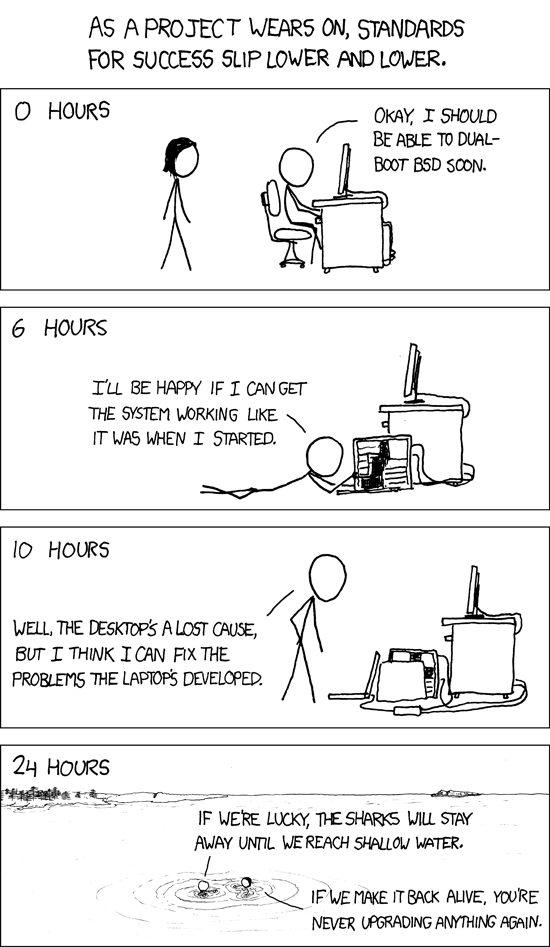
			<content type="html"><![CDATA[<p>It connects, and then nothing. It does not heat the bed. It does not show a temp on anything.</p><br /><br /><br /><p>Are there any simple tutorials to uploading the firmware for this model? I&#039;d like to avoid compiling it, but I&#039;ve set up the arduino software successfully.</p><br /><p>edit:<br /><span class="postimg"><img src="http://imgs.xkcd.com/comics/success.png" alt="http://imgs.xkcd.com/comics/success.png" /></span></p><p>Haha. Is this one of those models with a bad bootloader? Should I give up and buy a new board?</p>]]></content>
			<author>
				<name><![CDATA[Avaviel]]></name>
				<uri>https://www.soliforum.com/user/13256/</uri>
			</author>
			<updated>2016-01-19T01:44:37Z</updated>
			<id>https://www.soliforum.com/post/114458/#p114458</id>
		</entry>
		<entry>
			<title type="html"><![CDATA[Re: No USB recognized on any computer – firmware issue?]]></title>
			<link rel="alternate" href="https://www.soliforum.com/post/114457/#p114457" />
			<content type="html"><![CDATA[<p>Still no joy. Input the settings, nothing. No movement.</p>]]></content>
			<author>
				<name><![CDATA[Avaviel]]></name>
				<uri>https://www.soliforum.com/user/13256/</uri>
			</author>
			<updated>2016-01-19T01:40:49Z</updated>
			<id>https://www.soliforum.com/post/114457/#p114457</id>
		</entry>
		<entry>
			<title type="html"><![CDATA[Re: No USB recognized on any computer – firmware issue?]]></title>
			<link rel="alternate" href="https://www.soliforum.com/post/114451/#p114451" />
			<content type="html"><![CDATA[<p>You don&#039;t need the Solidoodle version - this is just an old version of repetier-host that comes with the printer and slicer settings pre-set. Most are pretty default, and a few usually need tweaking for individual machines anyway, so it&#039;s not a great loss. It sounds like this version is not playing nice with windows 10 for you?</p><p>Here&#039;s the download page heartless is referring to: <a href="http://www.repetier.com/download-now/">http://www.repetier.com/download-now/</a></p><p>As far as configuration, solidoodle provides a list of settings (can&#039;t guarantee whether these are exactly right, but it&#039;s comprehensive and should be a good start): <a href="http://support.solidoodle.com/hc/en-us/articles/204352500-Default-Repetier-Host-and-Slic3r-Settings">http://support.solidoodle.com/hc/en-us/ … r-Settings</a></p>]]></content>
			<author>
				<name><![CDATA[grob]]></name>
				<uri>https://www.soliforum.com/user/4515/</uri>
			</author>
			<updated>2016-01-19T00:23:51Z</updated>
			<id>https://www.soliforum.com/post/114451/#p114451</id>
		</entry>
		<entry>
			<title type="html"><![CDATA[Re: No USB recognized on any computer – firmware issue?]]></title>
			<link rel="alternate" href="https://www.soliforum.com/post/114416/#p114416" />
			<content type="html"><![CDATA[<p>Where is the version for Soliddoodle? I could find the app on the RH website, but not SD.</p>]]></content>
			<author>
				<name><![CDATA[Avaviel]]></name>
				<uri>https://www.soliforum.com/user/13256/</uri>
			</author>
			<updated>2016-01-18T19:08:50Z</updated>
			<id>https://www.soliforum.com/post/114416/#p114416</id>
		</entry>
		<entry>
			<title type="html"><![CDATA[Re: No USB recognized on any computer – firmware issue?]]></title>
			<link rel="alternate" href="https://www.soliforum.com/post/114398/#p114398" />
			<content type="html"><![CDATA[<p>I had issues with the latest version on a win7 machine - go to their downloads page, under the main download link there is a button that says &quot;older versions for Windows&quot; - click on that and grab version 1.0.6 and try it.</p>]]></content>
			<author>
				<name><![CDATA[heartless]]></name>
				<uri>https://www.soliforum.com/user/10399/</uri>
			</author>
			<updated>2016-01-18T13:51:11Z</updated>
			<id>https://www.soliforum.com/post/114398/#p114398</id>
		</entry>
		<entry>
			<title type="html"><![CDATA[Re: No USB recognized on any computer – firmware issue?]]></title>
			<link rel="alternate" href="https://www.soliforum.com/post/114298/#p114298" />
			<content type="html"><![CDATA[<p>The newest version of RH has connection issues. Get one of the older versions..</p>]]></content>
			<author>
				<name><![CDATA[carl_m1968]]></name>
				<uri>https://www.soliforum.com/user/7731/</uri>
			</author>
			<updated>2016-01-17T06:52:01Z</updated>
			<id>https://www.soliforum.com/post/114298/#p114298</id>
		</entry>
		<entry>
			<title type="html"><![CDATA[Re: No USB recognized on any computer – firmware issue?]]></title>
			<link rel="alternate" href="https://www.soliforum.com/post/114295/#p114295" />
			<content type="html"><![CDATA[<p>It&#039;s the newest from the website. Nothing shows up under printer information. How can I tell if it&#039;s really there?</p><p>Are there any simple tutorials to uploading the firmware for this model? I&#039;d like to avoid compiling it, but I&#039;ve set up the arduino software successfully.</p><p>Edit: Lol. I turned off the printer and turned it on... the software didn&#039;t notice. It isn&#039;t heating either.</p>]]></content>
			<author>
				<name><![CDATA[Avaviel]]></name>
				<uri>https://www.soliforum.com/user/13256/</uri>
			</author>
			<updated>2016-01-17T05:04:27Z</updated>
			<id>https://www.soliforum.com/post/114295/#p114295</id>
		</entry>
		<entry>
			<title type="html"><![CDATA[Re: No USB recognized on any computer – firmware issue?]]></title>
			<link rel="alternate" href="https://www.soliforum.com/post/114254/#p114254" />
			<content type="html"><![CDATA[<p>What version of RH are you running?&nbsp; Sounds like you have something in that software set incorrectly.</p>]]></content>
			<author>
				<name><![CDATA[wardjr]]></name>
				<uri>https://www.soliforum.com/user/2291/</uri>
			</author>
			<updated>2016-01-16T16:48:10Z</updated>
			<id>https://www.soliforum.com/post/114254/#p114254</id>
		</entry>
</feed>