
1 (edited by carl_m1968 2015-04-16 16:52:14)

Topic: Da Vinci 1.0 got a new brain.

Well so far the transplant is going fine. Got the ramps mounted and connectors all clipped and reminded with the style of connector the ramps require.  I got all the connections routed and connected and new LCD connected and routed.  All that is left is load Marlin firmware and adjust the firmware settings to match the machine and it should be up and running.  Luckily I have the copy of Repetier that I can get the steps per mm from and such. I will attach some images once I resize them.

Post's attachments

20150416_105420.jpg
20150416_105420.jpg 968.11 kb, 13 downloads since 2015-04-16 

20150416_105434.jpg
20150416_105434.jpg 658.4 kb, 3 downloads since 2015-04-16 

You don't have the permssions to download the attachments of this post.
Printing since 2009 and still love it!
Anycubic 4MAX best $225 ever invested.
Voxelabs Proxima SLA. 6 inch 2k Mono LCD.
Anycubic Predator, massive Delta machine. 450 x 370 print envelope.

2

Re: Da Vinci 1.0 got a new brain.

Your gonna document all this, for us others that will follow in your footsteps... I hope...

3 (edited by carl_m1968 2015-04-16 18:06:13)

Re: Da Vinci 1.0 got a new brain.

madmike8 wrote:

Your gonna document all this, for us others that will follow in your footsteps... I hope...

Once I get it up and running and know the correct firmware settings I will supply full docs along with Mouser part numbers for the connectors and pins. Probably a week at most.

Printing since 2009 and still love it!
Anycubic 4MAX best $225 ever invested.
Voxelabs Proxima SLA. 6 inch 2k Mono LCD.
Anycubic Predator, massive Delta machine. 450 x 370 print envelope.

4

Re: Da Vinci 1.0 got a new brain.

Awesome!!!

5

Re: Da Vinci 1.0 got a new brain.

Hi carl,

great job. What did you do with the stop ends? Did you use mechanical ones or did you get a pcb and resistors for davinci ones?
Reason for asking is that chris at volitvo burned his on ramps 1.4. Link: http://voltivo.com/forum/davinci-hwmods … mitstart=0

I'm at the same stage as you, just waiting for opto end stops I've ordered, and am curious how did you solve the "problem".

Davinci 1.0&1.0A with repetier 0.92 firmware & E3D bowden
Slicer - Simplify3d/CraftWare/MatterControl/Repetier Host
Filament - ABS, PLA, FPE, LayWood
3D modelling - Autodesk 3DS Max, Blender,

6

Re: Da Vinci 1.0 got a new brain.

lachupacabra wrote:

Hi carl,

great job. What did you do with the stop ends? Did you use mechanical ones or did you get a pcb and resistors for davinci ones?
Reason for asking is that chris at volitvo burned his on ramps 1.4. Link: http://voltivo.com/forum/davinci-hwmods … mitstart=0

I'm at the same stage as you, just waiting for opto end stops I've ordered, and am curious how did you solve the "problem".

I actually have not powered it up with 12 volts yet.  Only powered through USB  so far to confirm it powered up to that point.  Ramps is supposed to have a jumper where you can set it for 12 or 5 volts to the optos. Was going to dive into that tonight. I have other optos I might just glue in place of the others. They fit in the cut outs.

Printing since 2009 and still love it!
Anycubic 4MAX best $225 ever invested.
Voxelabs Proxima SLA. 6 inch 2k Mono LCD.
Anycubic Predator, massive Delta machine. 450 x 370 print envelope.

7 (edited by lachupacabra 2015-04-17 16:46:24)

Re: Da Vinci 1.0 got a new brain.

Ok, thanks for the answer. Please, shed some light on that jumper position, if you managed to find it.
Btw, how did you connect the led strip?
And please, upload your config file after you're done.

Davinci 1.0&1.0A with repetier 0.92 firmware & E3D bowden
Slicer - Simplify3d/CraftWare/MatterControl/Repetier Host
Filament - ABS, PLA, FPE, LayWood
3D modelling - Autodesk 3DS Max, Blender,

8

Re: Da Vinci 1.0 got a new brain.

carl_m1968 on the stock motherboard is there a plug(solder spot) where the thermistor for the extruder can hook to.

Da Vinci  AiO with firmware 1.1.1 using xyzscan 1.1.18
E3Dv6 hotend with custom carriage with Borosilicate glass bed
123D Design and Simplify3D, Replaced PS with a Solidgear Flex320
Zerokart resetter,  Installed a Extruder Controller for higher temps

9

Re: Da Vinci 1.0 got a new brain.

kev0175 wrote:

carl_m1968 on the stock motherboard is there a plug(solder spot) where the thermistor for the extruder can hook to.

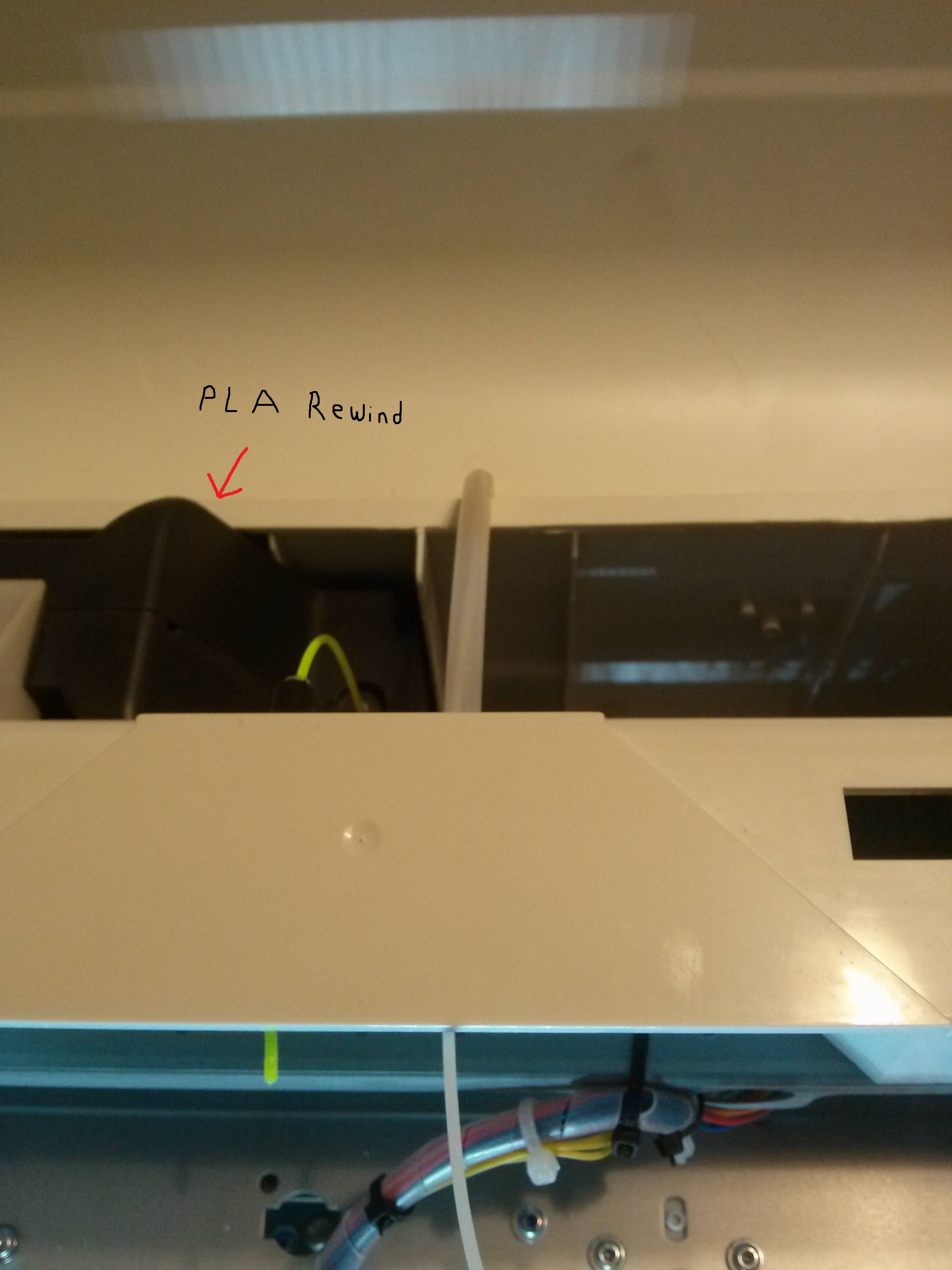
Yes there is a thermistor input on the mainboard for the extruder. It is in the 6 pin connector marked Fan bottom edge of PCB three connectors from right side. Not my PCB is an older one and has those two connectors missing but the silk screen and solder pads are there so they are easy to see and count. That Fan harness is the harness that comes from the PCB on the extruder. It is the yellow and black wire in that harness that the thermistor is on. i have confirmed this as the Ramps does register room temp on the extruder with it connected and ZERO with it disconnected.

Printing since 2009 and still love it!
Anycubic 4MAX best $225 ever invested.
Voxelabs Proxima SLA. 6 inch 2k Mono LCD.
Anycubic Predator, massive Delta machine. 450 x 370 print envelope.
10

Re: Da Vinci 1.0 got a new brain.

lachupacabra wrote:

Ok, thanks for the answer. Please, shed some light on that jumper position, if you managed to find it.
Btw, how did you connect the led strip?
And please, upload your config file after you're done.

The jumper is a solder pad that is open for 5 volts and soldered for 12 volts. Since we know 5 volts will kill the sensors IR LEDS we would be crazy to jumper to 12. Instead I am putting a 150 ohm resistor in line with the Vcc lead on the sensors.

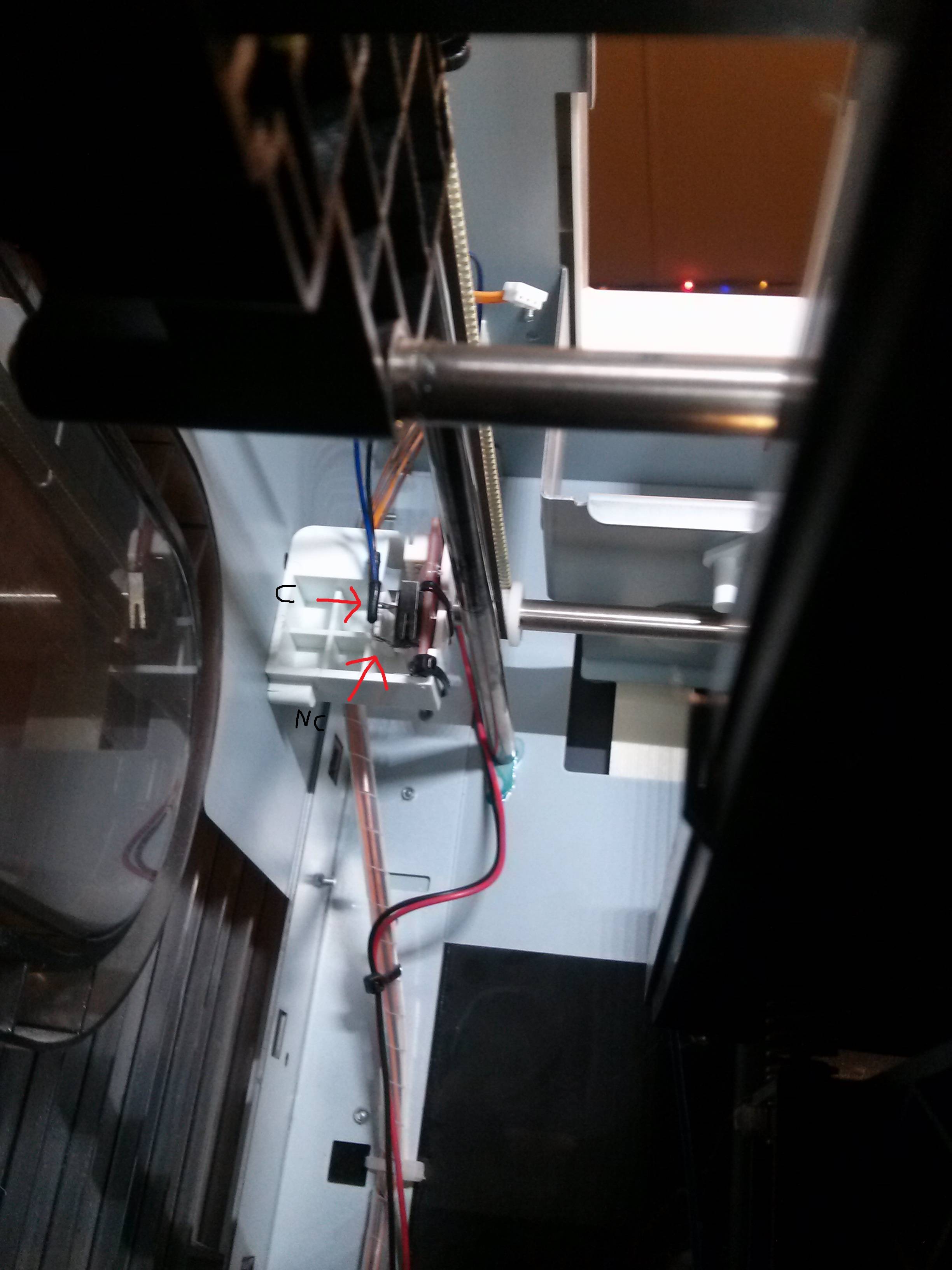
If you look at one of the Da Vinci sensors I pulled the one out for the top door since it is of no use to me now but maybe a spare. Any way their pins are marked A , G, and C, That stands for Anode, Gate, and Cathode. In other words Anode is Vcc, Gate is Signal, and Cathode is Ground. So all I should have to do is put a 150 ohm resistor in line with the Anode/Vcc line and it should keep them from frying and still work.

As for the light strip I left it disconnected and installed my own higher output strips along the frame above the Y rails. They give much more uniform lighting, are brighter, and wired directly to the power supply. The machine is in my living room so I don't care if the LED's stay one and they don't use enough energy to even think about.

Printing since 2009 and still love it!
Anycubic 4MAX best $225 ever invested.
Voxelabs Proxima SLA. 6 inch 2k Mono LCD.
Anycubic Predator, massive Delta machine. 450 x 370 print envelope.

11

Re: Da Vinci 1.0 got a new brain.

lachupacabra wrote:

Ok, thanks for the answer. Please, shed some light on that jumper position, if you managed to find it.
Btw, how did you connect the led strip?
And please, upload your config file after you're done.

The jumper is a solder pad that is open for 5 volts and soldered for 12 volts. Since we know 5 volts will kill the sensors IR LEDS we would be crazy to jumper to 12. Instead I am putting a 150 ohm resistor in line with the Vcc lead on the sensors.

If you look at one of the Da Vinci sensors I pulled the one out for the top door since it is of no use to me now but maybe a spare. Any way their pins are marked A , G, and C, That stands for Anode, Gate, and Cathode. In other words Anode is Vcc, Gate is Signal, and Cathode is Ground. So all I should have to do is put a 150 ohm resistor in line with the Anode/Vcc line and it should keep them from frying and still work.

As for the light strip I left it disconnected and installed my own higher output strips along the frame above the Y rails. They give much more uniform lighting, are brighter, and wired directly to the power supply. The machine is in my living room so I don't care if the LED's stay one and they don't use enough energy to even think about.

Printing since 2009 and still love it!
Anycubic 4MAX best $225 ever invested.
Voxelabs Proxima SLA. 6 inch 2k Mono LCD.
Anycubic Predator, massive Delta machine. 450 x 370 print envelope.

12

Re: Da Vinci 1.0 got a new brain.

carl_m1968 wrote:
kev0175 wrote:

carl_m1968 on the stock motherboard is there a plug(solder spot) where the thermistor for the extruder can hook to.

Yes there is a thermistor input on the mainboard for the extruder. It is in the 6 pin connector marked Fan bottom edge of PCB three connectors from right side. Not my PCB is an older one and has those two connectors missing but the silk screen and solder pads are there so they are easy to see and count. That Fan harness is the harness that comes from the PCB on the extruder. It is the yellow and black wire in that harness that the thermistor is on. i have confirmed this as the Ramps does register room temp on the extruder with it connected and ZERO with it disconnected.

Thank you for your help. It kinda worked and it kinda didn't.  Working but when well before the print starts the temp begin to drop and end up with a 0014 error. I have the new board with a 7 pin  connector. I'm thinking to read and regulate the temp I may need the PCB board. I'm thinking I may have to buy another extruder just to get the board off of it.

Da Vinci  AiO with firmware 1.1.1 using xyzscan 1.1.18
E3Dv6 hotend with custom carriage with Borosilicate glass bed
123D Design and Simplify3D, Replaced PS with a Solidgear Flex320
Zerokart resetter,  Installed a Extruder Controller for higher temps

13

Re: Da Vinci 1.0 got a new brain.

kev0175 wrote:
carl_m1968 wrote:
kev0175 wrote:

carl_m1968 on the stock motherboard is there a plug(solder spot) where the thermistor for the extruder can hook to.

Yes there is a thermistor input on the mainboard for the extruder. It is in the 6 pin connector marked Fan bottom edge of PCB three connectors from right side. Not my PCB is an older one and has those two connectors missing but the silk screen and solder pads are there so they are easy to see and count. That Fan harness is the harness that comes from the PCB on the extruder. It is the yellow and black wire in that harness that the thermistor is on. i have confirmed this as the Ramps does register room temp on the extruder with it connected and ZERO with it disconnected.

Thank you for your help. It kinda worked and it kinda didn't.  Working but when well before the print starts the temp begin to drop and end up with a 0014 error. I have the new board with a 7 pin  connector. I'm thinking to read and regulate the temp I may need the PCB board. I'm thinking I may have to buy another extruder just to get the board off of it.


Well you have two different problems here. One if you are getting error 0014 that means the extruder has heated over the max temp and the system is in emergency shutdown. Now if your thermistor wires are shorted together or touching the brass heat block without insulation then that will make the machine think it has reached unsafe temp while really has not. However if it was a short then you should see a high reading on the hotend all the time on the LCD.

Now you say that the temp will say that the temp show correct but then starts to fall when the print starts or before the head even moves? What temp are you trying to set for and what temps are shown? If you are seeing temps then the connections to the thermistor and board are correct. The issue is that you may have an exposed wire/wires on the thermistor shorting together or against the brass heat block during movement or when the insulation softens and allows the wires to flex more at higher temps.

Printing since 2009 and still love it!
Anycubic 4MAX best $225 ever invested.
Voxelabs Proxima SLA. 6 inch 2k Mono LCD.
Anycubic Predator, massive Delta machine. 450 x 370 print envelope.
14 (edited by carl_m1968 2015-04-18 09:23:10)

Re: Da Vinci 1.0 got a new brain.

Back on topic, The resistors in line with Vcc on the stock optos did not work. So I installed after market optos I had laying around from a previous build. With a little Dremel work on the housings the stock optos where in the new one dropped right in and look damn near factory. Now I am just trying to get the firmware setup with the right motor directions, home positions, and endstop polarity.

Once I get it running and confirm a print I will post pictures and a guide of how I did it. Later maybe a month or so I will swap out to an E3D Lite hotend.

UPDATE:

Well she is up and fully running to a point. Having some temp issues. I replaced the bed thermistor with a normal NTC 100K model but it seems to be reading low. The bed is also not heating above 60c for some reason. 60c as confirmed by an IR thermometer. Worked fine on stock. Will have to look into that more.

I will come up with a guide once I get the temperature issue nailed.

Post's attachments

20150418_042011.jpg
20150418_042011.jpg 623.55 kb, 1 downloads since 2015-04-18 

20150418_042019.jpg 666.66 kb, 1 downloads since 2015-04-18 

You don't have the permssions to download the attachments of this post.
Printing since 2009 and still love it!
Anycubic 4MAX best $225 ever invested.
Voxelabs Proxima SLA. 6 inch 2k Mono LCD.
Anycubic Predator, massive Delta machine. 450 x 370 print envelope.

15

Re: Da Vinci 1.0 got a new brain.

carl_m1968 wrote:
kev0175 wrote:
carl_m1968 wrote:

Yes there is a thermistor input on the mainboard for the extruder. It is in the 6 pin connector marked Fan bottom edge of PCB three connectors from right side. Not my PCB is an older one and has those two connectors missing but the silk screen and solder pads are there so they are easy to see and count. That Fan harness is the harness that comes from the PCB on the extruder. It is the yellow and black wire in that harness that the thermistor is on. i have confirmed this as the Ramps does register room temp on the extruder with it connected and ZERO with it disconnected.

Thank you for your help. It kinda worked and it kinda didn't.  Working but when well before the print starts the temp begin to drop and end up with a 0014 error. I have the new board with a 7 pin  connector. I'm thinking to read and regulate the temp I may need the PCB board. I'm thinking I may have to buy another extruder just to get the board off of it.

Well you have two different problems here. One if you are getting error 0014 that means the extruder has heated over the max temp and the system is in emergency shutdown. Now if your thermistor wires are shorted together or touching the brass heat block without insulation then that will make the machine think it has reached unsafe temp while really has not. However if it was a short then you should see a high reading on the hotend all the time on the LCD.

Now you say that the temp will say that the temp show correct but then starts to fall when the print starts or before the head even moves? What temp are you trying to set for and what temps are shown? If you are seeing temps then the connections to the thermistor and board are correct. The issue is that you may have an exposed wire/wires on the thermistor shorting together or against the brass heat block during movement or when the insulation softens and allows the wires to flex more at higher temps.

I'm using a E3D hotend with S3D I don't believe the thermistor wires are shorted. If I try to load filament it will not wait for it to heat it will just start loading and the screen will say the temp is at 169c. I will double check the wires to make sure nothing is shorting. And now I made another boo boo I was messing with board trying to get it to work and shorted the LCD screen. On the motherboard I see I have blown the resistor next to the 5v that lights up, can that resistor be replaced?

Da Vinci  AiO with firmware 1.1.1 using xyzscan 1.1.18
E3Dv6 hotend with custom carriage with Borosilicate glass bed
123D Design and Simplify3D, Replaced PS with a Solidgear Flex320
Zerokart resetter,  Installed a Extruder Controller for higher temps

16 (edited by barry1685 2015-04-23 14:17:45)

Re: Da Vinci 1.0 got a new brain.

Carl. Check out the R1 R2 and R0 resistor values. They might be different than the davincis resistor values. If they are different you might have to mod the firmware and create new temp tables. Tom over at voltivo created a temp table calculator.

I think davinci resistor ohms are R1 1k and R2 4.7k R0 is 0

This is just for extruder. I am not sure what the heating bed uses.

17

Re: Da Vinci 1.0 got a new brain.

Well the transplant was a success and she is up and running once again. Man getting the firmware setup was a nightmare compared to the hardware.

I will do a write up soon once I get all my info together and I will save all my fellow Da Vinci fans the firmware hardship and share mine preset for you.

I know how many talk about the noise level of their machines. I suspect it is the stock board and poor current management making the motors noisy.  As i told you all my reason for the swap was because the stock board was making the extruder motor overheat to the point of stalling.

Well here is a video with the machine running and the camera even inside at one point to give you an idea of the noise level when the motors are tuned properly. I actually have to check to see if it is still running from ten feet away with nothing else in the room but my PC and it's pretty quite fan.


https://youtu.be/_wA8caIVTwI

Printing since 2009 and still love it!
Anycubic 4MAX best $225 ever invested.
Voxelabs Proxima SLA. 6 inch 2k Mono LCD.
Anycubic Predator, massive Delta machine. 450 x 370 print envelope.

18

Re: Da Vinci 1.0 got a new brain.

Good Job! I hope to see your write up soon...

19

Re: Da Vinci 1.0 got a new brain.

Awesome.

I may do something similar in the future.

20

Re: Da Vinci 1.0 got a new brain.

i went the printrboard rev d root. only because i had a extra one i got from Brook when printrbots first came out. Removed the cheap drive gear off the DaVinci and put on Mk7. removed all optical endstops replaced with mechanical ones. replaced thermocouple from heatbed with 100k one. Also removed the heater for the heatbed because it was so slow heating up. I did have Ramps 1.4 in but played hell trying to get the optical endstops working. Going to put the ramps back in since i changed it over to mechanical ones. As for the printrboard it works great. prints are very nice. Want to try pla i did have it running on the orignal board but played hell again with heat travel up the barrel then the wonderful sound of clicking. replaced the fan with one that moves more air rain ok. one thing is when putting in new boards its to tune the extruder PiD settings once i did that never missed a beat.

21

Re: Da Vinci 1.0 got a new brain.

Also forgot to say its a good idea to use a temp gun to check the heat on the stepper motors and adjust pots so they run cool. before i adjusted mine the extruder was running at 142f that's way to hot adjusted the pot and now the all run between 96f - 112f I will send some images of the setup. Right now i am going to try and run PLA and see what happens. Its a 3.25 hour run of an ashtray for the wife so she has one in the bathroom while she is stinking up the house. lol

22

Re: Da Vinci 1.0 got a new brain.

My steppers barely get above ambient. I have my current reference set at 1.5 on all of them. I have a new 100K thermistor for the bed that will fit under the bed in small cut out in the foam liner nicely just have not got around to installing. For now I use another 100K from a hot end I had that nests in a dugout I made in the plastic under the bed. I am also using optical sensors as I had them left from a previous project and they work great and fit the stock positions with very little modification.

The stock opto will not work as they do not have a current limiting resistor on board for the IR LED nor a biasing resistor for the phototransistor. Those where both on the mainboard in the DAV original design.

My next action for the DAV is to swap out the hot end for an E3D lite.

But first I need to rebuild my Delta and I needed the DAV running to print the plastics I need for it.

Printing since 2009 and still love it!
Anycubic 4MAX best $225 ever invested.
Voxelabs Proxima SLA. 6 inch 2k Mono LCD.
Anycubic Predator, massive Delta machine. 450 x 370 print envelope.

23

Re: Da Vinci 1.0 got a new brain.

http://soliforum.com/i/?EV6dEYt.jpg
http://soliforum.com/i/?5JxBPia.jpg
http://soliforum.com/i/?bIU53s6.jpg
http://soliforum.com/i/?y37BIae.jpg
http://soliforum.com/i/?W7GGRzP.jpg

24

Re: Da Vinci 1.0 got a new brain.

http://soliforum.com/i/?clj0sKu.jpg
http://soliforum.com/i/?q3kx1XH.jpg
http://soliforum.com/i/?HP36Ebw.jpg
http://soliforum.com/i/?oiI61wR.jpg
http://soliforum.com/i/?ca09ERb.jpg
http://soliforum.com/i/?BgRPvb4.jpg
http://soliforum.com/i/?xHE2M3e.jpg
http://soliforum.com/i/?6zS3zOq.jpg
http://soliforum.com/i/?40FNbPh.jpg
http://soliforum.com/i/?RFRSgiu.jpg
http://soliforum.com/i/?dCCch1q.jpg

25

Re: Da Vinci 1.0 got a new brain.

I have everything documented for the Printrboard. PlA ran with no problems after changing over the drive gear. One thing the top,Front door,  & side holes must be all open for the PLA to run. If you close it up like running ABS it will swell and jam. Tomorrow i will put the ramps 1.4 in and see how that runs. But first thing in the (((Hunny do list))) is to cut the grass! then i hit the 3d printer.