
76

Re: Da Vinci 1.0 Pro

If you're using simplify, you do not need the headers - simplify puts proper header in for simplify to run the code.
However, you don't really need much of a header.

Attached is a gcode I gimmied up to do some position hysteresis testing with dial guages.  Look at the header. Run the code - it goes to a couple of positions, waits, does it again... eventually it goes home again.

Although the first command is to home all, best if you either manually place extruder at home or, either go to the Jog panel in machine control (in simplify) and Home All, or issue a G28 command, then run the code.

Post's attachments

Hist_Check_2.gcode 520 b, 32 downloads since 2015-11-30 

You don't have the permssions to download the attachments of this post.
Mac OSX ElCapitan
Prusa i3 (two built from kits), 1 hacked DaVinci
Solidworks for models, Netfabb to repair, Repetier/Slic3r and Simplify3D
77

Re: Da Vinci 1.0 Pro

idk guess my pro isn't a AW10? what software and firmware are you running? did yous do the update?

78

Re: Da Vinci 1.0 Pro

your g-code wont load to xyzware for pro, I base coded-64 and saved as a .3w

79 (edited by galaxy99 2015-11-30 22:38:34)

Re: Da Vinci 1.0 Pro

Don't know what AW10 is...

my machine is Davinci 1.0A running Repetier 0.92 with simplify 3D ( I blew away stock firmware and xyzware).

Yes, if you use xyzware, you need DaVinci header but not if using Simplify3D.

(my post was primarily responding to nobber)

Mac OSX ElCapitan
Prusa i3 (two built from kits), 1 hacked DaVinci
Solidworks for models, Netfabb to repair, Repetier/Slic3r and Simplify3D

80

Re: Da Vinci 1.0 Pro

oh ok, yeah I'm all stock on the pro, just trying to get cura or slicer to work but changing the machine to daVinciAW10 should let it work on the pro from what I'm told, it loads in xyzwear for pro but when I hit print it says I have the wrong machine selected

81

Re: Da Vinci 1.0 Pro

how do you like simplify3d? I wonder what it has to offer result wise from xyzware for pro

82

Re: Da Vinci 1.0 Pro

I like simplify but, Repetier Host is free and many folks like it, too.

You can read other posts about both and check out their site...

It's been a long time since using xyzware but, looking at my notes and Gcodes, the 1.0A with xyzware had an 'Import' button to load   YourFile.gcode with their header and did not need to base64 it (plain english text worked fine for me.  In fact, their gcodes on the sdcard (the machnine came with them) is/was such...

Mac OSX ElCapitan
Prusa i3 (two built from kits), 1 hacked DaVinci
Solidworks for models, Netfabb to repair, Repetier/Slic3r and Simplify3D

83

Re: Da Vinci 1.0 Pro

This may be a well know fact  but I just stumbled on it recently looking at how XYZware operates on my Macbook. It appears that the slicer that XYZprinting's XYZware is using on OS X is Slic3r. They renamed it and my guess would be made modifications to it too.

84

Re: Da Vinci 1.0 Pro

I used slic3r the other day to do a print and it came out half as bad as xyzware for pro. I wasn't impressed at all. just wish xyzware would let u choose where to put support material and fist layer options.

85

Re: Da Vinci 1.0 Pro

I used slic3r the other day to do a print and it came out half as bad as xyzware for pro. I wasn't impressed at all. just wish xyzware would let u choose where to put support material and fist layer options.

86

Re: Da Vinci 1.0 Pro

Well I just created my first gcode file using Slic3r. Added the da Vinci headers for the Pro, MIME encoded it, named it .3w and XYZware for Pro opened it and displayed it just fine.

Still need to make some changes to the object before I print it though so won't be trying to print it till tomorrow.

But in my first attempt Slic3r cut off the top of the object. Hunted around for a bed height parameter and the only thing I could find was one for extruder clearance height. It was set to 20 which looked about right for how much was cut off the top but it wouldn't let me set it to 0 so I set it to 0.01. Created new gcode did all the steps again and opened it in XYZware for Pro and the object was fine this time.

87

Re: Da Vinci 1.0 Pro

BlankMan wrote:

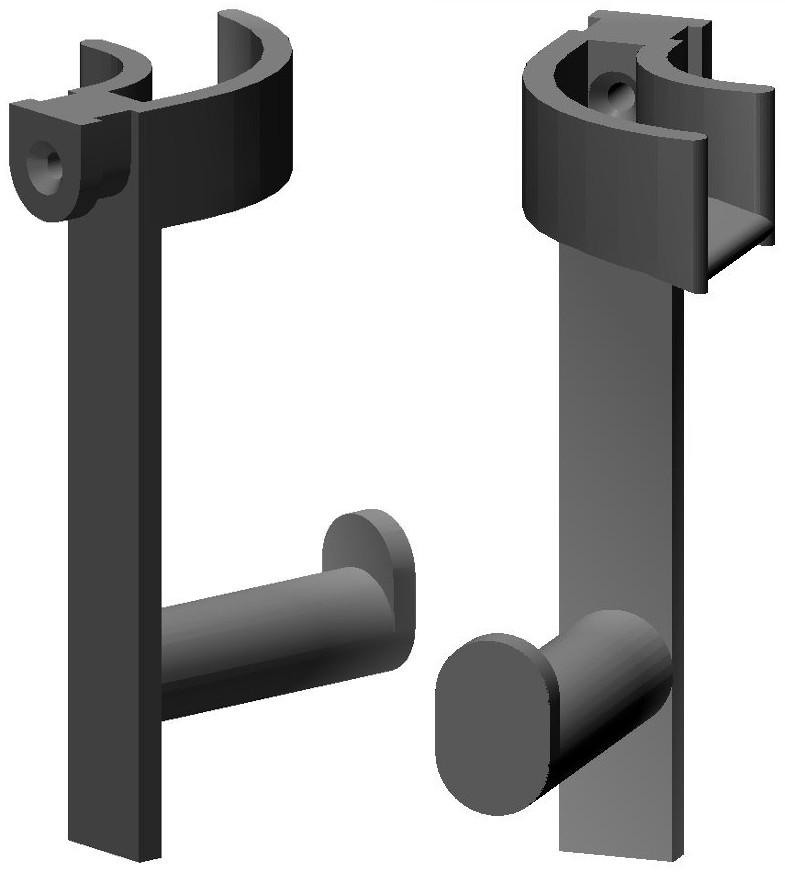
Here's an image of the spool holder I designed and made for the Pro. It fits in the "U" entrance opening for filament thus does not interfere with opening the top. I'd post a picture of it but it's in a 2 gallon jar at the moment taking an acetone vapor bath. The guide for the filament serves to help prevent the filament from being pulled off the side of the spool and then wrapping around the shaft.

http://www.curtronics.com/XYZPrinting/images/ProSpoolHanger.jpg

I really like this, do you have this on Thingiverse or can you provide the .stl file?

88

Re: Da Vinci 1.0 Pro

Thanks but not yet, I have to re-position that hole the filament goes through. In use it causes to tight of an angle coming out that that hole and also into the feeder servo hole. It made it harder for the feeder servo to move the filament. I'll see if I can make some progress on it this week or on the weekend.

89

Re: Da Vinci 1.0 Pro

Thanks Nobber, I'm using the S3D and your tips works fine here, just need to figure out how to solve the LCD display problems but this is not a big issue.

Thanks guys, S3D is muchhhhhh better than XYZware for pro.

90

Re: Da Vinci 1.0 Pro

lecarval wrote:

Thanks Nobber, I'm using the S3D and your tips works fine here, just need to figure out how to solve the LCD display problems but this is not a big issue.

Thanks guys, S3D is muchhhhhh better than XYZware for pro.

You're using S3D with the Da Vinci Pro?  I thought it wasn't yet compatible?

91

Re: Da Vinci 1.0 Pro

I have two answers about daVinci 1.0 pro:
- is there a way to force the bed in lower position (as it is after an ednprint) to make cleaning and bed setup easier? I only found manual z movement but it's long and unusefull.
- can anyone who made a tested spool holder kindly post the stl?

Thanks in advance

92

Re: Da Vinci 1.0 Pro

The way I force the bed to a lower position is to start a sample print, then cancel it.  Then it will lower the bed to remove the part. 

I have a spool holder stl that I got from a site (The big one), but I haven't printed it yet to test.  I will if it works i'll let you know, and send you the stl file.

93

Re: Da Vinci 1.0 Pro

I would love to use this spool holder too, i have the issue where new spools like to lag and then wrap around the core and get stuck.


BlankMan wrote:

Here's an image of the spool holder I designed and made for the Pro. It fits in the "U" entrance opening for filament thus does not interfere with opening the top. I'd post a picture of it but it's in a 2 gallon jar at the moment taking an acetone vapor bath. The guide for the filament serves to help prevent the filament from being pulled off the side of the spool and then wrapping around the shaft.

http://www.curtronics.com/XYZPrinting/images/ProSpoolHanger.jpg

94

Re: Da Vinci 1.0 Pro

Hi reznor9

Actually doesn't work, but there are some advanced tips for 1.0 version that you can adjust to 1.0 pro.

If you take a look some posts before you can see how to do that.

Here it's working very well, except that there is no progress or temperature info on the LCD screen.

Thanks

95

Re: Da Vinci 1.0 Pro

A new version of xyzware for pro is out and it has the following new features:

Version: 1.1.4.1
New features and improvements:
 XYZware for Pro supports importing G-code format files created by Cura & Slic3r.
 Improved the quality of thin thickness objects print.
 Shortened the time of 3w format files creating.

I tried importing from Simplify3D and the program dies.  It imports from Slic3r fine.  A bit of a bump with Simplify3D but a big step in the right direction!

96

Re: Da Vinci 1.0 Pro

Updaated me filament loading process....
http://soliforum.com/i/?gVWQ745.jpg
http://soliforum.com/i/?SGO9Dfn.jpg