51 (edited by BlankMan 2015-11-22 01:35:03)

Re: Da Vinci 1.0 Pro

thebak3 wrote:

you will need to use the cable for the first setup seeing at house the setup is done threw XYZwear. after the setup u can remove the cable and print via wifi

I was using the USB cable and was using the xyzwear as I stated in my post.

The problem is the Guide had instructions on how to do it in Windows and not OS X.

I finally figured it out in OS X and it's not at all like how they explain to do it in Windows.

52

Re: Da Vinci 1.0 Pro

BlankMan wrote:
thebak3 wrote:

you will need to use the cable for the first setup seeing at house the setup is done threw XYZwear. after the setup u can remove the cable and print via wifi

I was using the USB cable and was using the xyzwear as I stated in my post.

The problem is the Guide had instructions on how to do it in Windows and not OS X.

I finally figured it out in OS X and it's not at all like how they explain to do it in Windows.

oh ok I missed that part, but glad its working for you now!

53 (edited by jdk201 2015-11-23 07:17:50)

Re: Da Vinci 1.0 Pro

I've added a filament spool holder to mine.

http://soliforum.com/i/?7BKexYZ.jpghttp://soliforum.com/i/?FhtfjgJ.jpg

http://www.thingiverse.com/thing:1150228

54

Re: Da Vinci 1.0 Pro

Nice! I was thinking of making some sort of stand but this is much simpler.

55

Re: Da Vinci 1.0 Pro

Got mine today... Yeah!   Nice prints, the tape sticks good.   Was concerned
About that because I really like the glass bed on my 2.0.   Bed ajustement is a breeze....
Going to try other filament on the weekend....


http://soliforum.com/i/?hJ6UVOl.jpg

56

Re: Da Vinci 1.0 Pro

I got my spools running now just ran out of the xyz filament that I will never order again. http://soliforum.com/i/?VcFj7D2.jpg

57

Re: Da Vinci 1.0 Pro

has anyone looking into or found out about using another slicer program. this xyzwear I havnt had the best of luck, put random lines and bumps and runs in the print but not a mechanical error, like its in the G code to do that. and the print time is so slow I cant take it!!!

58

Re: Da Vinci 1.0 Pro

http://soliforum.com/i/?6ooLxtr.jpg

added a spool holder too....and yes the slicer is far worse than their normal xxyz program. i print with a 5mm brim, and on at least 1 of the objects it runs over the same line like 3 times before it starts the rest of the brim

59 (edited by BlankMan 2015-11-27 19:37:21)

Re: Da Vinci 1.0 Pro

parkerclan22 wrote:

http://soliforum.com/i/?6ooLxtr.jpg

added a spool holder too....and yes the slicer is far worse than their normal xxyz program. i print with a 5mm brim, and on at least 1 of the objects it runs over the same line like 3 times before it starts the rest of the brim

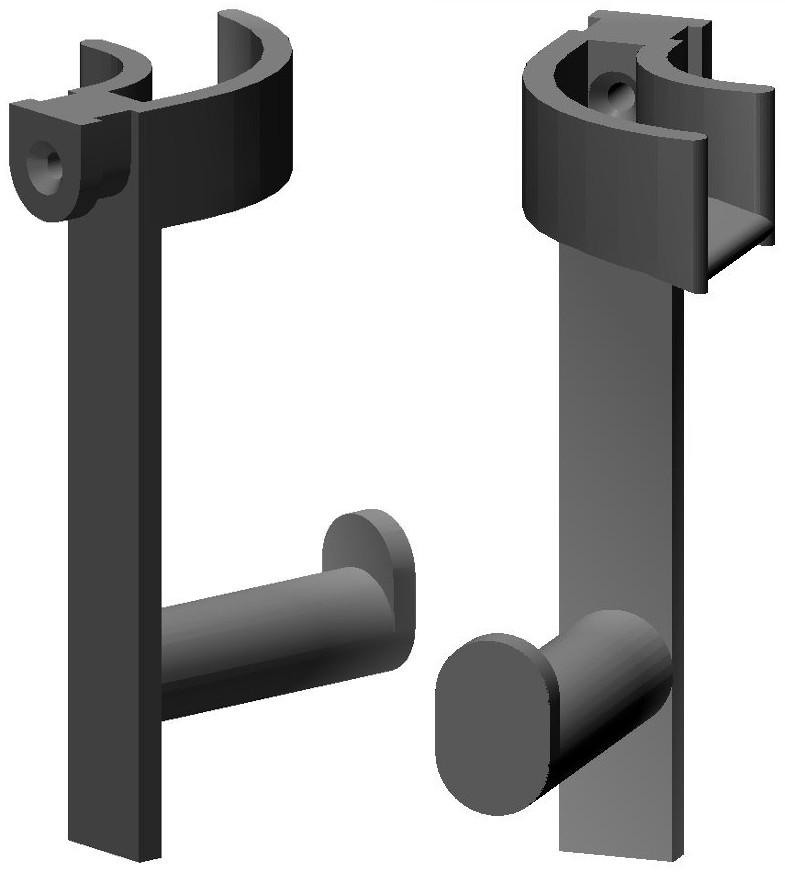
I just made a spool holder like this yesterday with the same idea as the top part here for clipping on. But the gap I had to do was way wider then this one so it would fit, like 7/16" wide. Does this fit in the filament inlet opening on your Pro without modifying the printer?

60 (edited by reznor9 2015-11-28 17:32:44)

Re: Da Vinci 1.0 Pro

This is my first experience with a 3D printer and after the first couple half dozen successful prints out the box, the following prints seemed to have trouble sticking to the print bed as the filament would curl up on itself and just turn everything into spaghetti. So I've come to conclusion that my bed needed alignment. I used the paper method as suggested in the sticky on here and I feel like my bed is possibly bowed in a certain way that the front/right corner seems higher than all other areas of the bed. My extruder is too low in that corner when it prints the purge lines causing it to smear just a thin layer of the filament and making a noise due to the pinching of the nozzle against the bed. I'll have to play with the alignment some more today but I feel I've spend an insane about of time trying to get it right. Getting kind of frustrated at this point. sad

61

Re: Da Vinci 1.0 Pro

I'm guessing you're using ABS which is notorius for warping/curling.
Try PLA for the prints you're having trouble with. It sticks to the bed far better and levelling doesn't need to be so precise.

Davinci 1.0 with repetier firmware & E3D V6 Lite
Anycubic Photon DLP printer, Einscan-S 3D scanner
Simplify3d, 123D Design, Meshmixer
http://www.thingiverse.com/scobo/designs

62

Re: Da Vinci 1.0 Pro

Here's an image of the spool holder I designed and made for the Pro. It fits in the "U" entrance opening for filament thus does not interfere with opening the top. I'd post a picture of it but it's in a 2 gallon jar at the moment taking an acetone vapor bath. The guide for the filament serves to help prevent the filament from being pulled off the side of the spool and then wrapping around the shaft.

http://www.curtronics.com/XYZPrinting/images/ProSpoolHanger.jpg

63

Re: Da Vinci 1.0 Pro

yes mine fits in the opening without modification to the printer. only reason i went this way was the hatchbox spool i was trying to use was too big to fit inside. so far it works well.

64

Re: Da Vinci 1.0 Pro

has anyone had issue with their filament auto loader clicking during prints? its typically at beginning of a print, but sporadic throughout the print.

65

Re: Da Vinci 1.0 Pro

parkerclan22 wrote:

has anyone had issue with their filament auto loader clicking during prints? its typically at beginning of a print, but sporadic throughout the print.

I have. And I think in my case it happens when the bed is uneven and the extruder runs across an area which is too high causing the nozzle to press too tightly on the surface of the bed. I think it's trying to push out the filament and builds pressure due to it being so tight lipped against the bed and makes that popping noise.

66

Re: Da Vinci 1.0 Pro

I was wondering that to... Never happened on my 2.0.  Noise at start then once in a while...

Leveled. The bed and it still does that... Checked with feeler gauge and it seems ok...still clicking on startup...?

67

Re: Da Vinci 1.0 Pro

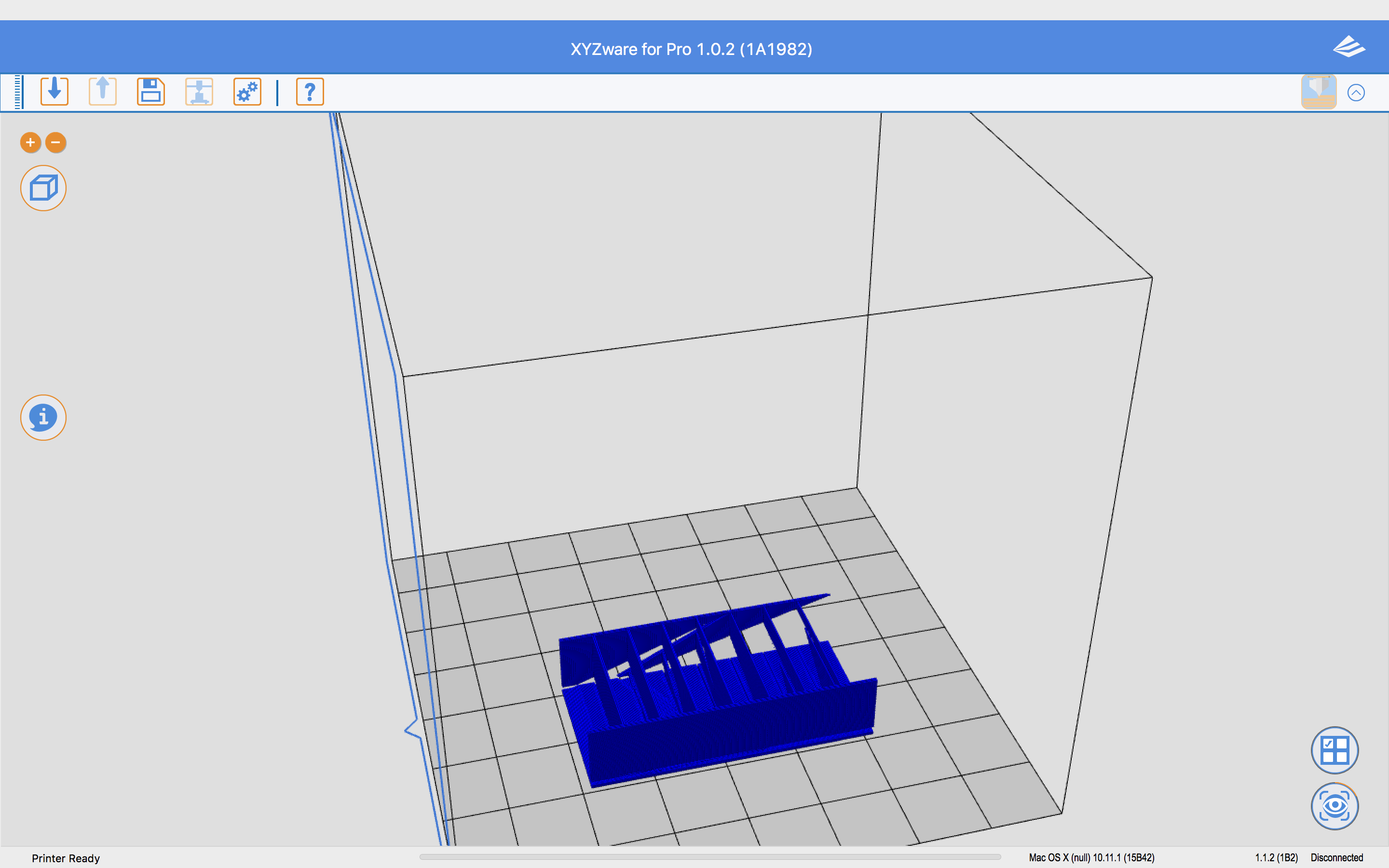
XYZware for Pro has some major problems.

da Vinci 1.0 Pro

OS X Bugs in XYZware for Pro 1.0.2 (1A1982)

Mac OS X is 10.11.

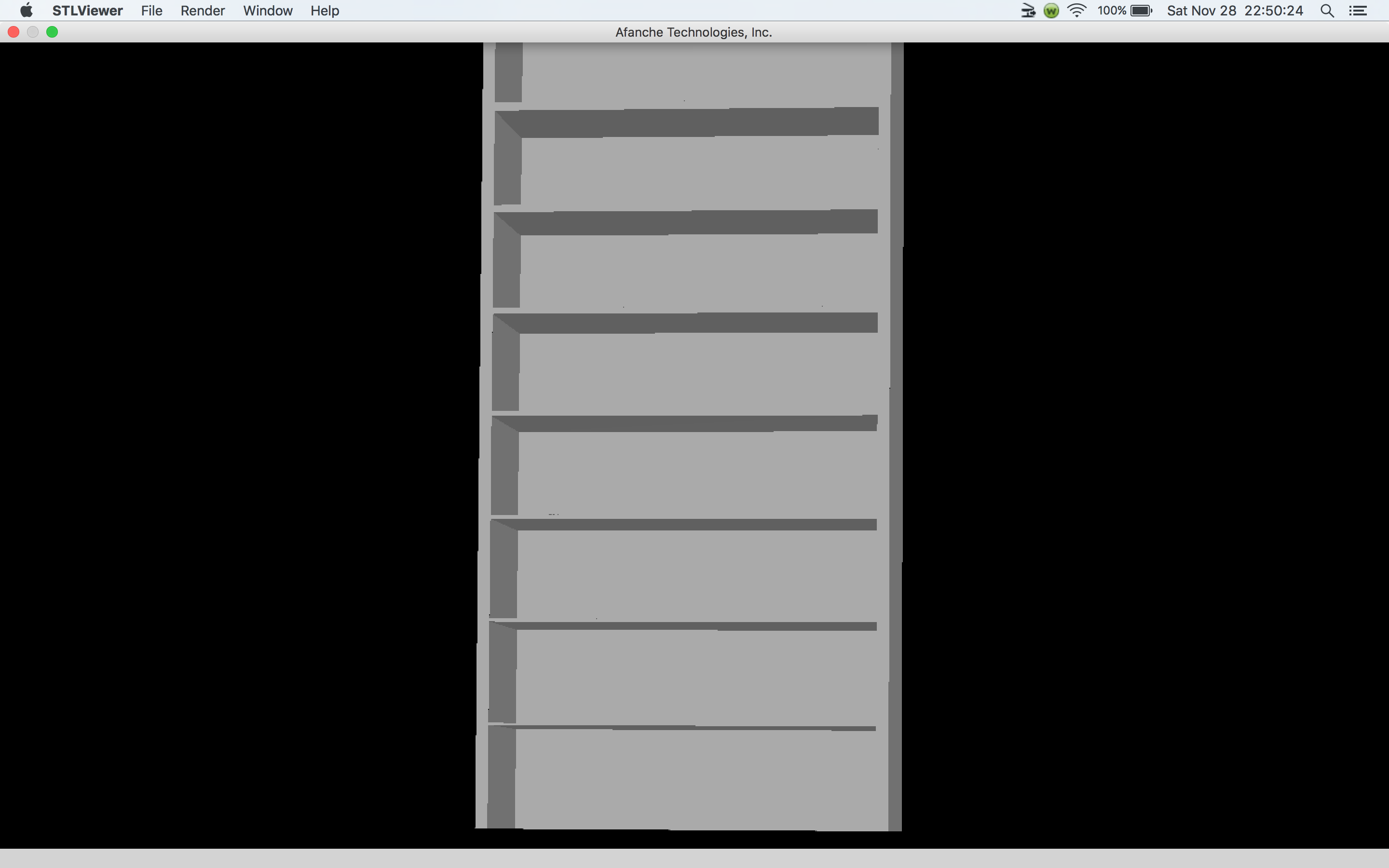
A simple box in a STL viewer.
http://www.curtronics.com/XYZPrinting/images/BoxInSTLviewer.png

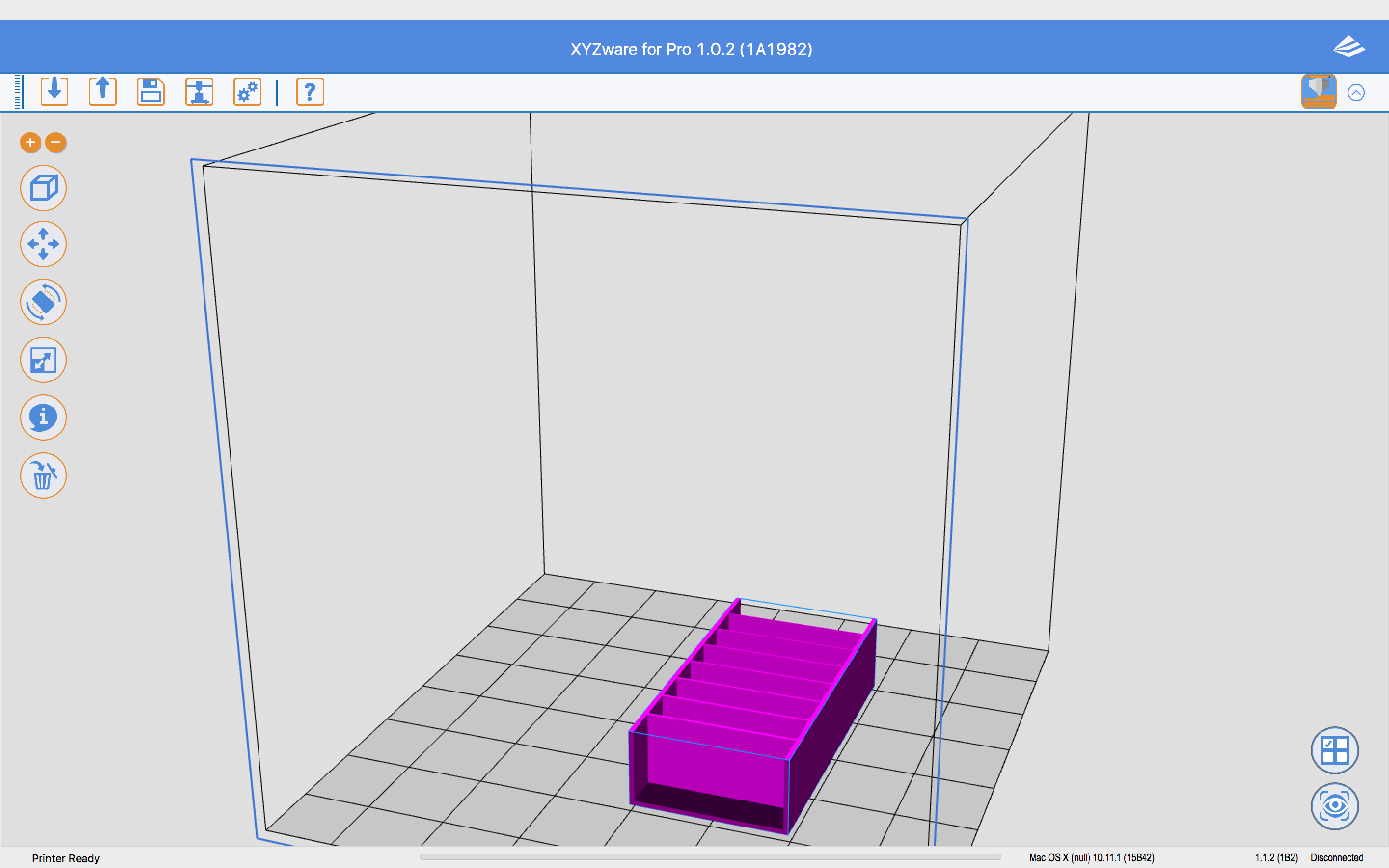
The same box in XYZware for Pro
http://www.curtronics.com/XYZPrinting/images/Box.png

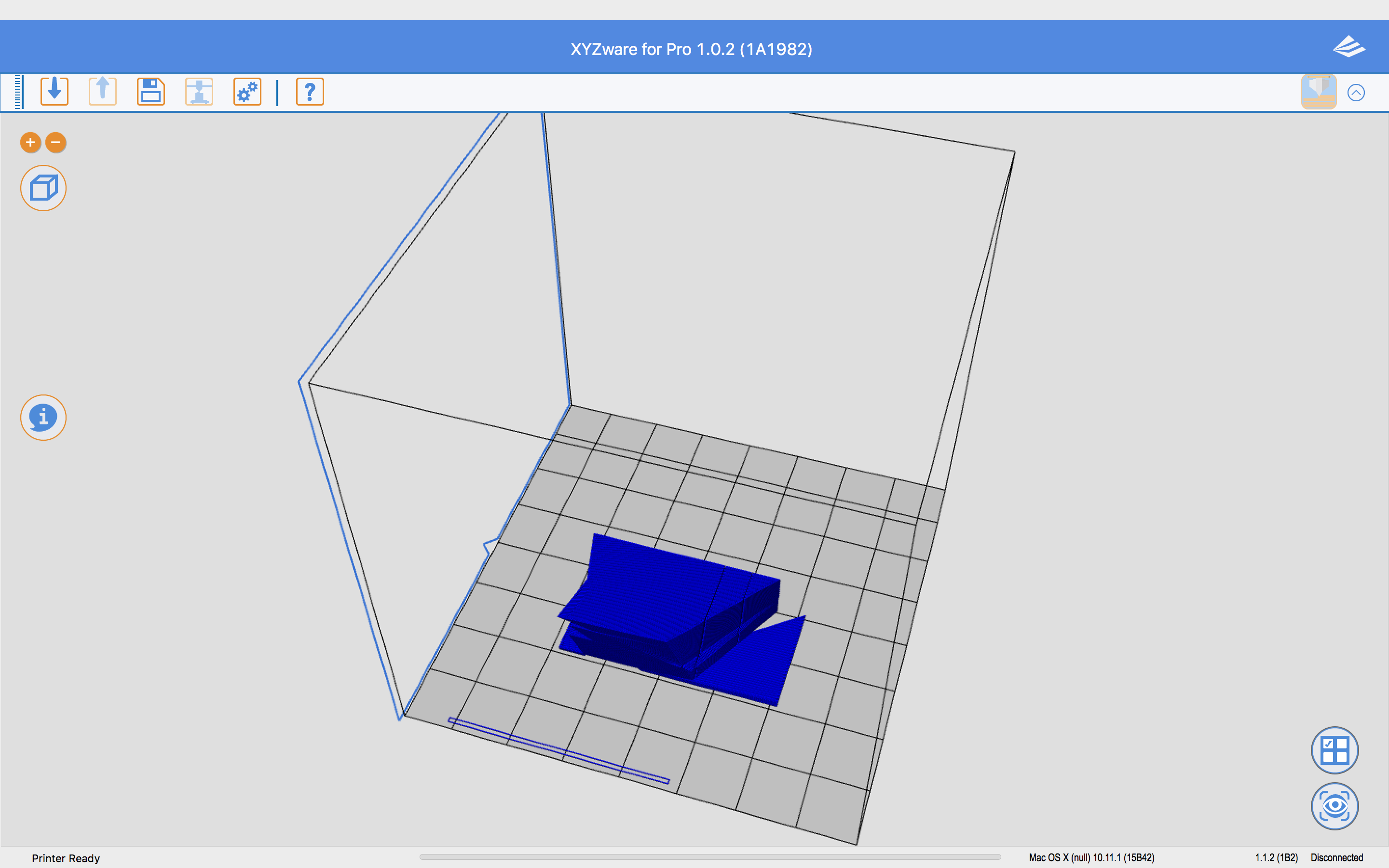
After exporting in XYZware for Pro without Auto Repair checked
http://www.curtronics.com/XYZPrinting/images/BoxTotallyScrewedUpByXYZware.png

After exporting in XYZware for Pro with Auto Repair checked
http://www.curtronics.com/XYZPrinting/images/BoxTotallyScrewedUpByXYZwareAR.png


And it's the same in Windows.

68

Re: Da Vinci 1.0 Pro

I posted this in another topic but I think it is appropriate to repost it here:

I have found a way to use another slicer program.  It is the same as for previous versions by exporting gcode, adding a few lines to the beginning, encoding it in base64, then importing it back into xyzware for pro as a .3w file.  The key is changing the line that describes the machine.  Instead of "; machine = daVinciF10", put "; machine = daVinciAW10" for this new printer.  I successfully save a gcode file from Simplyfy3D and got xyzware for pro to send it to the printer.  The printer started to print but did not wait until the extruder or bed was heated so I have to make sure I have the proper gcode lines in the file for that. Refer to http://voltivo.com/forum/davinci-softwa … rty-slicer for more info on the process. Just remember to change the machine line otherwise xyzware for pro will say you have the wrong printer.

69

Re: Da Vinci 1.0 Pro

twwaters wrote:

I posted this in another topic but I think it is appropriate to repost it here:

I have found a way to use another slicer program.  It is the same as for previous versions by exporting gcode, adding a few lines to the beginning, encoding it in base64, then importing it back into xyzware for pro as a .3w file.  The key is changing the line that describes the machine.  Instead of "; machine = daVinciF10", put "; machine = daVinciAW10" for this new printer.  I successfully save a gcode file from Simplyfy3D and got xyzware for pro to send it to the printer.  The printer started to print but did not wait until the extruder or bed was heated so I have to make sure I have the proper gcode lines in the file for that. Refer to http://voltivo.com/forum/davinci-softwa … rty-slicer for more info on the process. Just remember to change the machine line otherwise xyzware for pro will say you have the wrong printer.


THANK YOU! I'm going to try this right now!

70

Re: Da Vinci 1.0 Pro

and the clicking sounds is from when the filament strips, ether to tight pulling on spool, or clogged nozzle

71

Re: Da Vinci 1.0 Pro

xyzware pro is still telling me I have the wrong machine

72

Re: Da Vinci 1.0 Pro

http://soliforum.com/i/?dfEerRz.png

in setting I do see a printer option for XYZ Pro 3in1... I selected that one as well and no luck

73 (edited by twwaters 2015-11-30 04:48:44)

Re: Da Vinci 1.0 Pro

Make sure you change your machine line in the gcode file to "; machine = daVinciAW10" without the quotes.

74

Re: Da Vinci 1.0 Pro

Hi All,

I am using the DIY Rostock mini pro now, and I want a more accurate and easy to use and maintenance 3D printer.

Can anyone upload some testing print picture?

75

Re: Da Vinci 1.0 Pro

I have a DaVinci 1.0 Pro and have make some G-Code in Simplify3D an do Change the beginning of the Code like this:
==================================================
; filename = composition.3w
; machine = daVinciAW10
; material = default
; layer_height = 0.2
; fill_density = 0.10
; shells = 3
; speed = 60
; total_layers = 124
; total_filament = 2116.02
; dimension = 51.23:45.21:24.95
; extruder = 1
G21 ;
M107
M190 S62 ; wait for bed temperature to be reached
M104 S192 ; set temperature
M109 S192 ; wait for temperature to be reached
G90 ; use absolute coordinates
G92 E0
======================================================
after Base64 Encode (with Notepad++) I have read in the File in the Software "XYZware for Pro" and send it to the Printer sucsessfully.

But the Problem is, that the LED is not showing anything (only Wait etc) not Temerature or so on, and I can't abort or stop the Print (but the Printer is Running)

The only Way to stop Printing is to "power Off "the Printer...

Someone else have the same Problem? or is there something missing or Wrong in the G-Code Head I use ???

Best Regards....