
Topic: firt layer problem
hello
the hole does not close well?
it flows filament track?
thank you for helping me
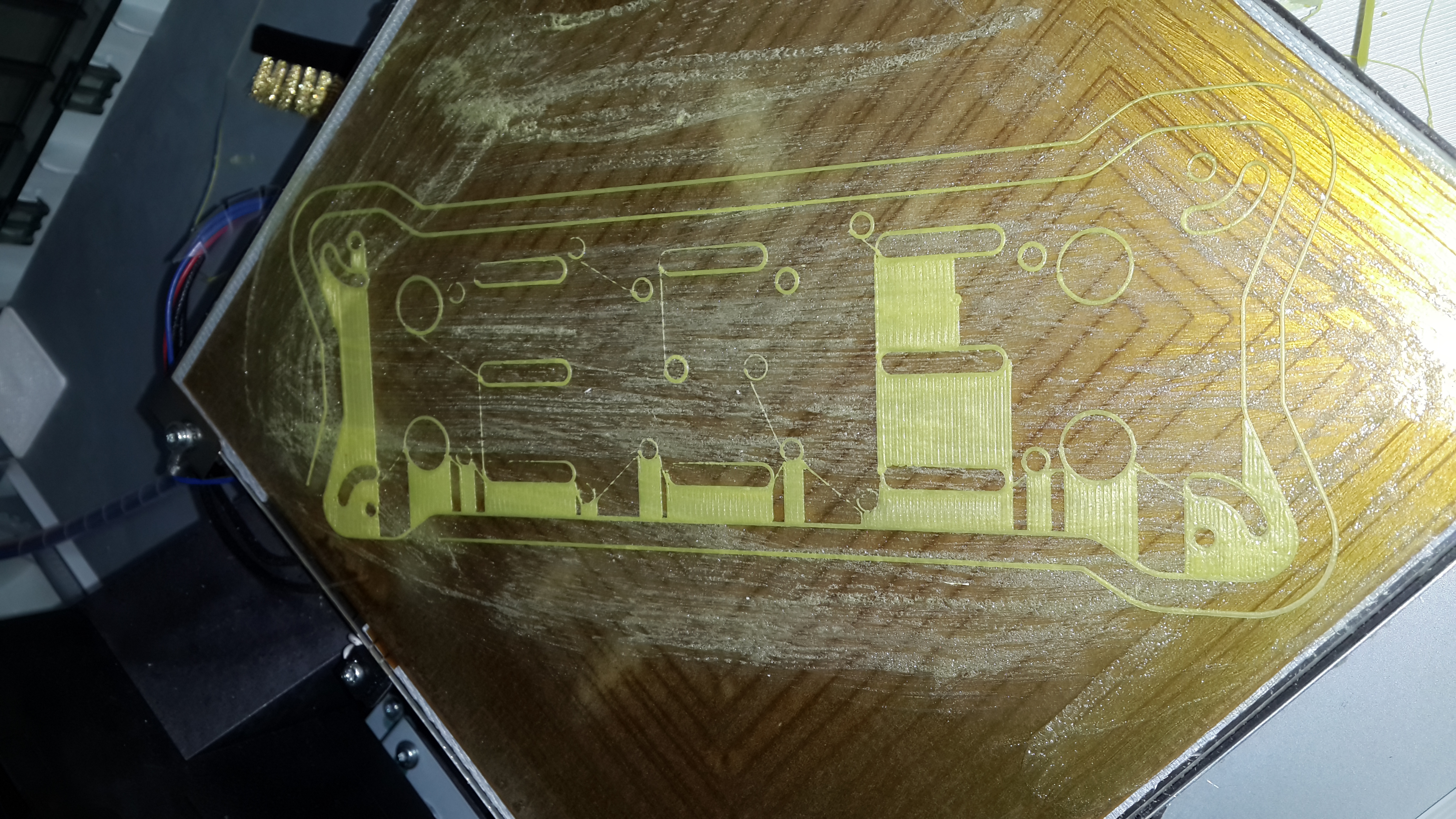
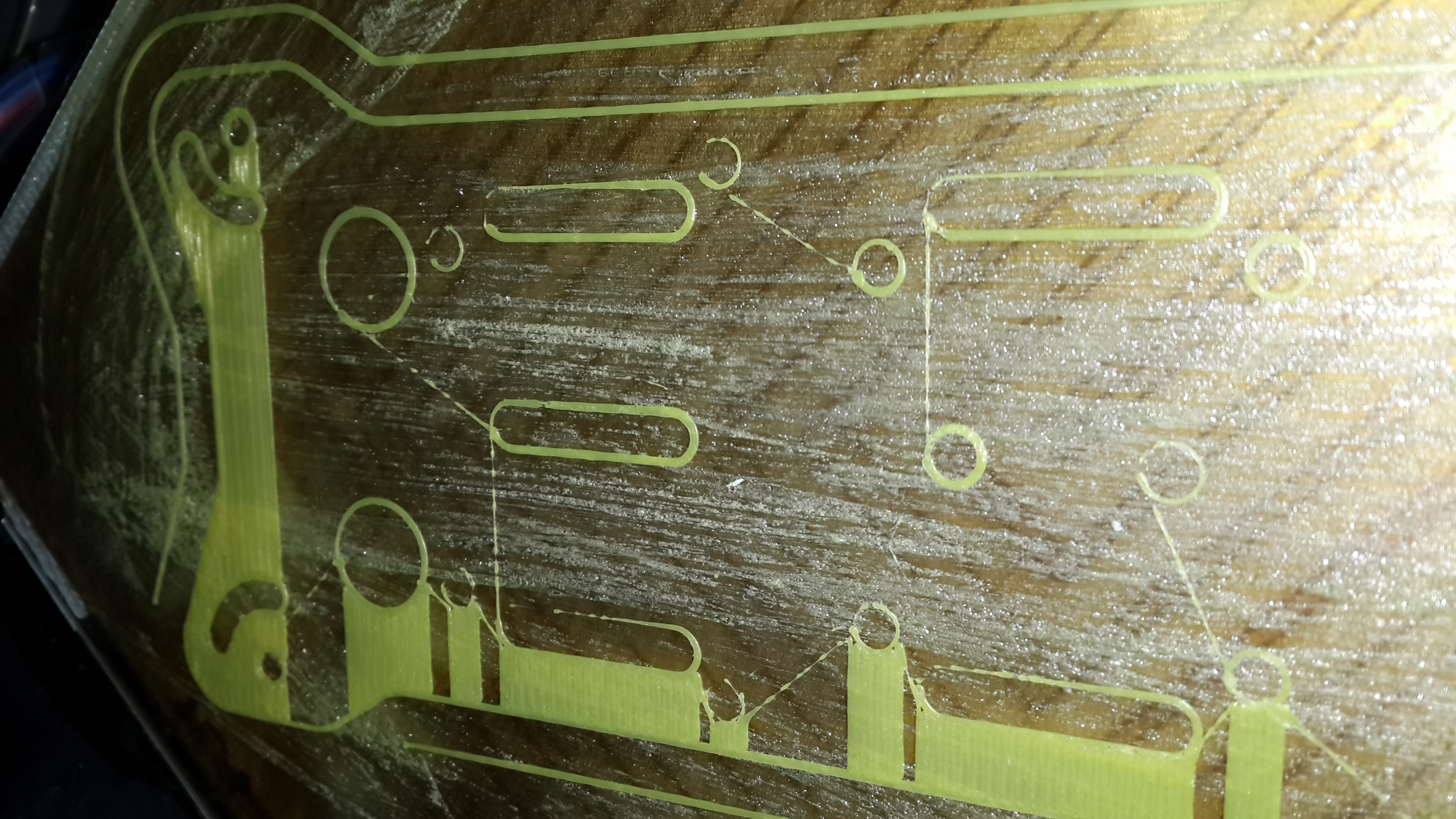
davinci 1.0
firmware repetier
firmware repetier
You are not logged in. Please login or register.
SoliForum - 3D Printing Community → XYZ Printing DaVinci → firt layer problem
hello
the hole does not close well?
it flows filament track?
thank you for helping me

hello
the hole does not close well?
it flows filament track?
thank you for helping me
Your bed is too far from the extruder. Your first layer should be squished down paper thin. Are you using the manual method posted in the XYZ section to adjust your bed?
yes I try to understand the paper and a sheet of A4 I made the adjustment ....
I must still adjust the bed? even crush the paper?

You may have a warped bed. My XYZ printer bed is warped and does not allow an even 1st layer.
In addition, the temperature of the heated bed is hottest in the middle and coolest at the edges. You will have difficulty with the edges lifting as you approach the corners.
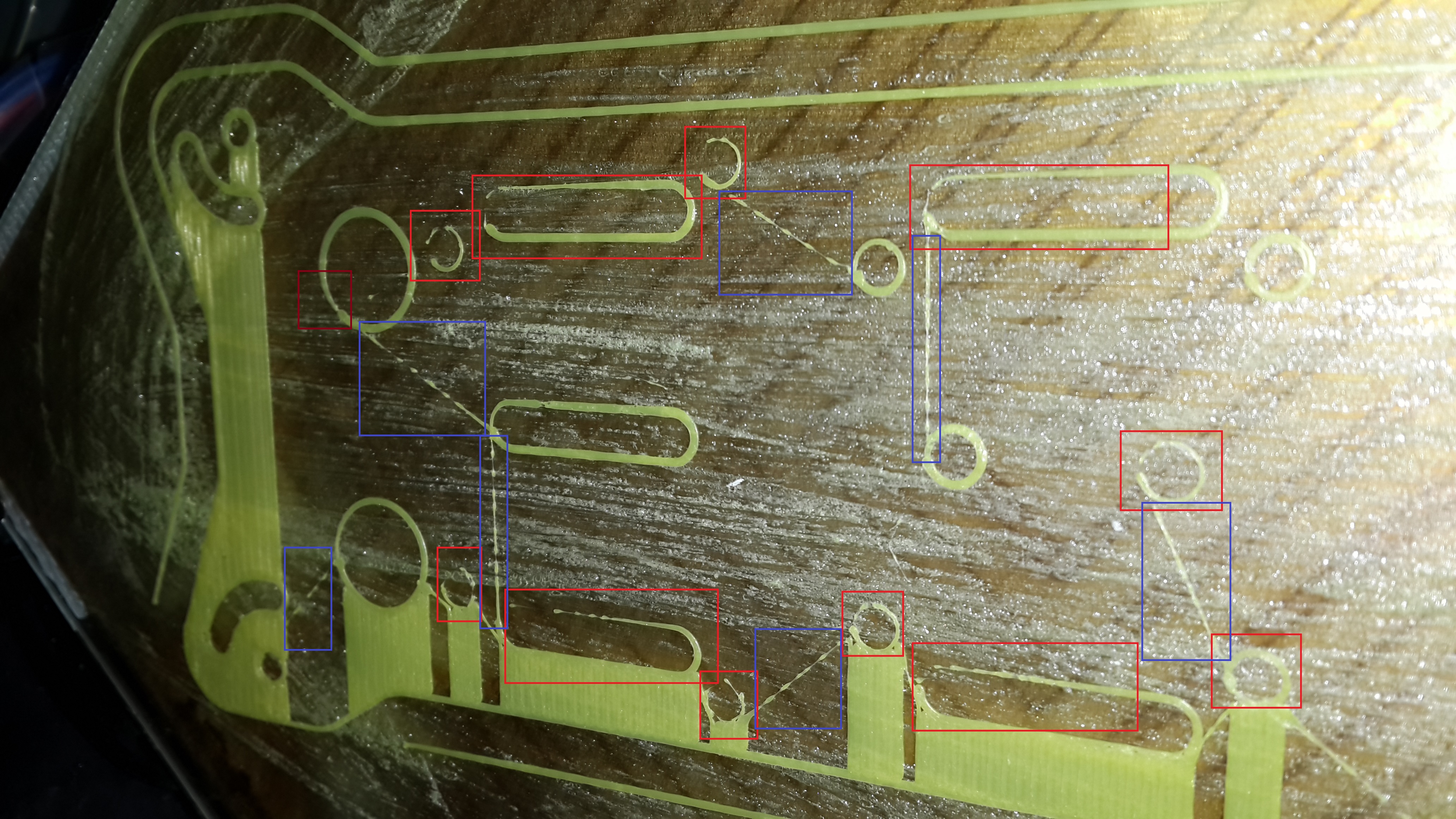
Note that all your open circles are in the same location of the object, left side in the picture with the red boxes. That would seem to point to a change in direction problem. Perhaps belt tightness or some other mechanical issue.
The lines in the blue boxes are just over extrusion. You may want to adjust your retraction settings to retract more on those moves.
ok..
I retract what I have to change?


thx help
Looks more like a retraction issue to me. Are you using Simplify3D?
yes...
Can you post a screen shot of your extruder/retraction setting screen?
Can you post a screen shot of your extruder/retraction setting screen?
He did, its the top image in his series.
Your retraction is already 2,00 mm which seems OK.
However, each filament can have its own need for a specific retraction at a specific temperature. Usually, oozing during a move when you are not supposed to be extruding means the filament is too hot or the retraction is too small or not fast enough. Retracting too much can pull liquid filament back above the melt zone and can cause a jam.
So, play with your filament temps and retraction settings until it starts working with this filament. Keep a good record of what works for each filament you have.
shaft Y bend !!!
2 weeks ago I sent an email to XYZ ....
they are sent two shaft Y guaranteed
I changed and I still have the same problem!
look video https://youtu.be/niw1ZFHhfv4
user davinci you have same problem ?
the number one problem Y shaft bend 
i have send mail XYZ ... I await the return
shaft Y bend !!!
2 weeks ago I sent an email to XYZ ....
they are sent two shaft Y guaranteed
I changed and I still have the same problem!look video https://youtu.be/niw1ZFHhfv4
user davinci you have same problem ?
the number one problem Y shaft bend
i have send mail XYZ ... I await the return
It is not your Y that is bent. It the bed that your print builds on. They are warped on almost all of the da vinci printers. You have to go to a glass shop and get a piece of glass that is 3mm thick cut to your existing glass dimensions. Then mount this piece on top of the old piece using the existing hold downs.
ok tomorrow I go change is the bed of glass... why when I turn the shaft extruder head moves?I do not understand the glass bed of the problem?
If you turn the rod then yes it is warped. But most are warped to some extent on Da Vinci. So you just have to compensate for the warpage.
it is an amateur Machine .... I would change the rod and replace with the quality you think what?
it is an amateur Machine .... I would change the rod and replace with the quality you think what?
Those are not cheap rods. I tried cutting one at a machine shop and it took 45 minutes with an industrial band saw. They are hardened and chromed.
SoliForum - 3D Printing Community → XYZ Printing DaVinci → firt layer problem
Powered by PunBB, supported by Informer Technologies, Inc.