<?xml version="1.0" encoding="utf-8"?>
<feed xmlns="http://www.w3.org/2005/Atom">
	<title type="html"><![CDATA[SoliForum - 3D Printing Community — RUMBA board- how to do complete setup, including firmware and wiring?]]></title>
	<link rel="self" href="https://www.soliforum.com/feed/atom/topic/6670/" />
	<updated>2016-08-03T01:05:23Z</updated>
	<generator>PunBB</generator>
	<id>https://www.soliforum.com/topic/6670/rumba-board-how-to-do-complete-setup-including-firmware-and-wiring/</id>
		<entry>
			<title type="html"><![CDATA[Re: RUMBA board- how to do complete setup, including firmware and wiring?]]></title>
			<link rel="alternate" href="https://www.soliforum.com/post/125803/#p125803" />
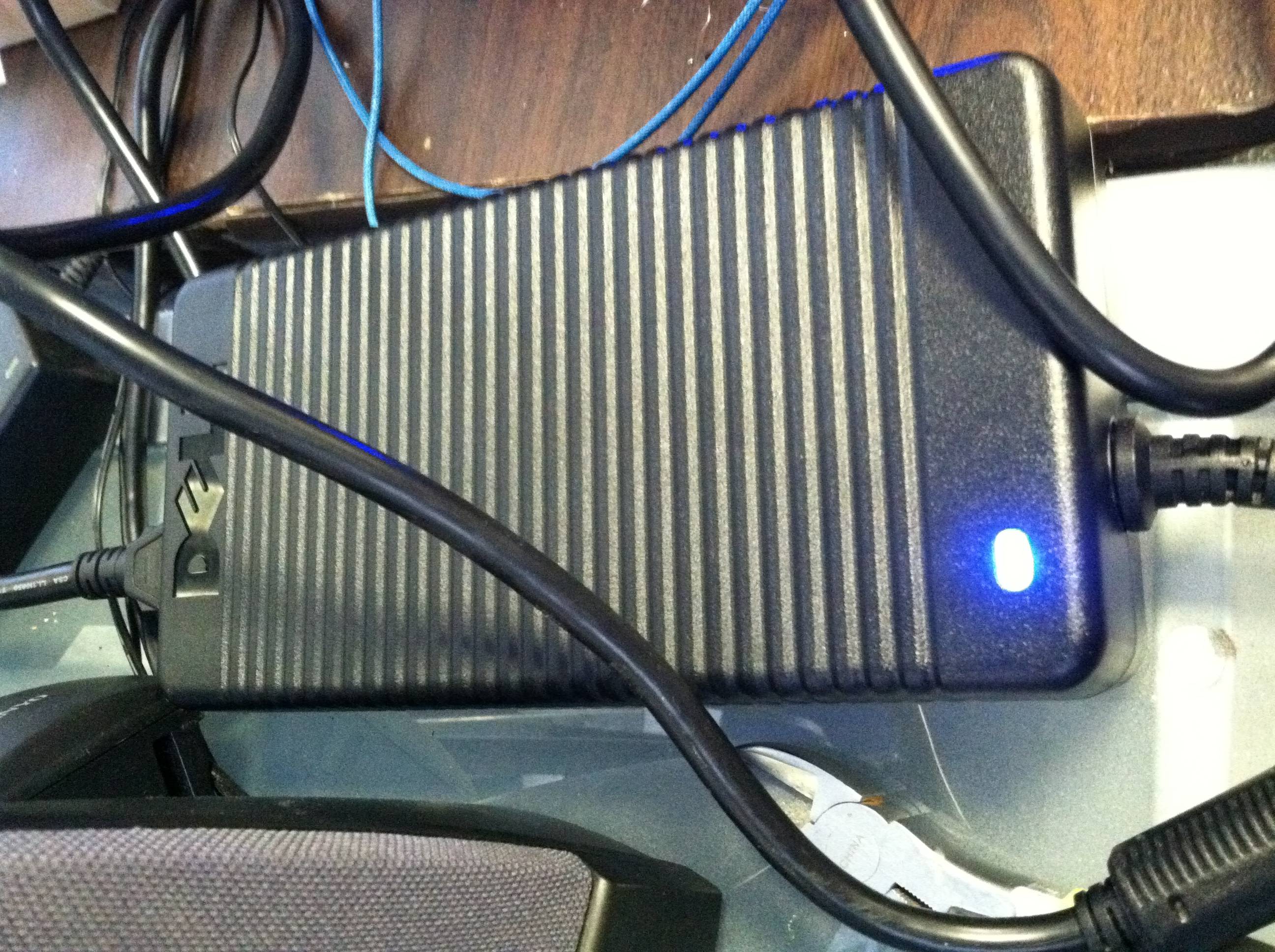
			<content type="html"><![CDATA[<p><span class="postimg"><img src="http://soliforum.com/i/?oLhuyuY.jpg" alt="http://soliforum.com/i/?oLhuyuY.jpg" /></span></p><div class="quotebox"><blockquote><p>I found a power supply which supplies 19.8V at about 10A</p></blockquote></div><p>This is bad. unhook that thing from your printer - NOW! </p><p>seriously, go order one of these:</p><p><a href="http://www.printitindustries.com/collections/electronics/products/supernight-power-supply">http://www.printitindustries.com/collec … wer-supply</a></p><p>and don&#039;t forget the power cord to go with it (select from the drop down menu on that page).</p><p>then wire things up like in the picture i posted above. </p><p>in regards to things &quot;freezing up&quot; - what version of RH are you running? on what operating system (computer)?<br />Do you have the screensaver and &quot;sleep&quot; modes turned off? (they need to be)<br />I can almost guarantee you it is NOT a firmware problem...</p>]]></content>
			<author>
				<name><![CDATA[heartless]]></name>
				<uri>https://www.soliforum.com/user/10399/</uri>
			</author>
			<updated>2016-08-03T01:05:23Z</updated>
			<id>https://www.soliforum.com/post/125803/#p125803</id>
		</entry>
		<entry>
			<title type="html"><![CDATA[Re: RUMBA board- how to do complete setup, including firmware and wiring?]]></title>
			<link rel="alternate" href="https://www.soliforum.com/post/125801/#p125801" />
			<content type="html"><![CDATA[<p>Voltage is one thing but you&#039;ve done nothing to change all the other components to handle that much.&nbsp; Going from 10.5 to 19 is not something you want to do.&nbsp; For your set up it should be between 12 &amp; 13.5 Volts with an amperage rating greater than 15 amps more is better. Either way you are not providing enough current with those brick PSU&#039;s.&nbsp; Look at the pictures heartless provided and make it make sense to you.&nbsp; Basically the HB PWR needs power going into it just like MAIN PWR. All I was saying is you could jump from the same wires that feed main PWR given you have enough power to do that and you don&#039;t.<br />Here&#039;s the bad news, none of this has anything to do with your connectivity issues.&nbsp; That problem is most likely a bug in your particular version of RH.&nbsp; Or a bad USB cable.&nbsp; Or your computer going to sleep or running some update or anti virus software in the background.</p>]]></content>
			<author>
				<name><![CDATA[wardjr]]></name>
				<uri>https://www.soliforum.com/user/2291/</uri>
			</author>
			<updated>2016-08-03T00:42:22Z</updated>
			<id>https://www.soliforum.com/post/125801/#p125801</id>
		</entry>
		<entry>
			<title type="html"><![CDATA[Re: RUMBA board- how to do complete setup, including firmware and wiring?]]></title>
			<link rel="alternate" href="https://www.soliforum.com/post/125798/#p125798" />
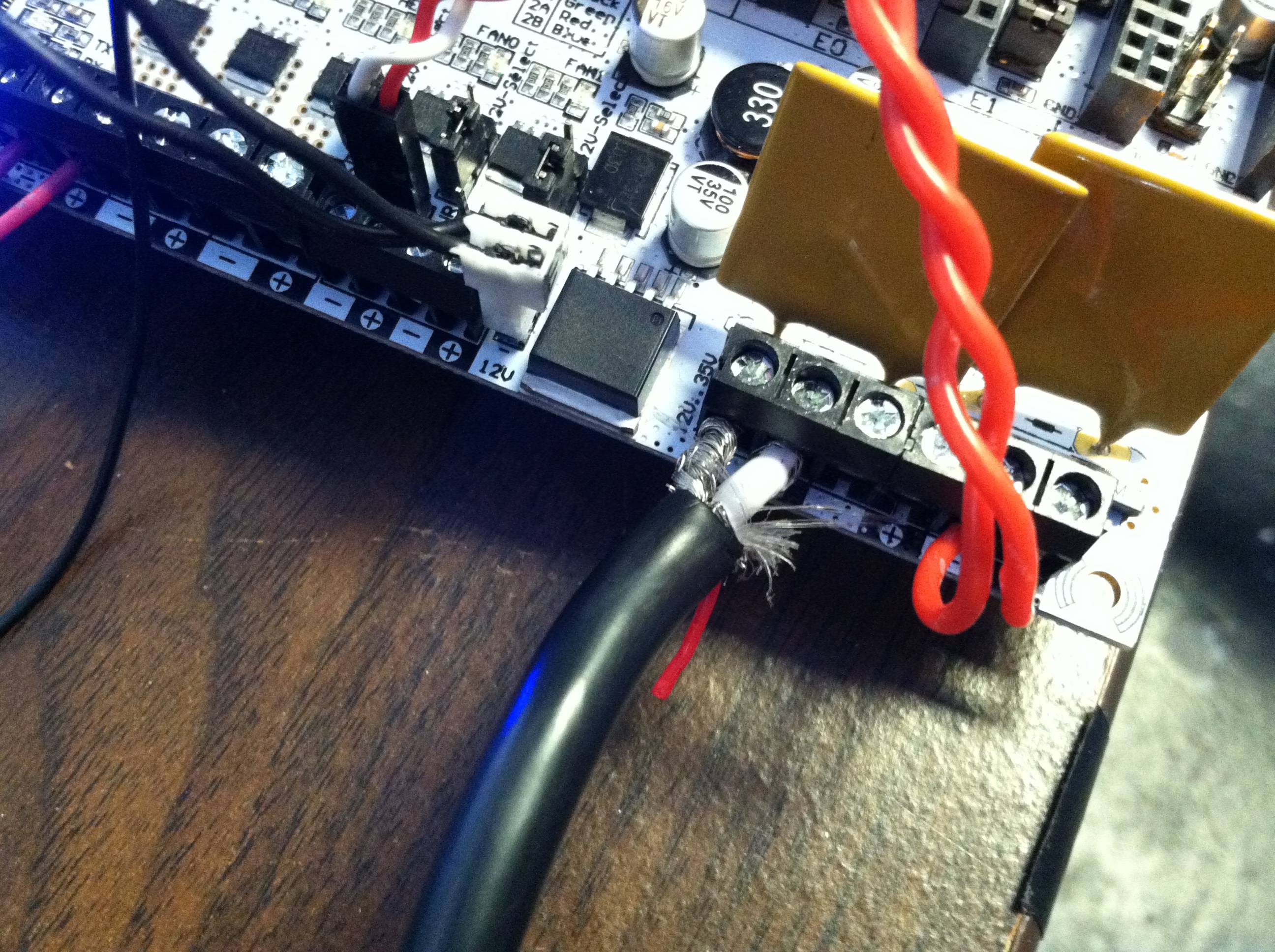
			<content type="html"><![CDATA[<p>Thank you for your help!<br />I found a power supply which supplies 19.8V at about 10A. I&#039;m still experiencing the &quot;freezing&quot; problem with the motors. The motors seem to lockup when attempting a test print. After the extruder heats up and the motors home, all the motors appear to freeze up. Nothing happens. I&#039;m currently examining my firmware looking for errors. I will upload a new copy of the current firmware to google drive for you to see (please tell me if you have any hints to what the problem might be)...<br /><a href="https://drive.google.com/file/d/0B821h2dKD0r_MWpaV0cyR2lYaUE/view?usp=sharing">https://drive.google.com/file/d/0B821h2 … sp=sharing</a></p><br /><p>Here are some pictures of the new power supply...</p><p><span class="postimg"><img src="http://soliforum.com/i/?bdAPYTa.jpg" alt="http://soliforum.com/i/?bdAPYTa.jpg" /></span><br /><span class="postimg"><img src="http://soliforum.com/i/?VFiwNF8.jpg" alt="http://soliforum.com/i/?VFiwNF8.jpg" /></span></p><p>As you may have guessed, the new power supply will not allow me to wire the heatbed to it directly. I will need to somehow wire the heatbed to the motherboard. You had mentioned a jumper on the board to set the heatbed. Where is this jumper located? What terminals should I wire the heatbed to?</p><p>Thank you so much for your help <img src="https://www.soliforum.com/img/smilies/smile.png" width="15" height="15" alt="smile" /></p>]]></content>
			<author>
				<name><![CDATA[william.green145]]></name>
				<uri>https://www.soliforum.com/user/14709/</uri>
			</author>
			<updated>2016-08-02T23:57:48Z</updated>
			<id>https://www.soliforum.com/post/125798/#p125798</id>
		</entry>
		<entry>
			<title type="html"><![CDATA[Re: RUMBA board- how to do complete setup, including firmware and wiring?]]></title>
			<link rel="alternate" href="https://www.soliforum.com/post/125571/#p125571" />
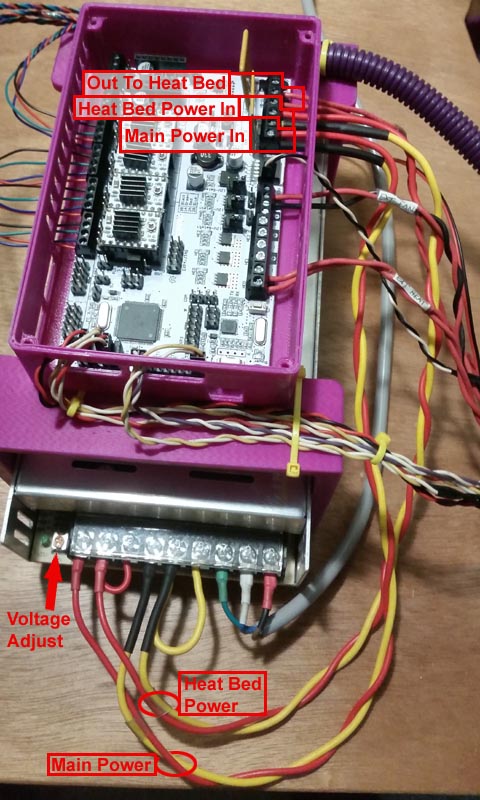
			<content type="html"><![CDATA[<p>agree with wardjr - your voltages are running a bit low under load. You want them to maintain 12.5v or better under load.</p><p>This isnt the best picture, but it is what I have at the moment. The yellow wires are my ground wires (black) but it is what I had available at the time. The wiring has since been updated and is much neater now. =P<br />The power feed for the heated bed is jumpered from 2 terminals on the PSU to make sure it is getting enough juice. </p><p>I (and many others) use a SuperNight LED type power supply rated at 12v, 30Amp. It has a trim pot to adjust the output voltage if needed (pointed out in the photo)</p><p>Hopefully this helps you out a bit with where the power &amp; heated bed wires should be connected</p><p><span class="postimg"><img src="http://soliforum.com/i/?kiiA7q0.jpg" alt="http://soliforum.com/i/?kiiA7q0.jpg" /></span></p>]]></content>
			<author>
				<name><![CDATA[heartless]]></name>
				<uri>https://www.soliforum.com/user/10399/</uri>
			</author>
			<updated>2016-07-29T02:10:33Z</updated>
			<id>https://www.soliforum.com/post/125571/#p125571</id>
		</entry>
		<entry>
			<title type="html"><![CDATA[Re: RUMBA board- how to do complete setup, including firmware and wiring?]]></title>
			<link rel="alternate" href="https://www.soliforum.com/post/125542/#p125542" />
			<content type="html"><![CDATA[<p>Is there a voltage adjustment on your PSU?&nbsp; The Rumba will handle up to 36 volts doe if you can turn it up.&nbsp; If not then I&#039;d look at your connections between the PSU and board.&nbsp; You can and should run separate (from PWR MAIN) wires from the PSU to HB PWR.<br />In short, those voltages look too low to be reliable.</p>]]></content>
			<author>
				<name><![CDATA[wardjr]]></name>
				<uri>https://www.soliforum.com/user/2291/</uri>
			</author>
			<updated>2016-07-28T01:17:38Z</updated>
			<id>https://www.soliforum.com/post/125542/#p125542</id>
		</entry>
		<entry>
			<title type="html"><![CDATA[Re: RUMBA board- how to do complete setup, including firmware and wiring?]]></title>
			<link rel="alternate" href="https://www.soliforum.com/post/125541/#p125541" />
			<content type="html"><![CDATA[<p>I tested the main power voltage during heatup and printing.</p><p>Board on but no heaters or steppers moving: 12.3V<br />Extruder heater on full: 11.3V<br />Extruder heater on and steppers moving: 10.5V</p><p>At this point, the board froze. So I got a 500W power supply and tried the same thing.</p><p>Board on but no heaters or steppers moving: 12.1V<br />Extruder heater on full: 11.9V<br />Extruder heater on and steppers moving: 11.8V</p><p>At this point, the board froze again. I don&#039;t imagine 11.8V being too low for the board. The 500W PSU has 40A on the 12V line, so that should be plenty, right?</p>]]></content>
			<author>
				<name><![CDATA[william.green145]]></name>
				<uri>https://www.soliforum.com/user/14709/</uri>
			</author>
			<updated>2016-07-28T00:15:43Z</updated>
			<id>https://www.soliforum.com/post/125541/#p125541</id>
		</entry>
		<entry>
			<title type="html"><![CDATA[Re: RUMBA board- how to do complete setup, including firmware and wiring?]]></title>
			<link rel="alternate" href="https://www.soliforum.com/post/125540/#p125540" />
			<content type="html"><![CDATA[<p>Extruder motor wires can simply be flipped the other way.<br />You have the bed heater wired incorrectly.&nbsp; HB IN needs power from your PSU or jumpers from your PWR MAIN.&nbsp; Then the bed heater wires go to the HB OUT terminals.&nbsp; On the Rumba the bed heater circuit is a separate circuit so you want to feed it plenty of power.&nbsp; This will dramatically improve the performance of any heat bed.</p>]]></content>
			<author>
				<name><![CDATA[wardjr]]></name>
				<uri>https://www.soliforum.com/user/2291/</uri>
			</author>
			<updated>2016-07-27T23:22:30Z</updated>
			<id>https://www.soliforum.com/post/125540/#p125540</id>
		</entry>
		<entry>
			<title type="html"><![CDATA[Re: RUMBA board- how to do complete setup, including firmware and wiring?]]></title>
			<link rel="alternate" href="https://www.soliforum.com/post/125539/#p125539" />
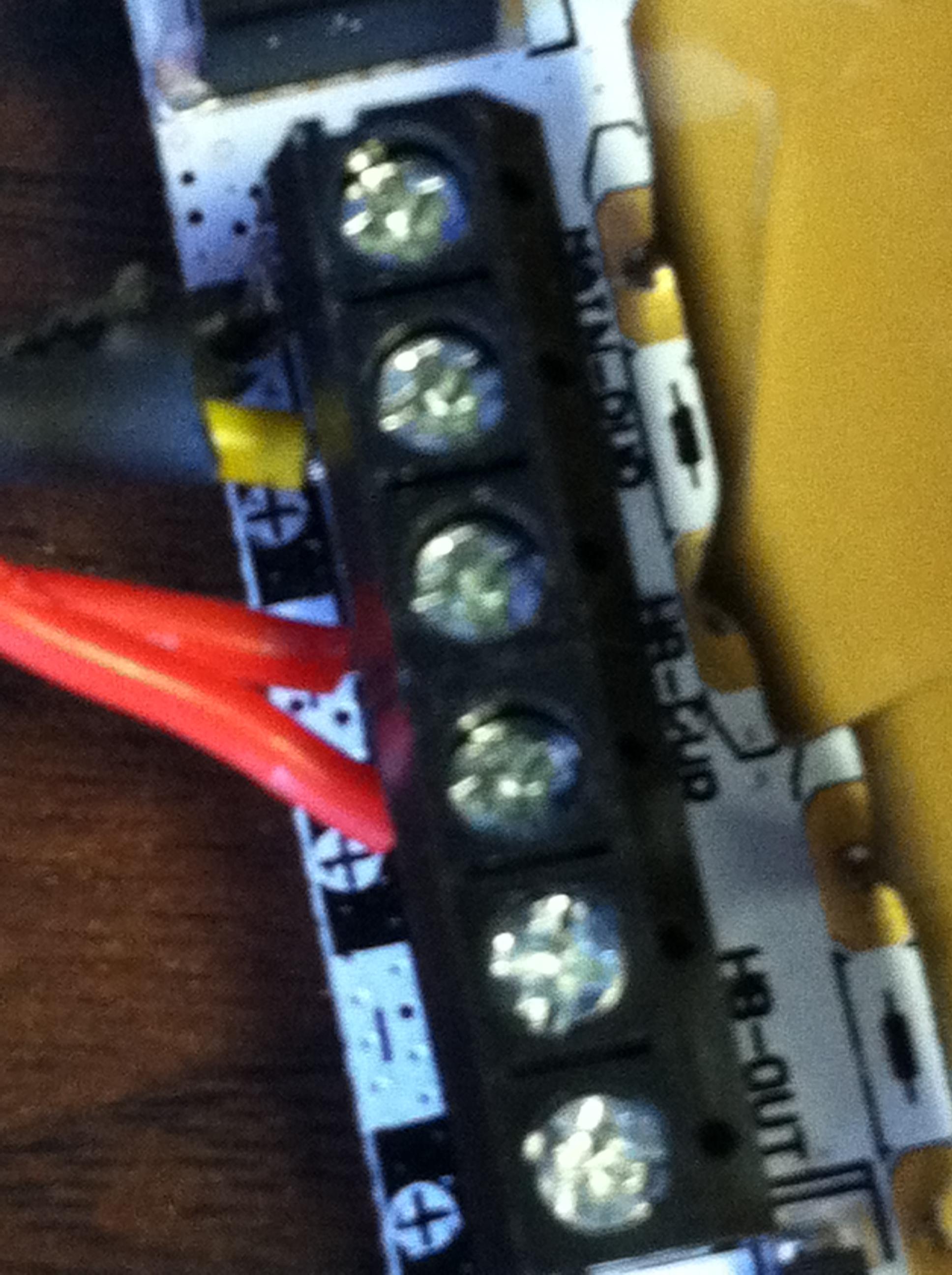
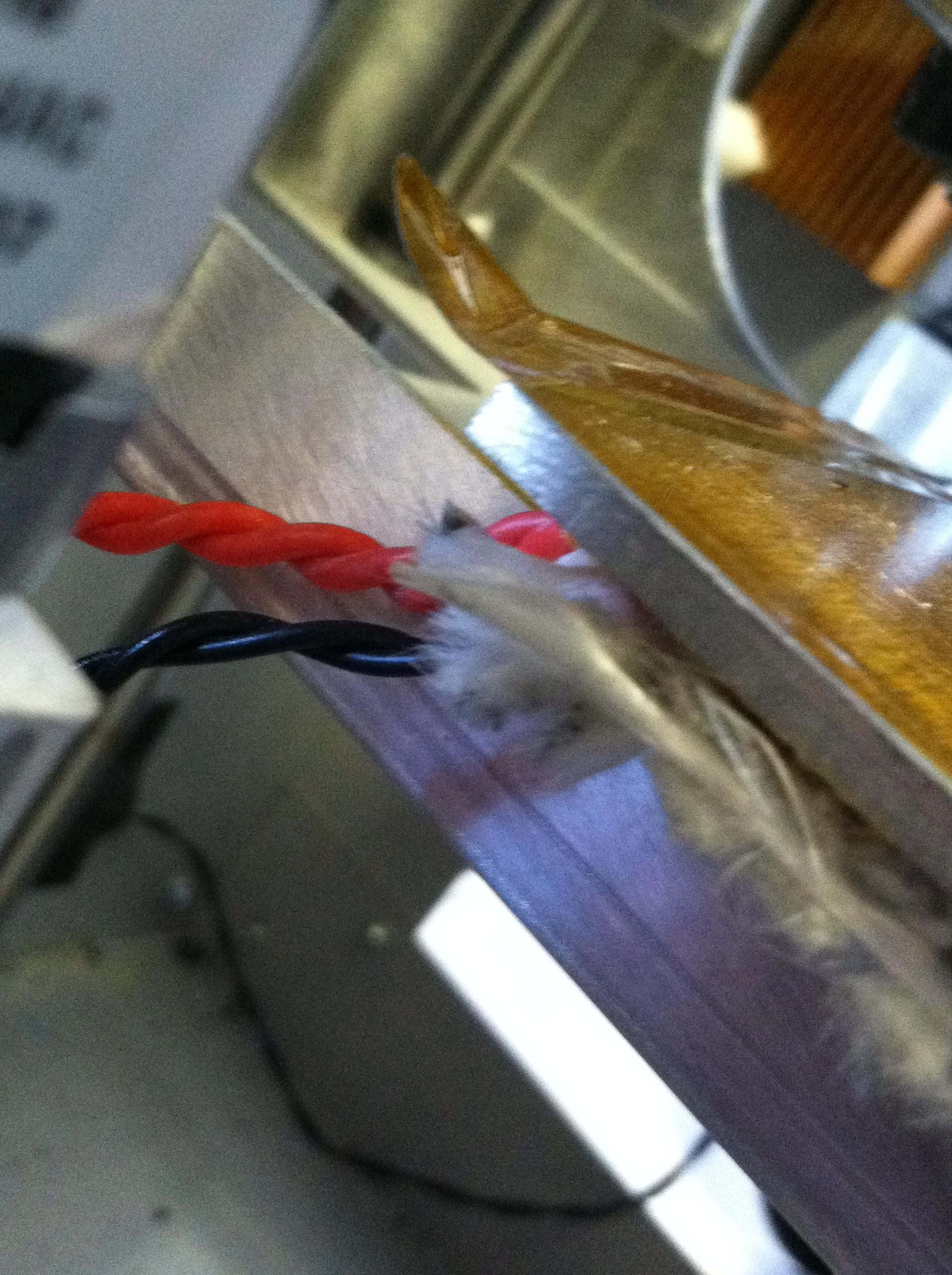
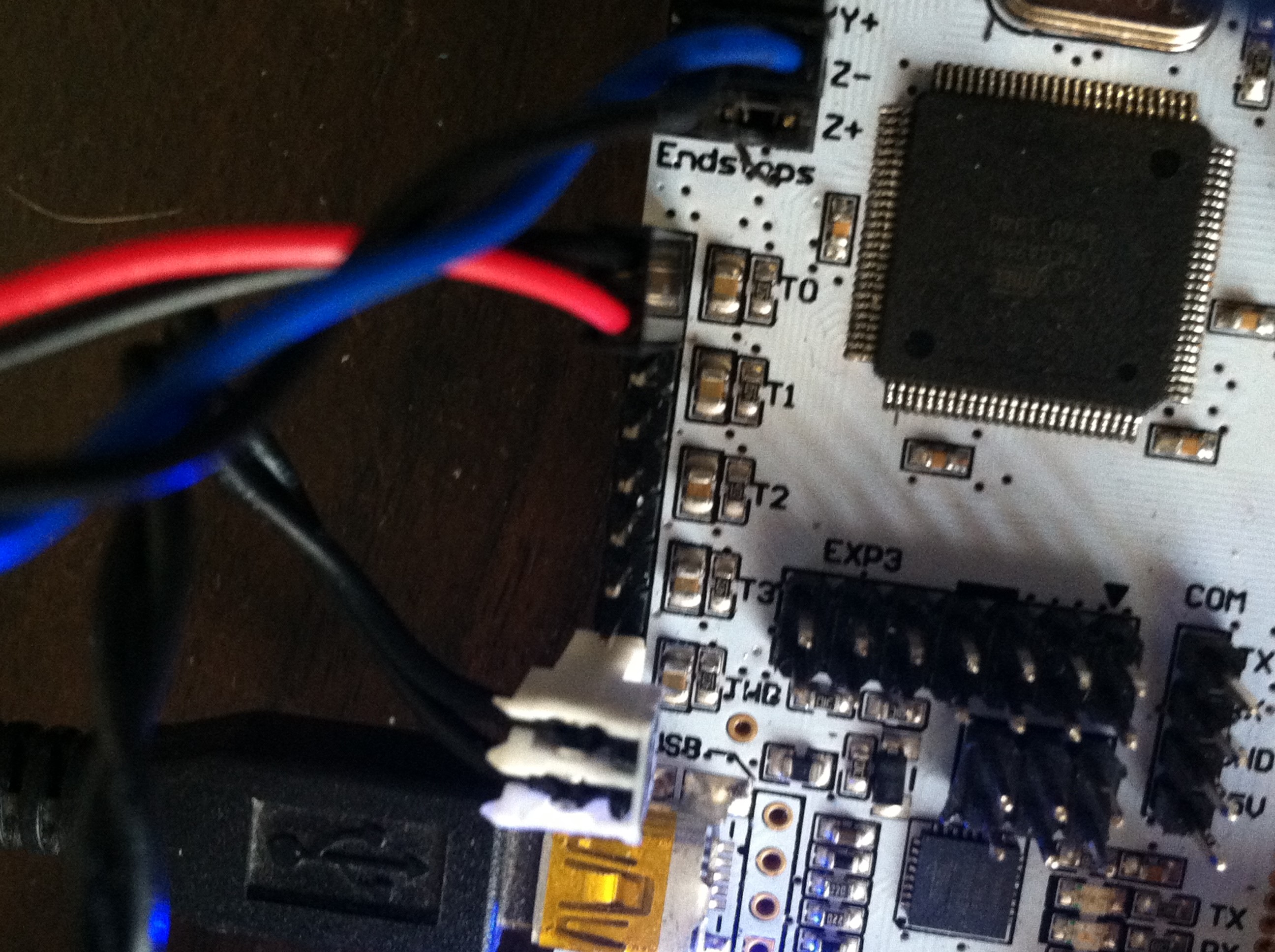
			<content type="html"><![CDATA[<p>Thank you both! I swapped out the USB cable and enabled the logs (they will save to my desktop). I am no longer having the freezing problem with the motors. I also plugged it into the rear port (not the front ports on the computer).</p><p>When I tell it to print, the motors move as they should following the coordinates. However, the heatbed and filament motors seem to be having an issue.</p><p><strong> The filament motor is moving the wrong way </strong>(probably a firmware problem, I&#039;ll try troubleshooting this on my own). Does it have to do with the order of the stepper motor wiring? I&#039;ll try both and see what happens <img src="https://www.soliforum.com/img/smilies/smile.png" width="15" height="15" alt="smile" /></p><p>The heatbed issue is a little more confusing. When I turn it on in manual control and go the the &quot;temperature curve&quot; and look under heatbed output, it appears to be &quot;working&quot;. However,<strong> the heatbed is cold to the touch and the temperature reading for the heatbed in the manual control tab seem to be indicating that the heatbed is at room temperature</strong>. I have the heatbed power wires going to the HB-pwr pins (located right next to the main power). Both wires are red; I guess the wire polarity doesn&#039;t matter for the heatbed?</p><p>Thank you once again. I&#039;m extremely grateful for your help as we near completion on this project <img src="https://www.soliforum.com/img/smilies/smile.png" width="15" height="15" alt="smile" /></p><p>Thank you so much for your help! <img src="https://www.soliforum.com/img/smilies/big_smile.png" width="15" height="15" alt="big_smile" /></p><p>Here are some photos of the wiring for the heatbed...</p><p>The yellow and black wires are main power. The red wires are for the heatbed (they are connected to HB-PWR). Does the polarity of the wires matter since they are both labeled red?<br /><span class="postimg"><img src="http://soliforum.com/i/?nAnLHbw.jpg" alt="http://soliforum.com/i/?nAnLHbw.jpg" /></span></p><p>All of the wires entering the heatbed (thermistor wires are black while the red are input power).<br /><span class="postimg"><img src="http://soliforum.com/i/?woZktvZ.jpg" alt="http://soliforum.com/i/?woZktvZ.jpg" /></span></p><p>Here are all of the thermistor pins. The black set of wires is for the heat bed. The red and black wire are for the extruder.<br /><span class="postimg"><img src="http://soliforum.com/i/?kcy88LD.jpg" alt="http://soliforum.com/i/?kcy88LD.jpg" /></span></p>]]></content>
			<author>
				<name><![CDATA[william.green145]]></name>
				<uri>https://www.soliforum.com/user/14709/</uri>
			</author>
			<updated>2016-07-27T22:11:31Z</updated>
			<id>https://www.soliforum.com/post/125539/#p125539</id>
		</entry>
		<entry>
			<title type="html"><![CDATA[Re: RUMBA board- how to do complete setup, including firmware and wiring?]]></title>
			<link rel="alternate" href="https://www.soliforum.com/post/125517/#p125517" />
			<content type="html"><![CDATA[<p>what version of Repetier Host are you running? </p><p>I had similar issues with one of the updates and reverted back to v1.0.6 - no more problems.</p><p>Also, check the log output when this happens...</p><p>you can set Repetier Host to output and save the log </p><p>Under &quot;Config&quot;, &quot;Preferences&quot; - in the window that opens, there is a checkbox for &quot;Log Session&quot; - check it, and then make note of where the work directory is (above the check box - you can also specify a location here if you dont want to use the default) </p><p>The next time it freezes up on you, you can shut it down, then go check the log <strong>before</strong> you restart it. (logs get over-written each time you start the program). You can copy &amp; paste it into word-pad and save it as a .txt file somewhere else if you like.</p>]]></content>
			<author>
				<name><![CDATA[heartless]]></name>
				<uri>https://www.soliforum.com/user/10399/</uri>
			</author>
			<updated>2016-07-27T01:20:43Z</updated>
			<id>https://www.soliforum.com/post/125517/#p125517</id>
		</entry>
		<entry>
			<title type="html"><![CDATA[Re: RUMBA board- how to do complete setup, including firmware and wiring?]]></title>
			<link rel="alternate" href="https://www.soliforum.com/post/125514/#p125514" />
			<content type="html"><![CDATA[<p>It&#039;ll sound stupid but the first thing is make sure you don&#039;t have any power saving features or anti virus software running in the background.&nbsp; Second, change the USB cord.</p>]]></content>
			<author>
				<name><![CDATA[wardjr]]></name>
				<uri>https://www.soliforum.com/user/2291/</uri>
			</author>
			<updated>2016-07-27T00:45:11Z</updated>
			<id>https://www.soliforum.com/post/125514/#p125514</id>
		</entry>
		<entry>
			<title type="html"><![CDATA[Re: RUMBA board- how to do complete setup, including firmware and wiring?]]></title>
			<link rel="alternate" href="https://www.soliforum.com/post/125508/#p125508" />
			<content type="html"><![CDATA[<p>I was able to change the temperature profile of slic3r. I decided to just disable it and use the profile in the firmware and Repetier host.<br />Here is the current state of things...</p><p>1) Endstops are now working (firmware and wiring has been configured)<br />2) Motors are going in the correct directions (motor wiring has been corrected)<br />3) Heatbed and extruder are working correctly</p><p>Thank you for helping me fix the problems mentioned above. I have been totally stuck on it and I really appreciate your help.</p><p>Here is another problem which has just become apparent....</p><p><strong>Test print results:</strong><br />The test print was very close to being a success. When the heatbed and extruder had reached the set temperature, the Z motor was getting ready to print. About .5s after Z had started moving, the Repetier Host lost control over the printer and the printer just froze. The motors (X, Y, and Z) continued to heat up. The only way to fix the problem was to cut power to the printer from the power supply. Not even the emergency shut off in Repetier Host did anything!</p><p><strong>Manual Control Results:</strong><br />After the test print, I decided to fiddle around in manual control. I noticed that after 2 - 3 commands for a motor to move, the board would freeze and the motors (especially X and Y) would start to heat up. The only way to get it to stop was to cut power from the power supply. Not even the emergency stop from Repetier Host worked!</p><p>Thank you for reading and for your help; it is greatly appreciated.</p>]]></content>
			<author>
				<name><![CDATA[william.green145]]></name>
				<uri>https://www.soliforum.com/user/14709/</uri>
			</author>
			<updated>2016-07-26T22:42:39Z</updated>
			<id>https://www.soliforum.com/post/125508/#p125508</id>
		</entry>
		<entry>
			<title type="html"><![CDATA[Re: RUMBA board- how to do complete setup, including firmware and wiring?]]></title>
			<link rel="alternate" href="https://www.soliforum.com/post/125505/#p125505" />
			<content type="html"><![CDATA[<p>@wardjr Thank you for your reply. I apologize for the delay in response to you <img src="https://www.soliforum.com/img/smilies/smile.png" width="15" height="15" alt="smile" /><br />I&#039;m wondering where I find the temperature settings for Slic3r. Something to keep in mind is that my Repetier Host installation came with Slic3r. Slic3r is actually located within the Repetier Host directory in &quot;program files&quot;. I opened the configuration for Slic3r and the Repetier Host Slic3r manager and I wasn&#039;t able to find any settings related to the extruder/heatbed temperature? What should I do? Does Slic3r just read the temperature settings from Repetier Host? Thank you for your help <img src="https://www.soliforum.com/img/smilies/smile.png" width="15" height="15" alt="smile" /></p>]]></content>
			<author>
				<name><![CDATA[william.green145]]></name>
				<uri>https://www.soliforum.com/user/14709/</uri>
			</author>
			<updated>2016-07-26T21:47:27Z</updated>
			<id>https://www.soliforum.com/post/125505/#p125505</id>
		</entry>
		<entry>
			<title type="html"><![CDATA[Re: RUMBA board- how to do complete setup, including firmware and wiring?]]></title>
			<link rel="alternate" href="https://www.soliforum.com/post/124736/#p124736" />
			<content type="html"><![CDATA[<div class="quotebox"><cite>wardjr wrote:</cite><blockquote><p>....&nbsp; Take a look at your slicer profile and see if it&#039;s temps are set to something different than the temps you have them set to on the sliders in RH.&nbsp; There is also a start code section in your profile that often included yet another temp.&nbsp; In short there are 3 locations where the same 2 temps are set and they all need to be set the same.&nbsp; Your printer is most likely just waiting for a temp to be reached.&nbsp; If it&#039;s the bed temp it&#039;s possible the bed heater simply can&#039;t reach a higher temp.</p></blockquote></div><br /><p>I have actually found it easier to remove any temp references from both the slicing profiles and start codes - that way I have full control over the temp settings using the sliders and there is no confusion in the programing. Yes, it means I have to manually turn on the heaters and wait for things to get up to temp before starting a print, but it works for me. </p><p>But yeah - check and confirm that ALL temp settings are the same and compatible with your setup (both bed and hotend).</p>]]></content>
			<author>
				<name><![CDATA[heartless]]></name>
				<uri>https://www.soliforum.com/user/10399/</uri>
			</author>
			<updated>2016-07-03T12:34:19Z</updated>
			<id>https://www.soliforum.com/post/124736/#p124736</id>
		</entry>
		<entry>
			<title type="html"><![CDATA[Re: RUMBA board- how to do complete setup, including firmware and wiring?]]></title>
			<link rel="alternate" href="https://www.soliforum.com/post/124712/#p124712" />
			<content type="html"><![CDATA[<p>Stupid phone, my apologies</p>]]></content>
			<author>
				<name><![CDATA[wardjr]]></name>
				<uri>https://www.soliforum.com/user/2291/</uri>
			</author>
			<updated>2016-07-02T21:22:53Z</updated>
			<id>https://www.soliforum.com/post/124712/#p124712</id>
		</entry>
		<entry>
			<title type="html"><![CDATA[Re: RUMBA board- how to do complete setup, including firmware and wiring?]]></title>
			<link rel="alternate" href="https://www.soliforum.com/post/124704/#p124704" />
			<content type="html"><![CDATA[<div class="quotebox"><cite>wardjr wrote:</cite><blockquote><p>Kill print simply shits off heaters</p></blockquote></div><p>I would like to preserve this lol</p>]]></content>
			<author>
				<name><![CDATA[AZERATE]]></name>
				<uri>https://www.soliforum.com/user/4188/</uri>
			</author>
			<updated>2016-07-02T18:59:55Z</updated>
			<id>https://www.soliforum.com/post/124704/#p124704</id>
		</entry>
</feed>