<?xml version="1.0" encoding="utf-8"?>
<feed xmlns="http://www.w3.org/2005/Atom">
	<title type="html"><![CDATA[SoliForum - 3D Printing Community — DaVinci Jr. Strange Extrusion Problem]]></title>
	<link rel="self" href="https://www.soliforum.com/feed/atom/topic/16149/" />
	<updated>2017-02-15T12:52:03Z</updated>
	<generator>PunBB</generator>
	<id>https://www.soliforum.com/topic/16149/davinci-jr-strange-extrusion-problem/</id>
		<entry>
			<title type="html"><![CDATA[Re: DaVinci Jr. Strange Extrusion Problem]]></title>
			<link rel="alternate" href="https://www.soliforum.com/post/132578/#p132578" />
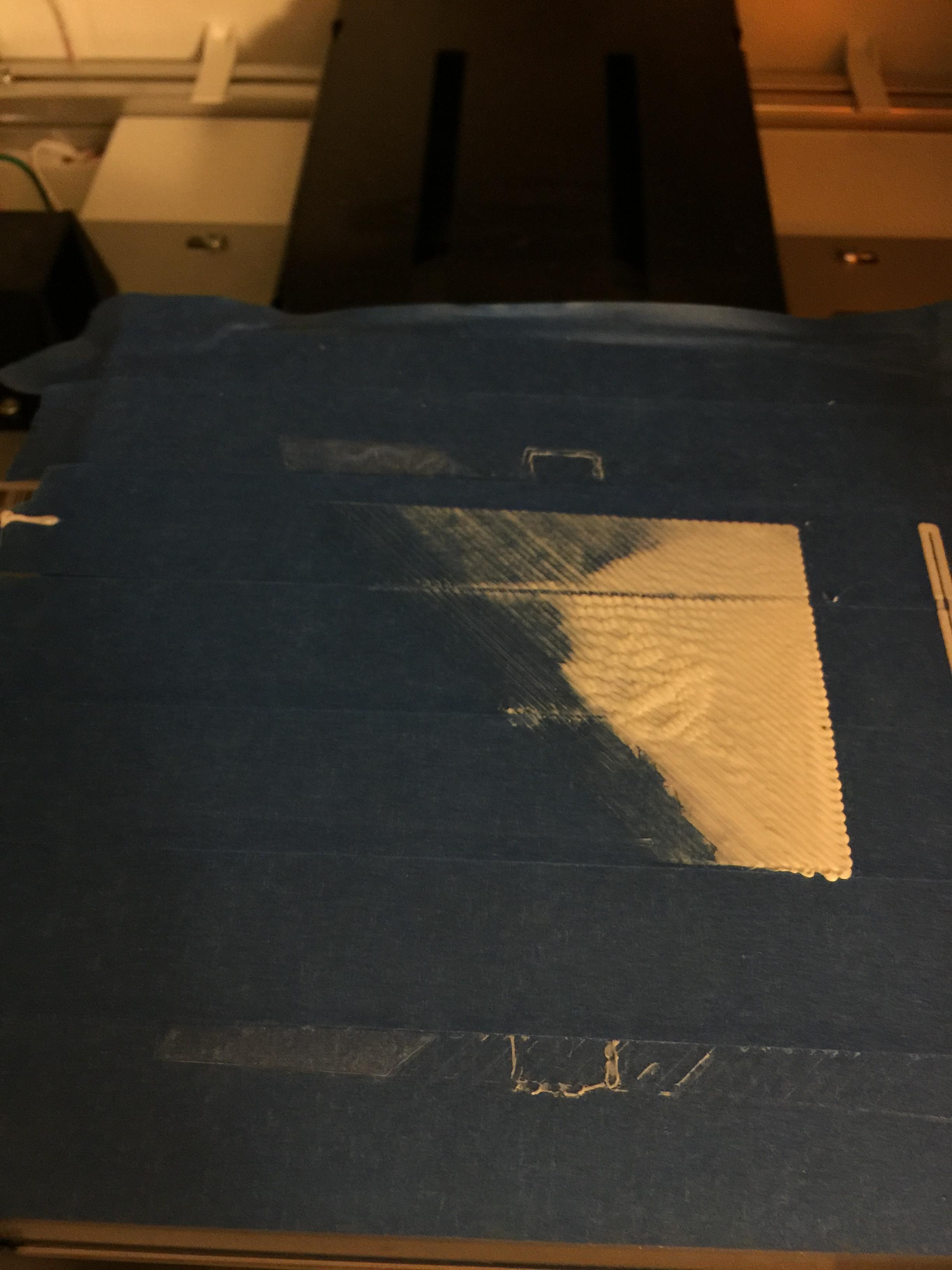
			<content type="html"><![CDATA[<p>Looks like nozzle height (aka Z offset) and level issue.<br />Probably knocked bed out by removing well stuck prints.</p><p>You can 1st do XYZ recommended power brick levelling method - never did anything to me but still worth a try.</p><p>2nd - proper levelling method.</p><p>1. Put some new painters tape and make sure it&#039;s well stuck - creditcard method is the best way.<br />2. Home your axis.<br />3. With some piece of paper measure your nozzle height on all 4x corners to see where it&#039;s off - write it down (eg. bottom left 1sheet, bottom right twofold etc...).<br />(when moving axis by hand do it slowly, stepper motors generate quite a lot of power and can fry your logicboard potentially)<br />4. Unscrew the glass plate and put some paper square cuts to compensate that level issue.<br />5. Screw back bed, measure again - if still off do step 4 again. If you&#039;re lucky you&#039;ll get this done in 2x passes.</p><p>Hope this helps.</p>]]></content>
			<author>
				<name><![CDATA[kr15_uk]]></name>
				<uri>https://www.soliforum.com/user/14138/</uri>
			</author>
			<updated>2017-02-15T12:52:03Z</updated>
			<id>https://www.soliforum.com/post/132578/#p132578</id>
		</entry>
		<entry>
			<title type="html"><![CDATA[DaVinci Jr. Strange Extrusion Problem]]></title>
			<link rel="alternate" href="https://www.soliforum.com/post/132565/#p132565" />
			<content type="html"><![CDATA[<p><span class="postimg"><img src="http://soliforum.com/i/?8DMFl31.jpg" alt="http://soliforum.com/i/?8DMFl31.jpg" /></span><br />My XYZPrinting DaVinci Jr is having extrusion problems When I start to print, the printer will extrude large amounts of plastic, but eventually, only a small amount will be extruded on the back of the bed. Eventually, the printer will only leave trace amounts of plastic behind. I tried to clean the extruder gears and the hotend, but the printer will still do the same thing. Also, this plastic seems quite lumpy and irregular.</p>]]></content>
			<author>
				<name><![CDATA[zgundam928]]></name>
				<uri>https://www.soliforum.com/user/16145/</uri>
			</author>
			<updated>2017-02-15T07:20:14Z</updated>
			<id>https://www.soliforum.com/post/132565/#p132565</id>
		</entry>
</feed>