<?xml version="1.0" encoding="utf-8"?>
<feed xmlns="http://www.w3.org/2005/Atom">
	<title type="html"><![CDATA[SoliForum - 3D Printing Community — Top layer infill holes near perimeter]]></title>
	<link rel="self" href="https://www.soliforum.com/feed/atom/topic/15649/" />
	<updated>2016-10-31T06:28:15Z</updated>
	<generator>PunBB</generator>
	<id>https://www.soliforum.com/topic/15649/top-layer-infill-holes-near-perimeter/</id>
		<entry>
			<title type="html"><![CDATA[Re: Top layer infill holes near perimeter]]></title>
			<link rel="alternate" href="https://www.soliforum.com/post/127841/#p127841" />
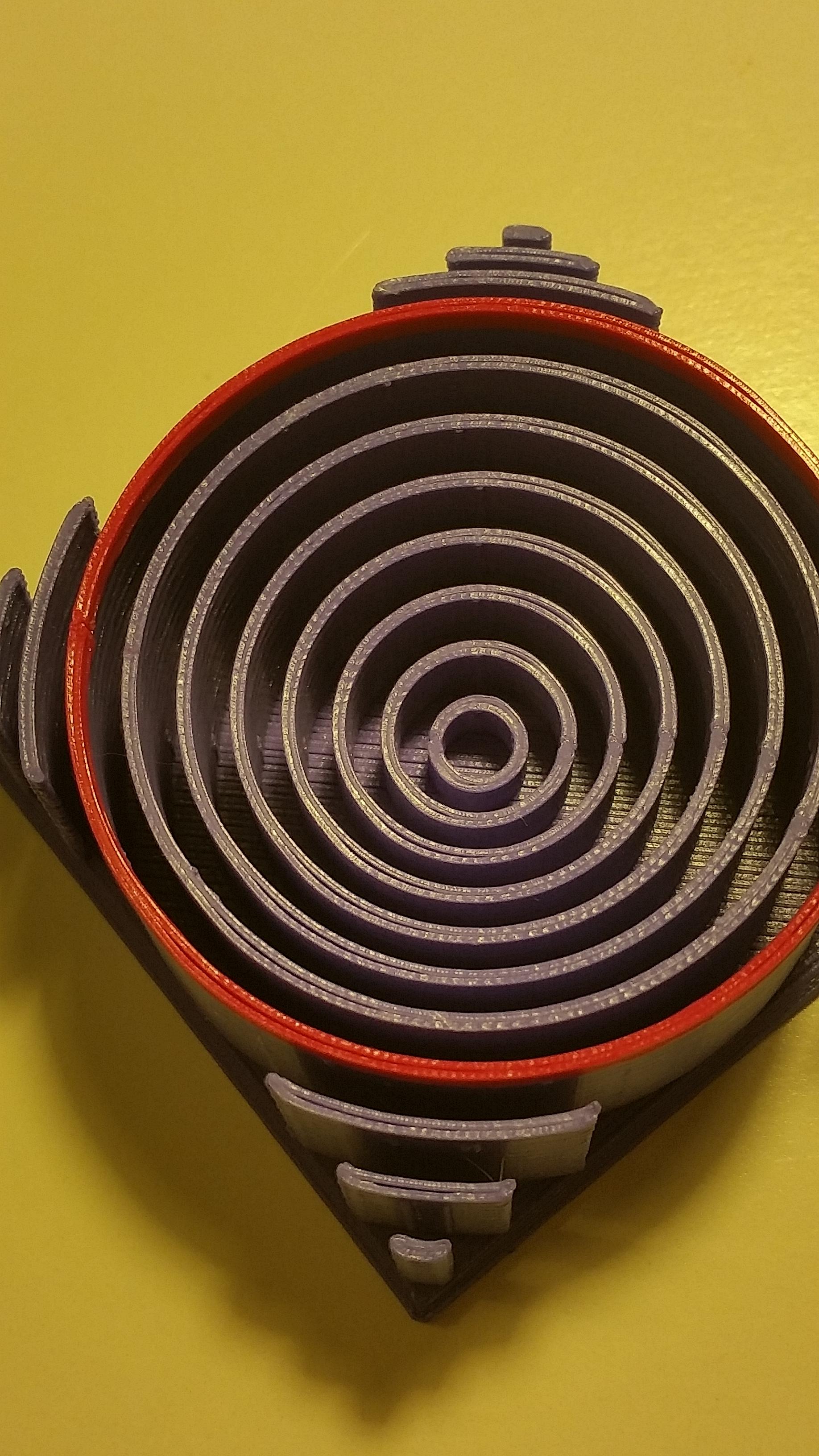
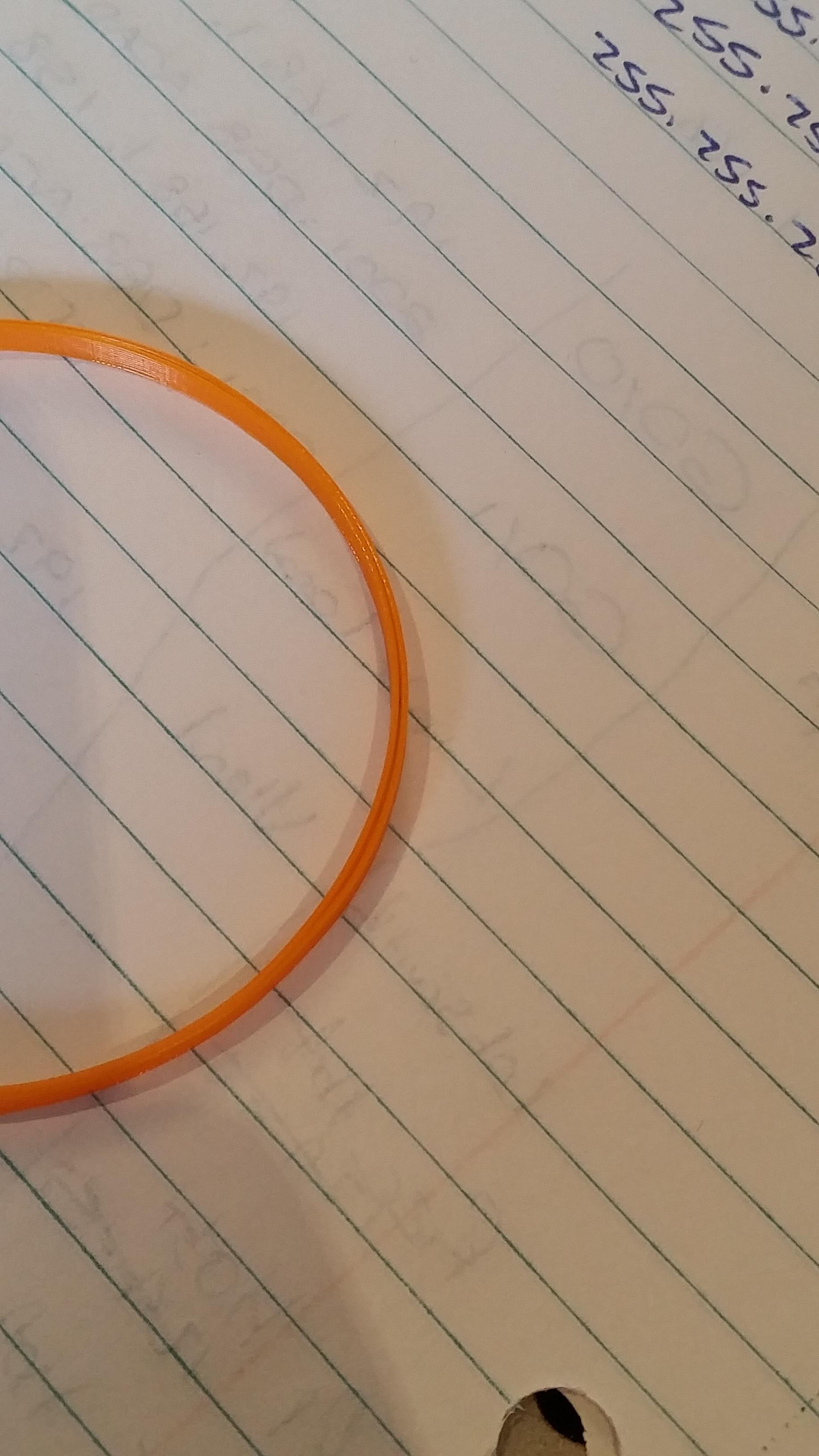
			<content type="html"><![CDATA[<p>So I&#039;ve bumped up my infill overlap to 30% in simplify 3d and my top layer is looking perfect. I do still have a circle problem though, even though I&#039;ve aligned it as well as I can. I literally spent 5 minutes just running the y axis back and forth and making sore the back rod was staying in its place. I&#039;m planning on doing Adrian&#039;s &quot;solution to all circle problems&quot; mod in the next couple of days so hopefully that will fix it <span class="postimg"><img src="http://soliforum.com/i/?eGBptyV.jpg" alt="http://soliforum.com/i/?eGBptyV.jpg" /></span><span class="postimg"><img src="http://soliforum.com/i/?X88Iy98.jpg" alt="http://soliforum.com/i/?X88Iy98.jpg" /></span></p>]]></content>
			<author>
				<name><![CDATA[Quintox303]]></name>
				<uri>https://www.soliforum.com/user/8354/</uri>
			</author>
			<updated>2016-10-31T06:28:15Z</updated>
			<id>https://www.soliforum.com/post/127841/#p127841</id>
		</entry>
		<entry>
			<title type="html"><![CDATA[Re: Top layer infill holes near perimeter]]></title>
			<link rel="alternate" href="https://www.soliforum.com/post/127839/#p127839" />
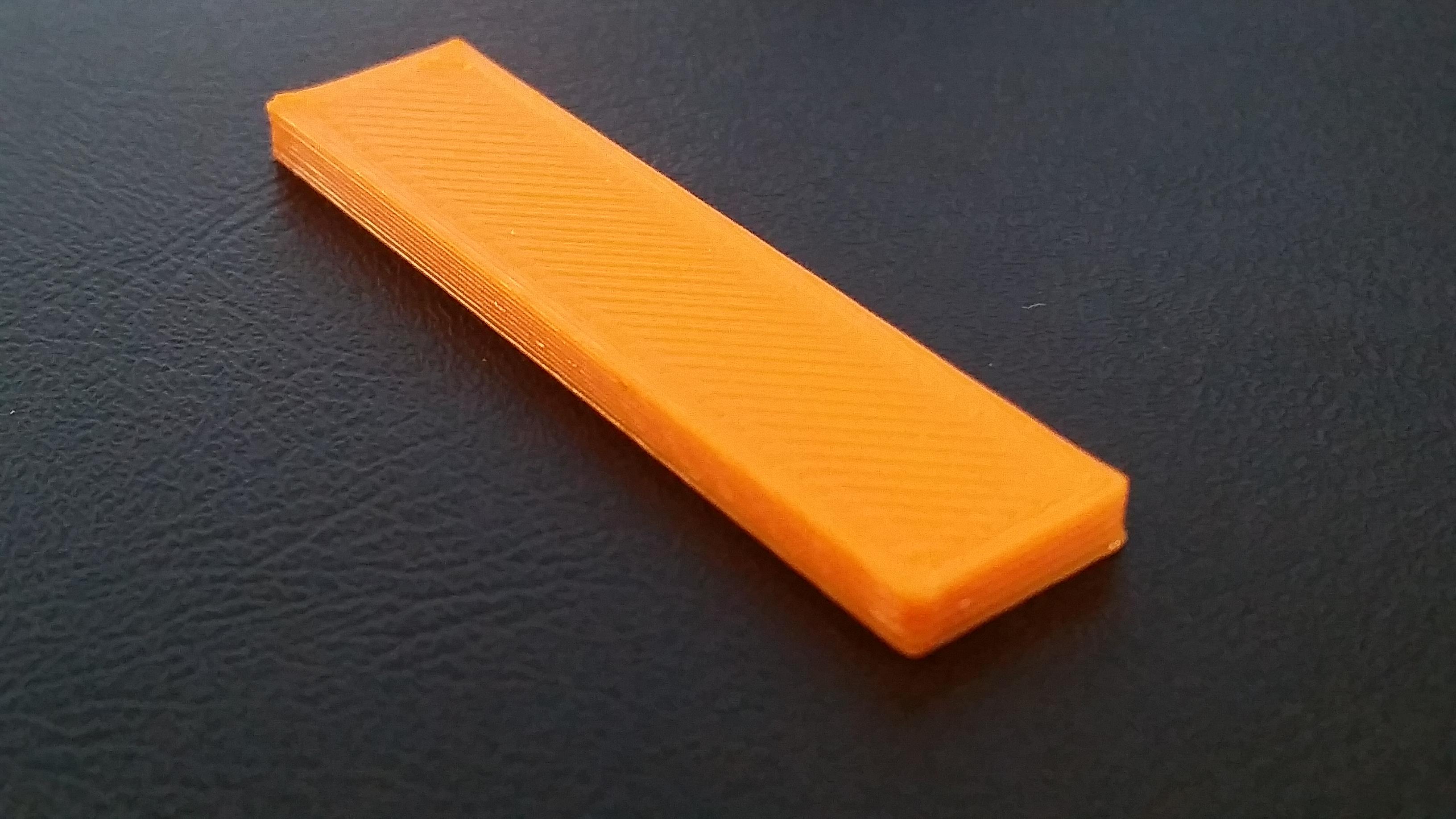
			<content type="html"><![CDATA[<p><span class="postimg"><img src="http://soliforum.com/i/?euvygjB.jpg" alt="http://soliforum.com/i/?euvygjB.jpg" /></span></p><p>This is what I&#039;m getting right now. I&#039;ll try it out with more perimeters and see what happens <img src="https://www.soliforum.com/img/smilies/tongue.png" width="15" height="15" alt="tongue" /></p>]]></content>
			<author>
				<name><![CDATA[Quintox303]]></name>
				<uri>https://www.soliforum.com/user/8354/</uri>
			</author>
			<updated>2016-10-31T04:04:33Z</updated>
			<id>https://www.soliforum.com/post/127839/#p127839</id>
		</entry>
		<entry>
			<title type="html"><![CDATA[Re: Top layer infill holes near perimeter]]></title>
			<link rel="alternate" href="https://www.soliforum.com/post/127837/#p127837" />
			<content type="html"><![CDATA[<div class="quotebox"><cite>Quintox303 wrote:</cite><blockquote><p>I&#039;ve got my infill overlap at 15% at the moment. I don&#039;t think it&#039;s related to that as it&#039;s only on one edge that the infill doesn&#039;t meet the perimeter. I&#039;ve also tried it with 2 rolls of filament now and it won&#039;t go away <img src="https://www.soliforum.com/img/smilies/sad.png" width="15" height="15" alt="sad" /> I don&#039;t think another slicer would do anything, I&#039;m convinced it&#039;s a mechanical issue as the tool path looks perfect</p></blockquote></div><p>I added to my post. You might measure your printed wall versus desired wall thickness. Try adding an additional perimeter or taking one away from your test.</p>]]></content>
			<author>
				<name><![CDATA[carl_m1968]]></name>
				<uri>https://www.soliforum.com/user/7731/</uri>
			</author>
			<updated>2016-10-31T03:50:13Z</updated>
			<id>https://www.soliforum.com/post/127837/#p127837</id>
		</entry>
		<entry>
			<title type="html"><![CDATA[Re: Top layer infill holes near perimeter]]></title>
			<link rel="alternate" href="https://www.soliforum.com/post/127836/#p127836" />
			<content type="html"><![CDATA[<p>I&#039;ve got my infill overlap at 15% at the moment. I don&#039;t think it&#039;s related to that as it&#039;s only on one edge that the infill doesn&#039;t meet the perimeter. I&#039;ve also tried it with 2 rolls of filament now and it won&#039;t go away <img src="https://www.soliforum.com/img/smilies/sad.png" width="15" height="15" alt="sad" /> I don&#039;t think another slicer would do anything, I&#039;m convinced it&#039;s a mechanical issue as the tool path looks perfect</p>]]></content>
			<author>
				<name><![CDATA[Quintox303]]></name>
				<uri>https://www.soliforum.com/user/8354/</uri>
			</author>
			<updated>2016-10-31T03:35:03Z</updated>
			<id>https://www.soliforum.com/post/127836/#p127836</id>
		</entry>
		<entry>
			<title type="html"><![CDATA[Re: Top layer infill holes near perimeter]]></title>
			<link rel="alternate" href="https://www.soliforum.com/post/127835/#p127835" />
			<content type="html"><![CDATA[<p>Have you tried playing with the infill overlap settings in your slicer.&nbsp; Mine by default are set at 12 percent. I believe this controls how far into the inner perimeter that the infill goes. Also have you tried a different filament. I had this issue once myself and it was bad filament. You could also try another host like Cura or others.</p><p>This can also be caused by bad math. Your wall thickness needs to be an even multiple of your nozzle width.&nbsp; If it is odd the slicer will cut the odd pass and leave gaps like this. </p><p>Each pass or perimeter that the extruder makes will always be your set extrusion width.&nbsp; The slicer will not make it thinner or wider unless you change it.&nbsp; So all verticle thicknesses in your print are based on multiples of that setting.</p>]]></content>
			<author>
				<name><![CDATA[carl_m1968]]></name>
				<uri>https://www.soliforum.com/user/7731/</uri>
			</author>
			<updated>2016-10-31T03:30:59Z</updated>
			<id>https://www.soliforum.com/post/127835/#p127835</id>
		</entry>
		<entry>
			<title type="html"><![CDATA[Re: Top layer infill holes near perimeter]]></title>
			<link rel="alternate" href="https://www.soliforum.com/post/127834/#p127834" />
			<content type="html"><![CDATA[<p>Have you tried playing with the infill overlap settings in your slicer.&nbsp; Mine by default are set at 12 percent. I believe this controls how far into the inner perimeter that the infill goes. Also have you tried a different filament. I had this issue once myself and it was bad filament. You could also try another host like Cuba or others.</p>]]></content>
			<author>
				<name><![CDATA[carl_m1968]]></name>
				<uri>https://www.soliforum.com/user/7731/</uri>
			</author>
			<updated>2016-10-31T03:30:20Z</updated>
			<id>https://www.soliforum.com/post/127834/#p127834</id>
		</entry>
		<entry>
			<title type="html"><![CDATA[Re: Top layer infill holes near perimeter]]></title>
			<link rel="alternate" href="https://www.soliforum.com/post/127833/#p127833" />
			<content type="html"><![CDATA[<p>Well, after a couple of days of tinkering I still haven&#039;t been able to get rid of this problem. My belts are tight, all screws and pulleys are in tight, I&#039;ve re aligned the y axis as well as I can, it seemed to be perfect but I havent printed a circle yet to test. Theres no slop in the extruder carriage either and the hot end is secured well. I&#039;ll upload a picture in about an hour of what sort of effect its having on the top surface still once this print has finished. Then ill start a circle to see how its going with the y alignment</p>]]></content>
			<author>
				<name><![CDATA[Quintox303]]></name>
				<uri>https://www.soliforum.com/user/8354/</uri>
			</author>
			<updated>2016-10-31T02:55:03Z</updated>
			<id>https://www.soliforum.com/post/127833/#p127833</id>
		</entry>
		<entry>
			<title type="html"><![CDATA[Re: Top layer infill holes near perimeter]]></title>
			<link rel="alternate" href="https://www.soliforum.com/post/127732/#p127732" />
			<content type="html"><![CDATA[<p>if the belts are loose, that could be a big portion of your problem. they need to be fairly snug</p>]]></content>
			<author>
				<name><![CDATA[heartless]]></name>
				<uri>https://www.soliforum.com/user/10399/</uri>
			</author>
			<updated>2016-10-25T23:53:56Z</updated>
			<id>https://www.soliforum.com/post/127732/#p127732</id>
		</entry>
		<entry>
			<title type="html"><![CDATA[Re: Top layer infill holes near perimeter]]></title>
			<link rel="alternate" href="https://www.soliforum.com/post/127728/#p127728" />
			<content type="html"><![CDATA[<p>Thats so much for your fast responses! <img src="https://www.soliforum.com/img/smilies/tongue.png" width="15" height="15" alt="tongue" /> I&#039;ll check over all those things tomorrow and hopefully that&#039;ll be the fix. I do know my belts aren&#039;t as tight as they could be, I&#039;ve been meaning to tighten them. And I will also do another y axis circle calibration and make sure all my axes are running smoothly. I&#039;ll let you know how it goes <img src="https://www.soliforum.com/img/smilies/big_smile.png" width="15" height="15" alt="big_smile" /></p>]]></content>
			<author>
				<name><![CDATA[Quintox303]]></name>
				<uri>https://www.soliforum.com/user/8354/</uri>
			</author>
			<updated>2016-10-25T12:07:05Z</updated>
			<id>https://www.soliforum.com/post/127728/#p127728</id>
		</entry>
		<entry>
			<title type="html"><![CDATA[Re: Top layer infill holes near perimeter]]></title>
			<link rel="alternate" href="https://www.soliforum.com/post/127727/#p127727" />
			<content type="html"><![CDATA[<p>Looking at the print with circles, I would have to agree that there is something physically loose or out of alignment. Check everything over carefully - all screws/nuts are tight, belts snug, Y axis is aligned evenly on both sides, no slop in the extruder carriage/hotend.</p><p>FWIW - on a well calibrated printer, you should not need to use infill overlap. <br />I have that setting in Slic3r set to zero on my printers and have no problems with infill meeting perimeters.</p>]]></content>
			<author>
				<name><![CDATA[heartless]]></name>
				<uri>https://www.soliforum.com/user/10399/</uri>
			</author>
			<updated>2016-10-25T11:56:26Z</updated>
			<id>https://www.soliforum.com/post/127727/#p127727</id>
		</entry>
		<entry>
			<title type="html"><![CDATA[Re: Top layer infill holes near perimeter]]></title>
			<link rel="alternate" href="https://www.soliforum.com/post/127726/#p127726" />
			<content type="html"><![CDATA[<p>Here is a link to someone else who had similar problems.&nbsp; Glasswalker had very good info on things to check on your printer.&nbsp; One of the things he mentioned is to make sure the rods are smooth and the carriage moves smoothly.&nbsp; Unfortunately, I don&#039;t have a cartesian printer.&nbsp; My printer is a delta printer and it can have a lot worse problems than cartesian if its not calibrated properly.</p><p><a href="https://ultimaker.com/en/community/1386-circles-arent-circular">https://ultimaker.com/en/community/1386 … t-circular</a></p><p>More info:<br /><a href="https://groups.google.com/forum/#!topic/solidoodle/MNnym1MC94Y">https://groups.google.com/forum/#!topic … Nnym1MC94Y</a></p>]]></content>
			<author>
				<name><![CDATA[xt]]></name>
				<uri>https://www.soliforum.com/user/15265/</uri>
			</author>
			<updated>2016-10-25T11:49:51Z</updated>
			<id>https://www.soliforum.com/post/127726/#p127726</id>
		</entry>
		<entry>
			<title type="html"><![CDATA[Re: Top layer infill holes near perimeter]]></title>
			<link rel="alternate" href="https://www.soliforum.com/post/127725/#p127725" />
			<content type="html"><![CDATA[<p>Here is a link to a site that provides good troubleshooting information.</p><p><a href="https://www.simplify3d.com/support/print-quality-troubleshooting/#gaps-between-infill-and-outline">https://www.simplify3d.com/support/prin … nd-outline</a></p>]]></content>
			<author>
				<name><![CDATA[xt]]></name>
				<uri>https://www.soliforum.com/user/15265/</uri>
			</author>
			<updated>2016-10-25T11:42:00Z</updated>
			<id>https://www.soliforum.com/post/127725/#p127725</id>
		</entry>
		<entry>
			<title type="html"><![CDATA[Re: Top layer infill holes near perimeter]]></title>
			<link rel="alternate" href="https://www.soliforum.com/post/127724/#p127724" />
			<content type="html"><![CDATA[<p>Check your belts and gears to make sure its tight and not sloppy.&nbsp; You may have a backlash issue at a certain angle.&nbsp; You can bump up the overlap to 20% to see if it helps if the problem remains.&nbsp; However, there is something mechanically wrong with your printer.</p><p>Marlin has backlash compensation if you can&#039;t get rid of the problem mechanically.&nbsp; You can look up hysteresis correction as a last resort.</p>]]></content>
			<author>
				<name><![CDATA[xt]]></name>
				<uri>https://www.soliforum.com/user/15265/</uri>
			</author>
			<updated>2016-10-25T11:34:29Z</updated>
			<id>https://www.soliforum.com/post/127724/#p127724</id>
		</entry>
		<entry>
			<title type="html"><![CDATA[Top layer infill holes near perimeter]]></title>
			<link rel="alternate" href="https://www.soliforum.com/post/127722/#p127722" />
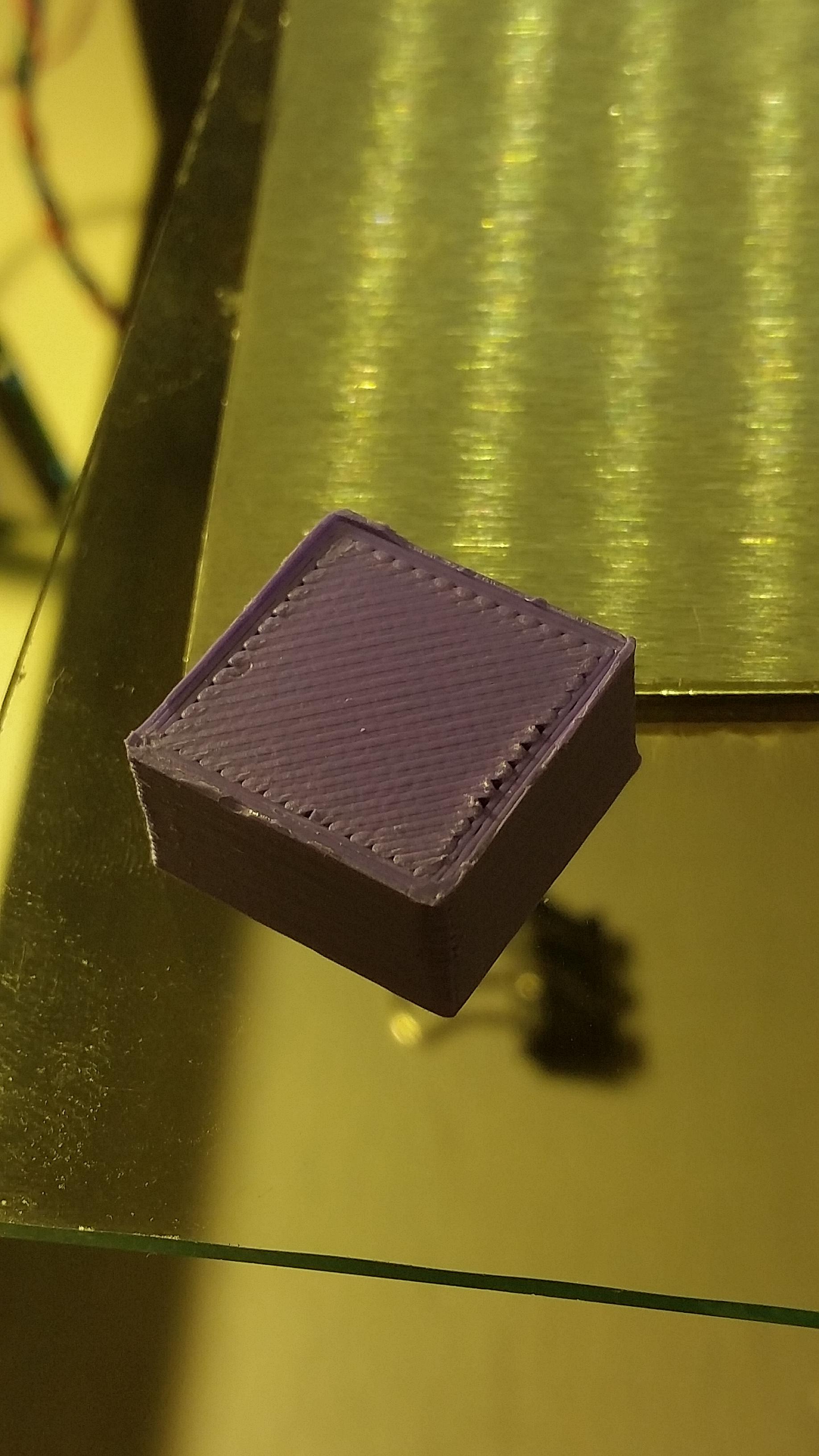
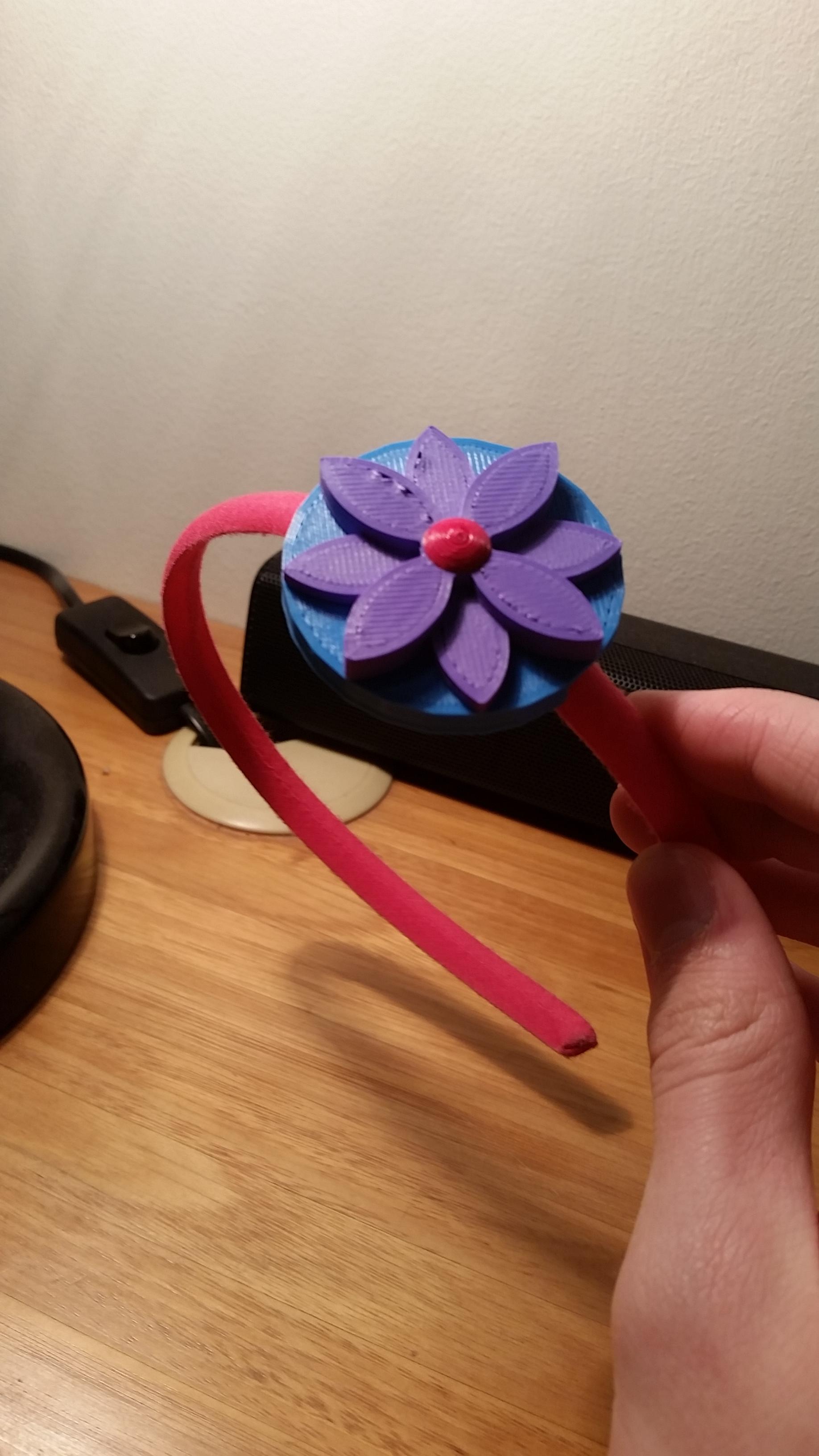
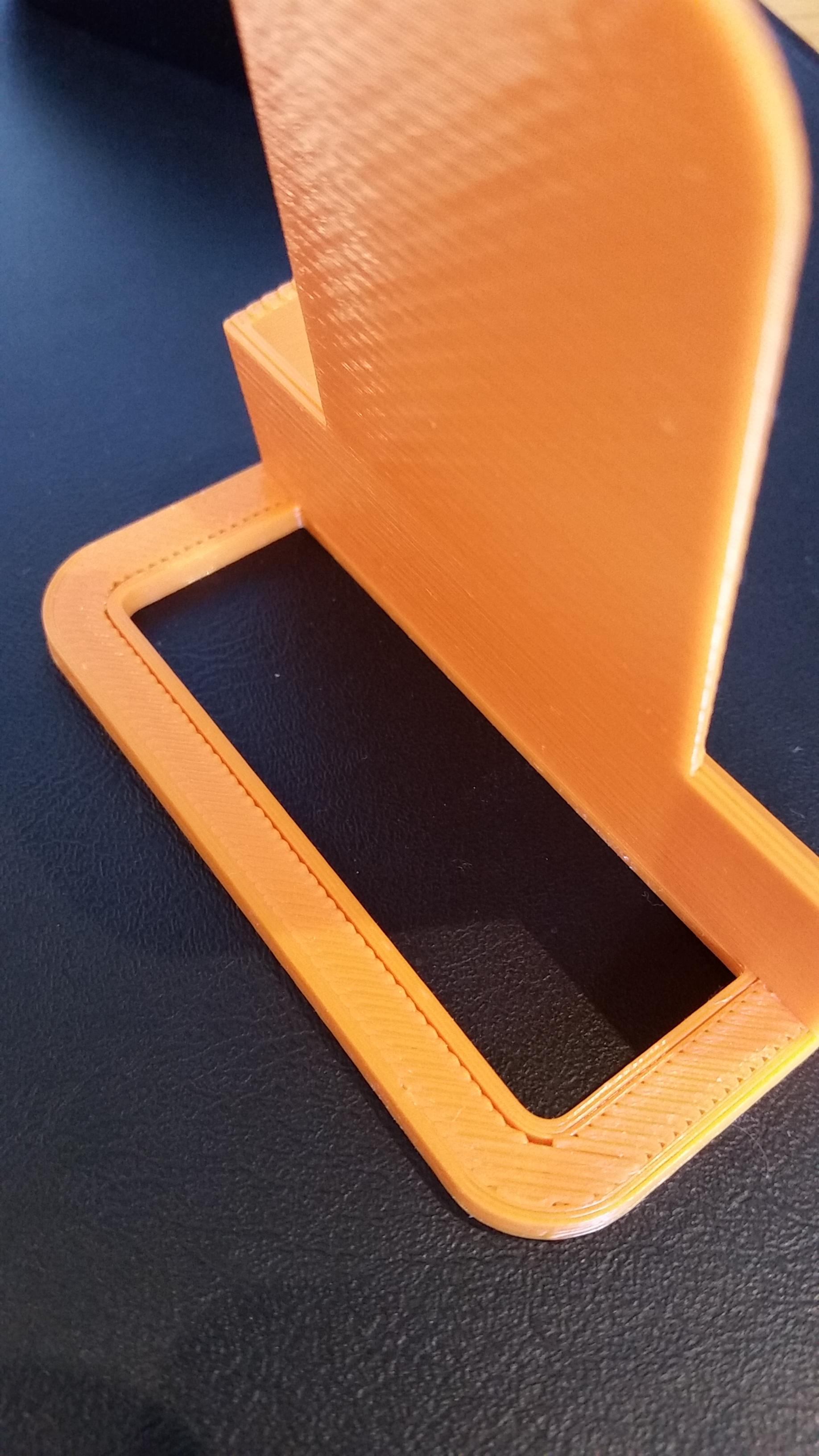
			<content type="html"><![CDATA[<p>Hey guys, wondering if any of you would be able to help me with this. I&#039;ve been consistently getting these holes on the top surfaces of my prints where the inner perimeter meets the infill. Over/under extrusion can&#039;t be an issue, I&#039;ve calibrated that perfectly. I also don&#039;t think speed is an issue as the top infill was printed at 30mm/s. Extrusion width is 0.48mm, 4 top solid layers at 0.2mm layer height. Infill was 30%, and infill/perimeter overlap was 15%. It didn&#039;t have any trouble making the solid top surface, just at the edges it doesn&#039;t connect to the perimeter in some parts. X/Y calibration seems perfect when measuring whole parts, but there is a gap between threads when printed at a certain angle as you can see in the letter picture. <span class="postimg"><img src="http://soliforum.com/i/?rue41dc.jpg" alt="http://soliforum.com/i/?rue41dc.jpg" /></span><span class="postimg"><img src="http://soliforum.com/i/?fOf4yHp.jpg" alt="http://soliforum.com/i/?fOf4yHp.jpg" /></span><span class="postimg"><img src="http://soliforum.com/i/?V2X4QTO.jpg" alt="http://soliforum.com/i/?V2X4QTO.jpg" /></span></p><p>All printed on my proudly owned heavily modified solidoodle 3</p><p>Dont worry about the roughness of the external perimeter on the cube, more single perimeters were printed above that but I cut them off for the picture. </p><p>Thanks for any help you&#039;ll be able to give <img src="https://www.soliforum.com/img/smilies/smile.png" width="15" height="15" alt="smile" /></p>]]></content>
			<author>
				<name><![CDATA[Quintox303]]></name>
				<uri>https://www.soliforum.com/user/8354/</uri>
			</author>
			<updated>2016-10-25T10:15:56Z</updated>
			<id>https://www.soliforum.com/post/127722/#p127722</id>
		</entry>
</feed>