<?xml version="1.0" encoding="utf-8"?>
<feed xmlns="http://www.w3.org/2005/Atom">
	<title type="html"><![CDATA[SoliForum - 3D Printing Community — L-Cheapo Laser Attachment (for 3D printer)]]></title>
	<link rel="self" href="https://www.soliforum.com/feed/atom/topic/13229/" />
	<updated>2016-07-22T19:30:57Z</updated>
	<generator>PunBB</generator>
	<id>https://www.soliforum.com/topic/13229/lcheapo-laser-attachment-for-3d-printer/</id>
		<entry>
			<title type="html"><![CDATA[Re: L-Cheapo Laser Attachment (for 3D printer)]]></title>
			<link rel="alternate" href="https://www.soliforum.com/post/125374/#p125374" />
			<content type="html"><![CDATA[<p><a href="http://www.3ders.org//articles/20160722-want-to-laser-engrave-onto-metal-with-a-3d-printer-adapter-heres-how.html">http://www.3ders.org//articles/20160722 … s-how.html</a></p><p>Article on using the L-Cheapo as part of your tool-chain to engrave metals. Thought you might find it interesting.</p>]]></content>
			<author>
				<name><![CDATA[justsomeguy]]></name>
				<uri>https://www.soliforum.com/user/302/</uri>
			</author>
			<updated>2016-07-22T19:30:57Z</updated>
			<id>https://www.soliforum.com/post/125374/#p125374</id>
		</entry>
		<entry>
			<title type="html"><![CDATA[Re: L-Cheapo Laser Attachment (for 3D printer)]]></title>
			<link rel="alternate" href="https://www.soliforum.com/post/125298/#p125298" />
			<content type="html"><![CDATA[<p>Actully I am reading my own old comments on this thread and I found them helpful to myself since it has been a few months. It helped spark my memory that Inkscape was an easy way to go, especailly for engraving...could be a tad trickier for cutting since every color seems to cut better or worst, but I clearly was able to do it.</p>]]></content>
			<author>
				<name><![CDATA[LdyMox]]></name>
				<uri>https://www.soliforum.com/user/1758/</uri>
			</author>
			<updated>2016-07-20T14:20:28Z</updated>
			<id>https://www.soliforum.com/post/125298/#p125298</id>
		</entry>
		<entry>
			<title type="html"><![CDATA[Re: L-Cheapo Laser Attachment (for 3D printer)]]></title>
			<link rel="alternate" href="https://www.soliforum.com/post/125297/#p125297" />
			<content type="html"><![CDATA[<p>YSB did you ever end up trying that 3dpBurner-Image2Gcode-for-MPCNC-v3 software? Did it work with the L-Cheapo if you did? I admit I never got aroud to it, because got distracted with other stuff. Seems the laser stuff is starting to peek my intrest again hehehe.</p>]]></content>
			<author>
				<name><![CDATA[LdyMox]]></name>
				<uri>https://www.soliforum.com/user/1758/</uri>
			</author>
			<updated>2016-07-20T13:56:00Z</updated>
			<id>https://www.soliforum.com/post/125297/#p125297</id>
		</entry>
		<entry>
			<title type="html"><![CDATA[Re: L-Cheapo Laser Attachment (for 3D printer)]]></title>
			<link rel="alternate" href="https://www.soliforum.com/post/115068/#p115068" />
			<content type="html"><![CDATA[<p>Now just stick your hand under it and make an L-cheapo tattoo <img src="https://www.soliforum.com/img/smilies/big_smile.png" width="15" height="15" alt="big_smile" />&nbsp; (just kidding, eh.&nbsp; Don&#039;t anybody do this, please).</p><p>Edit: holy crap, I&#039;m too late.&nbsp; <a href="http://www.instructables.com/id/Laser-Tattoo/">http://www.instructables.com/id/Laser-Tattoo/</a></p>]]></content>
			<author>
				<name><![CDATA[driggers]]></name>
				<uri>https://www.soliforum.com/user/211/</uri>
			</author>
			<updated>2016-01-26T16:32:51Z</updated>
			<id>https://www.soliforum.com/post/115068/#p115068</id>
		</entry>
		<entry>
			<title type="html"><![CDATA[Re: L-Cheapo Laser Attachment (for 3D printer)]]></title>
			<link rel="alternate" href="https://www.soliforum.com/post/115067/#p115067" />
			<content type="html"><![CDATA[<p>Thanks. I will have to check this option out.</p>]]></content>
			<author>
				<name><![CDATA[LdyMox]]></name>
				<uri>https://www.soliforum.com/user/1758/</uri>
			</author>
			<updated>2016-01-26T15:55:31Z</updated>
			<id>https://www.soliforum.com/post/115067/#p115067</id>
		</entry>
		<entry>
			<title type="html"><![CDATA[Re: L-Cheapo Laser Attachment (for 3D printer)]]></title>
			<link rel="alternate" href="https://www.soliforum.com/post/115064/#p115064" />
			<content type="html"><![CDATA[<p>i find this software on website for DIY CNC with laser head&nbsp; ( <a href="http://www.vicious1.com">www.vicious1.com</a> )</p><p>it&#039;s a updated custom version of image2gcode that can help us..</p><p>see joined, the source is also joined</p>]]></content>
			<author>
				<name><![CDATA[ysb]]></name>
				<uri>https://www.soliforum.com/user/40/</uri>
			</author>
			<updated>2016-01-26T15:28:31Z</updated>
			<id>https://www.soliforum.com/post/115064/#p115064</id>
		</entry>
		<entry>
			<title type="html"><![CDATA[Re: L-Cheapo Laser Attachment (for 3D printer)]]></title>
			<link rel="alternate" href="https://www.soliforum.com/post/114192/#p114192" />
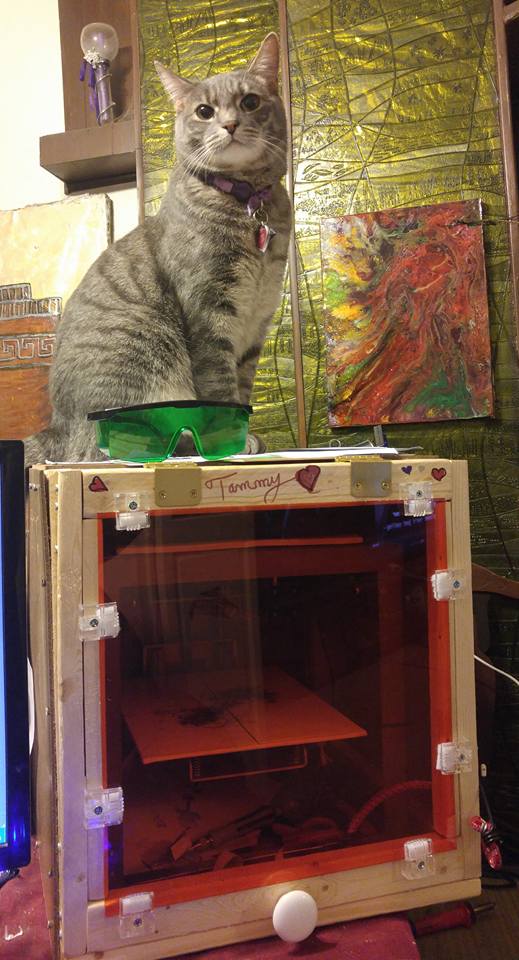
			<content type="html"><![CDATA[<p>I didn&#039;t even really notice the 7 watt one! neat.&nbsp; Here is a picture of my enclosure my father in law built for my Solidoodle 2 that I use for lasering. It can lift off easy for when I am 3D printing and has a nice laser protected front window ..... and my cat who apparently thinks it&#039;s a perch for him. On the printer bed, I just have a canvas panel.</p><p><span class="postimg"><img src="http://soliforum.com/i/?nDPgtBh.jpg" alt="http://soliforum.com/i/?nDPgtBh.jpg" /></span></p>]]></content>
			<author>
				<name><![CDATA[LdyMox]]></name>
				<uri>https://www.soliforum.com/user/1758/</uri>
			</author>
			<updated>2016-01-15T19:22:55Z</updated>
			<id>https://www.soliforum.com/post/114192/#p114192</id>
		</entry>
		<entry>
			<title type="html"><![CDATA[Re: L-Cheapo Laser Attachment (for 3D printer)]]></title>
			<link rel="alternate" href="https://www.soliforum.com/post/114154/#p114154" />
			<content type="html"><![CDATA[<p>How much is&nbsp; a 7 watt laser?</p>]]></content>
			<author>
				<name><![CDATA[wire10ga]]></name>
				<uri>https://www.soliforum.com/user/134/</uri>
			</author>
			<updated>2016-01-15T02:27:00Z</updated>
			<id>https://www.soliforum.com/post/114154/#p114154</id>
		</entry>
		<entry>
			<title type="html"><![CDATA[Re: L-Cheapo Laser Attachment (for 3D printer)]]></title>
			<link rel="alternate" href="https://www.soliforum.com/post/113680/#p113680" />
			<content type="html"><![CDATA[<p>Looking at the 7 watt head myself for my Mini Kossell.</p>]]></content>
			<author>
				<name><![CDATA[carl_m1968]]></name>
				<uri>https://www.soliforum.com/user/7731/</uri>
			</author>
			<updated>2016-01-09T01:12:24Z</updated>
			<id>https://www.soliforum.com/post/113680/#p113680</id>
		</entry>
		<entry>
			<title type="html"><![CDATA[Re: L-Cheapo Laser Attachment (for 3D printer)]]></title>
			<link rel="alternate" href="https://www.soliforum.com/post/113678/#p113678" />
			<content type="html"><![CDATA[<p>I think it took about 15 mins to cut but I didn&#039;t pay attention. Though a 60w machine would be awesome,&nbsp; but as you said far more expensive.</p>]]></content>
			<author>
				<name><![CDATA[LdyMox]]></name>
				<uri>https://www.soliforum.com/user/1758/</uri>
			</author>
			<updated>2016-01-09T00:51:42Z</updated>
			<id>https://www.soliforum.com/post/113678/#p113678</id>
		</entry>
		<entry>
			<title type="html"><![CDATA[Re: L-Cheapo Laser Attachment (for 3D printer)]]></title>
			<link rel="alternate" href="https://www.soliforum.com/post/113677/#p113677" />
			<content type="html"><![CDATA[<p>So that part took 10 minutes to cut? That&#039;d be about a 6 second cut on my (admittedly more expensive) 60w machine.</p>]]></content>
			<author>
				<name><![CDATA[elmoret]]></name>
				<uri>https://www.soliforum.com/user/221/</uri>
			</author>
			<updated>2016-01-09T00:47:58Z</updated>
			<id>https://www.soliforum.com/post/113677/#p113677</id>
		</entry>
		<entry>
			<title type="html"><![CDATA[Re: L-Cheapo Laser Attachment (for 3D printer)]]></title>
			<link rel="alternate" href="https://www.soliforum.com/post/113676/#p113676" />
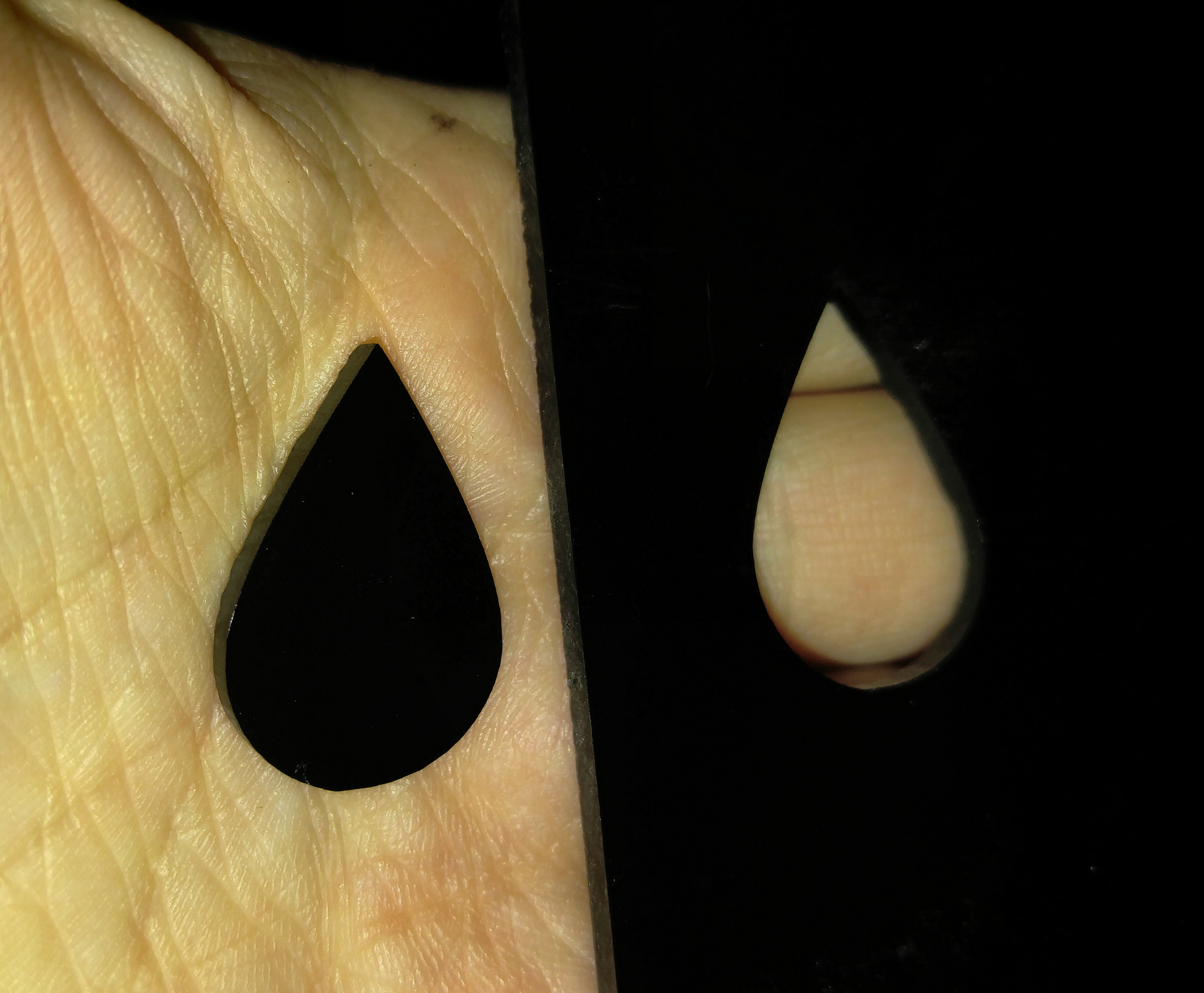
			<content type="html"><![CDATA[<p>I tested cutting the inkscape plugin to generate the gcode and it went just fine. I tested it with 1/8th inch Black acrylic. </p><p>For my test I used the following settings:<br />- 8 passes<br />-0.05mm pass depth<br />- Speed of 25 mm/min (I maybe could of had it go a lil faster)<br />- Also note so it would have room to go UP I started placed my material( mand focused my laser) a lil below the very top. I chose to give it 20 mm wiggle room for the hell of it</p><p>The inkscape plugin seems the easiest way to do this for sure</p><p><span class="postimg"><img src="http://soliforum.com/i/?pBInCTZ.jpg" alt="http://soliforum.com/i/?pBInCTZ.jpg" /></span></p>]]></content>
			<author>
				<name><![CDATA[LdyMox]]></name>
				<uri>https://www.soliforum.com/user/1758/</uri>
			</author>
			<updated>2016-01-09T00:33:35Z</updated>
			<id>https://www.soliforum.com/post/113676/#p113676</id>
		</entry>
		<entry>
			<title type="html"><![CDATA[Re: L-Cheapo Laser Attachment (for 3D printer)]]></title>
			<link rel="alternate" href="https://www.soliforum.com/post/113667/#p113667" />
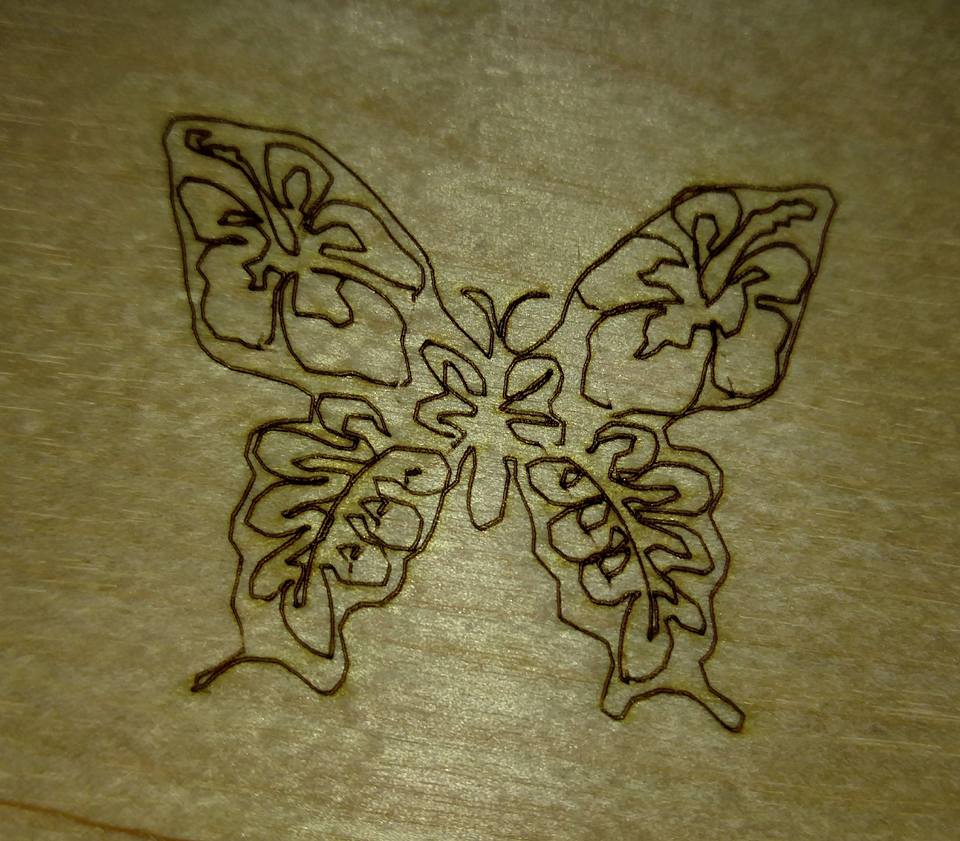
			<content type="html"><![CDATA[<p>Ok, this time I slowed the engraving down a tad, but more importantly I did not chose the &quot;Simplify Path&quot; option after creating the path. So clearly leaving the path more complex seems better</p><p><span class="postimg"><img src="http://soliforum.com/i/?oecPjMq.jpg" alt="http://soliforum.com/i/?oecPjMq.jpg" /></span></p>]]></content>
			<author>
				<name><![CDATA[LdyMox]]></name>
				<uri>https://www.soliforum.com/user/1758/</uri>
			</author>
			<updated>2016-01-08T23:31:11Z</updated>
			<id>https://www.soliforum.com/post/113667/#p113667</id>
		</entry>
		<entry>
			<title type="html"><![CDATA[Re: L-Cheapo Laser Attachment (for 3D printer)]]></title>
			<link rel="alternate" href="https://www.soliforum.com/post/113664/#p113664" />
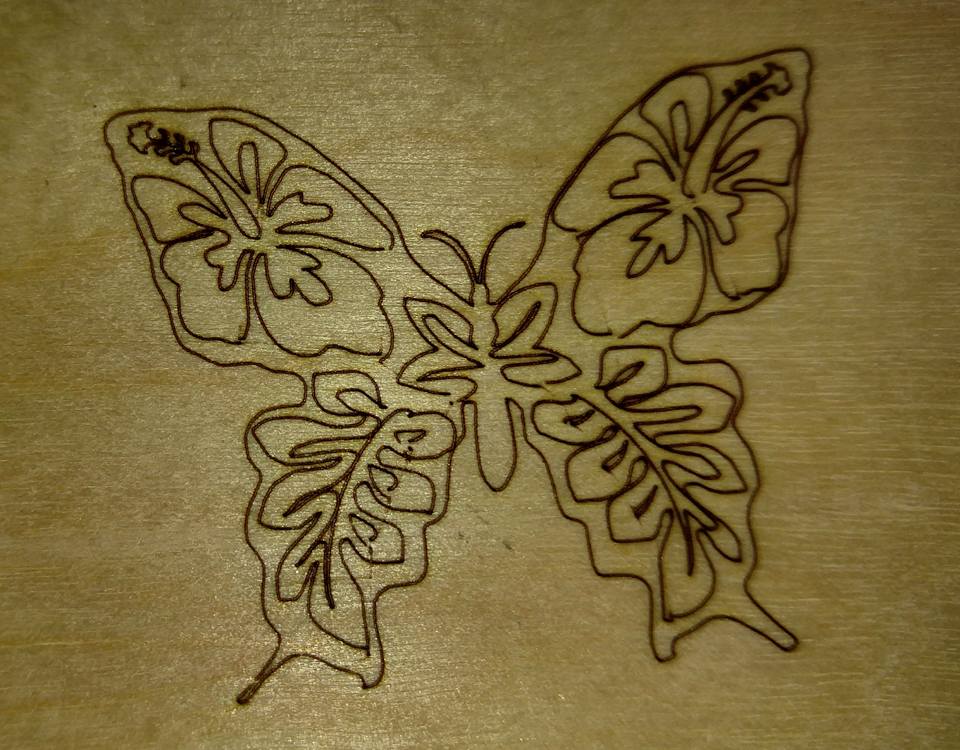
			<content type="html"><![CDATA[<p>Here is another picture of an engraving on thin plywood. I used the Inkscape plugin for this one. About an inch across. Not perfect but still looks nice in person.</p><p><span class="postimg"><img src="http://soliforum.com/i/?HqibJ9q.jpg" alt="http://soliforum.com/i/?HqibJ9q.jpg" /></span></p>]]></content>
			<author>
				<name><![CDATA[LdyMox]]></name>
				<uri>https://www.soliforum.com/user/1758/</uri>
			</author>
			<updated>2016-01-08T23:21:22Z</updated>
			<id>https://www.soliforum.com/post/113664/#p113664</id>
		</entry>
		<entry>
			<title type="html"><![CDATA[Re: L-Cheapo Laser Attachment (for 3D printer)]]></title>
			<link rel="alternate" href="https://www.soliforum.com/post/113626/#p113626" />
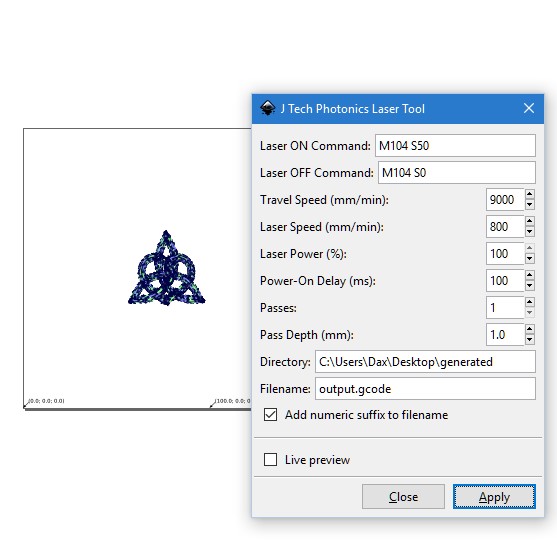
			<content type="html"><![CDATA[<p>I have had some success using the Inkscape and the free Inkscape plugin. To get it to show up I had to place the plugin files directly in Inkscape extensions folder (if overwrote something on my install, but didn&#039;t seem to break anything). <br /> Below is a sample of my settings, clearly speed would vary. The directory would be wherever you want to save the files.&nbsp; </p><p>- Pronterface seems to handle to generated gcode much better, I wouldn&#039;t recommend R-Host as it does not show where the image will be</p><p>- Set the Inkscape files to mm and the size of the file to whatever your bed size is, even if the image only takes up part of that space</p><p>- The inkscape plugin works on paths, so make sure you have selected a path</p><p>- generated gcode does not home your printer, so either manually home before an engrave or add that gcode on before you use it</p><p>- Inkscape plugin shows up under Extensions -&gt; Generate gcode- &gt; J Tech Photonics</p><p>- Seems sometimes when I was playing with it and I ran the laser tool consecutively on the same image&nbsp; it was adding extra paths, so be careful of that you might have to undo a few times to make sure of that it is only sending on path in the gcode. It could have been the file I was working on or maybe user error..but just putting it in here just in case. For me last night since I was tracing a bitmap, seem if I wanted to run the laser tool plugin multiple times it was best I reload the image, retrace the bitmap into a path and then run the laser plugin again.</p><p>- While using the tracing bitmaps to make a path in inkscape, it works but I noticed it worked but I think I need to figure out some tweeks. One thing that helps is to simplify the path first before using the laser plugin. </p><p>- I have only tried it to engrave and not cut as of yet..</p><p>I think if I can try the cuts and make it work and maybe work out a few more things, this may be the way I go. It requires far less steps then I was doing before. </p><p><a href="http://jtechphotonics.com/?page_id=2012">http://jtechphotonics.com/?page_id=2012</a> &lt;~~ The plugin and some instructions</p><p><a href="https://youtu.be/xw8h0c5Vdw8">https://youtu.be/xw8h0c5Vdw8</a>&nbsp; &nbsp; &nbsp; &nbsp; &lt;~~&nbsp; &nbsp; &nbsp; &nbsp; A relevant video that shows the Inkscape plugin being used </p><p><span class="postimg"><img src="http://soliforum.com/i/?E1dcRSy.jpg" alt="http://soliforum.com/i/?E1dcRSy.jpg" /></span> &lt;~~&nbsp; My screenshot of my settings for the Inkscape plugin but I was only engraving and not cutting. If cutting I would increase the number of passes and make my pass depth 0.05 or maybe 1.0 depending</p>]]></content>
			<author>
				<name><![CDATA[LdyMox]]></name>
				<uri>https://www.soliforum.com/user/1758/</uri>
			</author>
			<updated>2016-01-08T13:50:46Z</updated>
			<id>https://www.soliforum.com/post/113626/#p113626</id>
		</entry>
</feed>